
Medium Landing Pages
For independent fashion shops, an upcoming collection can expose gaps between product photos and social media messages. A medium landing page focuses on that single marketing concern rather than presenting an agency-wide service catalog.










More Website & HTML Templates for Medium






More Landing Pages from Pricing Category


Other Pricing Landing Pages
Simple Medium Landing Page for One Clear Visitor Action
Most landing pages focus on one main action, such as ordering a plan, joining a course, or coming to a group run. The Medium collection on Nicepage includes ready designs for several offer types. The best match is the one that already explains an offer like yours before the call to action appears.
Three Kinds of Offers
Each design below prepares visitors for its own next step:
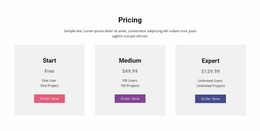
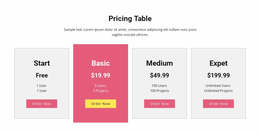
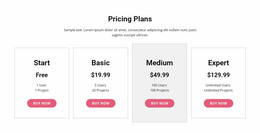
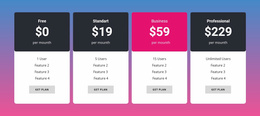
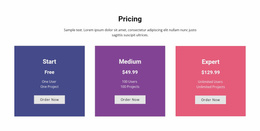
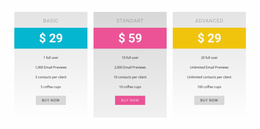
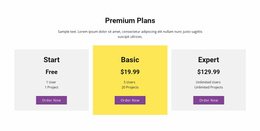
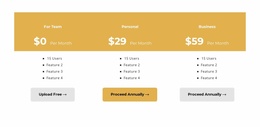
- Modern Pricing Table compares three plans named Start, Medium, and Expert. Each card ends with an Order Now button, and in this design, Medium is simply the middle plan's name.
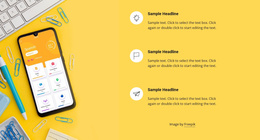
- Online Language Courses pairs a tall photo with three short feature items, which suits a course that needs a few clear reasons before signup.
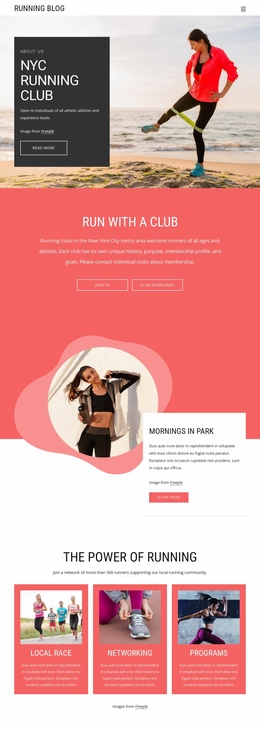
- NYC Running Club is much longer, with group run times, cards about local races, and a contact form for newcomers. A simple invitation may need only a few of those sections.
Compare designs by how well their existing blocks explain your offer. A service usually needs a clear description of the result, while a product needs its features and terms. An attractive hero photo will not help if the blocks below it describe a different kind of offer.
Leading Up to the Button
The first screen needs room for a plain headline, one sentence about the offer, and the main button. Each design divides that space differently. If the demo shows many benefit cards and your offer has two strong points, delete the extra cards. Before they click, visitors usually want to know what they get, what happens next, and what it costs. Real testimonials or partner logos, with permission, can settle any remaining doubts. Nicepage's Button Element can jump to a block further down the same page. Check in preview that each button lands on the intended block, especially after sections are moved. A secondary link to a schedule or a social profile is fine if it doesn't compete with the main action.
Forms People Finish on Phones
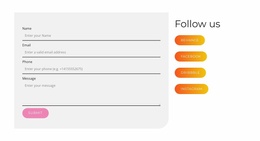
With Nicepage's Contact Form, keep the fields to what the next step requires. A simple contact request needs a name and an email. A project inquiry may need a few questions about scope. On a phone, visitors should be able to read the offer, find the button, and finish the form without zooming. The button label, the form, and the confirmation message should all promise the same thing. A button labeled Request a Consultation should open a consultation request form, followed by a message that sets expectations for when to expect a reply.