Premium Plans Landing Page


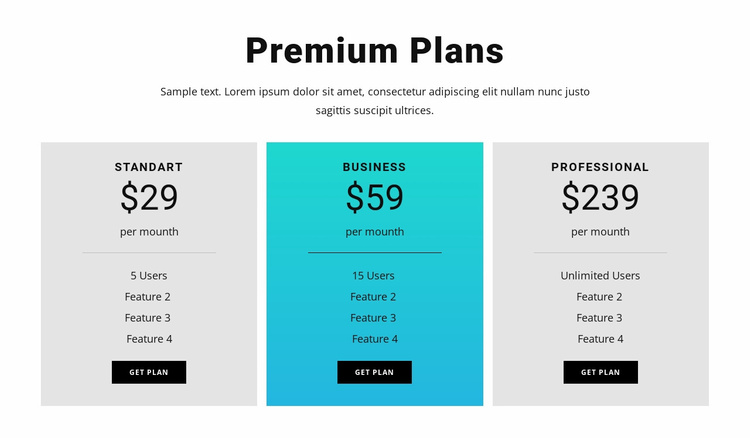
Three comparable plans turn pricing into a decision point
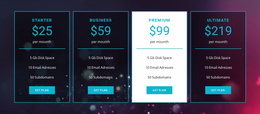
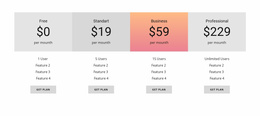
The centered “Premium Plans” heading and supporting paragraph establish a focused comparison before the visitor reaches the three plan cards. Standart, Business, and Professional are presented in parallel, each with a displayed monthly price, feature list, user allowance, and get plan button. This arrangement supports the consideration stage of a landing-page sequence because the visitor can compare the available levels within one bounded section rather than searching through separate content areas.
The displayed prices of $29, $59, and $239 per month provide the primary decision anchors. The user allowances—5 Users, 15 Users, and Unlimited Users—add a concrete distinction between the options, while the repeated feature rows supply supporting detail. The cyan Business card gives the middle plan stronger visual prominence, which can draw attention to a preferred or featured choice. The individual black buttons then provide a visible response point for each plan.
The block can therefore contribute a pricing stage before or alongside a broader conversion path. Its buttons may lead into the surrounding project’s selected response process, while the section itself remains a comparison block rather than a complete landing page. The surrounding sequence can provide trust, terms, checkout, or follow-up information without weakening the compact role of this pricing decision point.
Customize with Nicepage
Open this ready-made template in the Landing Page Builder and customize it visually in the Nicepage editor. Replace demo content, edit page sections, and adapt the design to your project without rebuilding the template from scratch.
Edit Template Offline
2. Create a new page or select existing
3. Click Add new block, search for id 87806 and click enter
Edit Template Online
Create Awesome Websites


Free Nicepage Builder
Keywords
Build a Landing Page Around One Conversion Goal
Focus on One Primary Action
Use the landing page to guide visitors toward one measurable response, such as requesting a quote, registering, subscribing, booking a consultation, applying for a service, or submitting an inquiry. Keep the primary call-to-action consistent across the important sections so the headline, supporting content, form, and CTA buttons work toward the same campaign goal instead of competing for attention.
Capture Leads With a Form
Use the Contact Form Element to add a contact, subscription, application, or other conversion form directly to the landing page. Customize the form fields, layout, labels, inputs, and button to collect the information required for your campaign while keeping the form focused on the action you want visitors to complete.
Nicepage also provides several form submission options. Form submissions can be sent to Email, stored as Leads, added to Google Sheets, passed to a custom URL or server endpoint, or used to populate a MailChimp mailing list. This provides practical options for collecting inquiries, registrations, subscriptions, applications, and other campaign responses.
Manage Leads and Campaign Responses
When submissions are stored as Leads, you can use Contact Form Leads to review the information collected through the landing page and use it for follow-up. Keep the form connected to the same offer and primary CTA presented throughout the page so visitors move from the campaign message to a clear conversion action.
This workflow makes the template suitable for landing pages where the offer, content, call-to-action, form, and lead collection process work together toward one defined conversion goal.

More from Pricing Blocks
-
-

-
-
-
-
-
-
-
-
-
Free Website Builder SoftwareDownload
-
-
-
-
-
-
-
-
-
-