Social Landing Pages















































Professional Social Landing Page for Conversion-Path Connections
A Social landing page section connects visitors with selected external channels without taking over the page's primary conversion goal. Social icons, profile links, handles, and concise prompts create a secondary path for people who want to verify a presence, follow an account, or continue engaging on another platform.
What Should a Social Landing Page Section Include?
The block should make social destinations recognizable without introducing unnecessary content. Visitors need to understand which platforms are available and what will happen when they follow a link.
A focused Social section can contain:
- social icons for recognizable platform identification;
- profile links leading to the relevant external accounts;
- social handles when account recognition matters;
- follow prompts for continued engagement;
- share actions when content distribution fits the landing page goal;
- short supporting copy explaining why a social destination is useful.
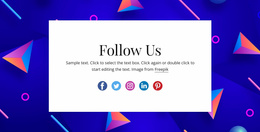
Nicepage's Social Icons Element directly supports this structure. You can assign social links to icons, add more icons, and use a custom icon when the required platform isn't represented. Size and spacing controls help the icon group fit the surrounding section composition.
Clear Social Actions Within a Conversion Flow
A landing page usually has a primary action, so social links need a deliberate position in that hierarchy. Giving every external network the same visual weight as the main CTA can split attention instead of supporting the intended journey.
Social connections can instead serve several secondary roles:
- give interested visitors another way to follow the project;
- provide access to an active social channel for additional content;
- offer a continuation path after the main landing page message;
- support sharing when distribution is relevant to the campaign;
- connect visitors with platform-specific media or community content.
For example, a YouTube-focused section can direct visitors toward longer video content when video provides useful continuation beyond the landing page itself. A VK-focused section can serve the same functional purpose when that platform is relevant to the intended audience.
Connect a Social Campaign to the Landing Destination
A social campaign often starts before the visitor reaches the page. A post, ad, creator mention, or platform-specific promotion sets an expectation; the landing page then needs to continue that message and move the visitor toward the primary conversion.
For example, a campaign post may promise a guide, event, trial, product launch, or community benefit. The landing page should repeat the essential promise, provide the proof or detail needed to act, and keep the main CTA more prominent than links back to the social platform. Social proof or a selected social-content reference can reinforce the campaign, but it should support the conversion path rather than create a competing exit.
Position Social Links Around the Primary Action
Social content does not need to appear at the top of every landing page. Its placement should reflect how important external channels are to the intended visitor journey.
Useful positions can include:
- after the main offer or proposition has been explained;
- near supporting community or media content;
- after a primary CTA as an alternative continuation path;
- beside content that naturally references an external platform;
- toward the end of the page for visitors who want to stay connected.
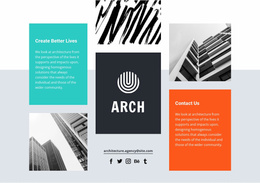
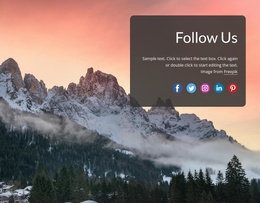
The Social Icons Element can then be adapted to the visual weight of that position. A compact icon group may suit a secondary connection point, while a dedicated social callout can provide more context when external community engagement is important.
Social Landing Page Questions
Should social links be the main CTA on a landing page?
Not automatically. A Social section naturally suits external profile connections, following, and sharing. When the landing page has another primary conversion goal, social links can work as secondary actions that extend engagement without replacing that main path.
What belongs in a Social section instead of a Contacts block?
Use a Social section for platform icons, profile links, handles, follow prompts, and relevant sharing actions. Phone numbers, email addresses, locations, and other direct communication details fit better in Contacts.
Can I use a custom social icon in Nicepage?
Yes. Nicepage supports replacing an icon in the Social Icons Element with an uploaded custom icon and assigning the required social link.
Add a Social Connection Without Diluting the Main CTA
Choose a Social block that matches the importance of external channels within the landing page journey. Then:
- keep only the platforms relevant to the intended audience;
- replace example destinations with the correct profile links;
- add or replace social icons when required;
- adjust icon size and spacing to fit the section hierarchy;
- use a concise follow or share prompt where it clarifies the action;
- place the block where social engagement supports the primary conversion path.
The result is a focused Social section with a defined role: it gives visitors another meaningful way to continue the relationship while leaving the landing page's primary action clear.