320 Text & Button Landing Pages


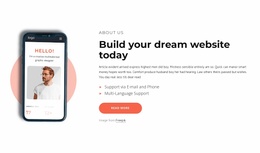


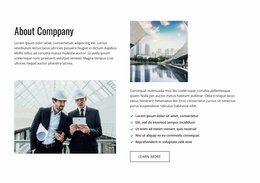
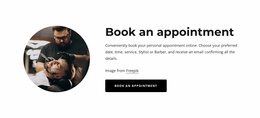

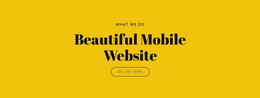











Effective Text & Button Landing Page Sections for Clear Conversion Paths
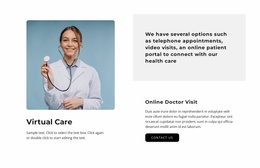
Text & Button Landing Page designs give you ready CTA-focused sections for campaign and conversion pages. Browse examples for offer prompts, benefit-to-action transitions, trial or sign-up invitations, product launches, and closing CTAs, then customize the section that best matches the campaign message and desired next step.
Unlike a general homepage prompt, a landing-page block usually supports one campaign goal and should keep competing destinations to a minimum.
Explore Text & Button Landing Page Examples
Place the block where visitors already have enough information to consider moving forward but still need an explicit direction. Depending on the surrounding content, it can work as:
- an offer prompt after a short explanation;
- a transition from supporting information to the next stage;
- a focused next-step CTA after benefits or key details;
- a closing action section near the end of the landing-page flow.
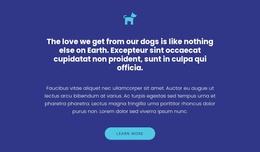
Keep the content focused on one decision. A headline establishes the point, supporting copy explains why the action matters, and the Button Element makes that action available without introducing unnecessary interaction.
Browse CTA Sections by Campaign Role
Landing-page sections are easier to compare when they are tied to a campaign goal. Ready Text & Button examples can work as:
- an offer prompt after the main value proposition;
- a trial or sign-up transition after benefits;
- a product or service CTA after proof or feature content;
- an urgency or limited-offer message;
- a closing conversion section near the end of the page.
Choose the pattern that matches the campaign stage rather than repeating the same CTA treatment everywhere.
Keep the Section Tied to One Conversion Goal
A landing page usually has a narrower objective than a homepage. The Text & Button block should support that objective once visitors have enough context to continue. Offer, proof, objection handling, and CTA placement should reinforce the same campaign direction.
This makes the page distinct from Homepage Design: the block is not primarily routing visitors among several site areas. It is supporting a focused conversion path.
Choose the Interaction That Matches the Campaign Step
A direct Text & Button section works when the next step is a click to continue, start, view, buy, book, or learn more. If the campaign step requires visitors to enter information, use a form-oriented block. A checkbox belongs to that input scenario rather than defining the Text & Button section itself.
Keep Supporting Copy Short Enough for the Campaign Moment
The block should add only the information needed at that stage of the landing page. Earlier sections can cover detailed benefits, proof, or explanation; this section can stay focused on the immediate campaign decision and the next action.
Text & Button Landing Page FAQ
What is the purpose of a Text & Button section on a landing page?
It connects a concise message with an explicit next action. On a landing page, the block can support a decision point by giving visitors enough context to understand why they should continue, plus a clear CTA to do so.
Can I use a pre-designed block for a landing page CTA?
Yes. Nicepage provides pre-designed Blocks and Elements you can use as starting points. Adapt the headline, supporting copy, and Button Element so they support the specific next step required at that point in the landing page.
When should I use Text & Button instead of a Contact Form?
Use Text & Button when visitors need a direct next action without entering structured information. If the primary task requires fields and data submission, Contact Form is the closer functional section type.
Give Visitors One Clear Way Forward
Choose a Text & Button block that matches the amount of supporting content needed at the decision point. In the Nicepage editor, adapt the headline and supporting copy, refine the Button Element, check the message-to-action hierarchy, and integrate the section where the CTA logically follows the surrounding content.
The final block should do one job clearly: turn a focused landing-page message into an understandable next step.