270 Counter Landing Pages





























































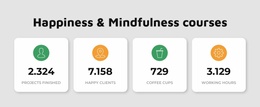
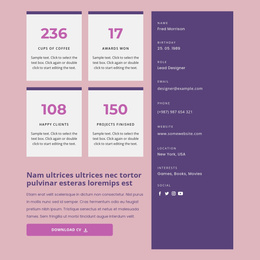




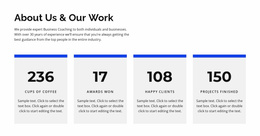

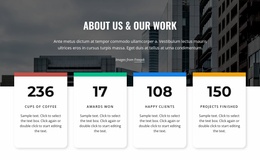












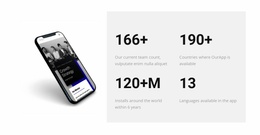










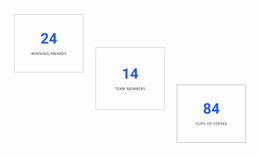




Professional Counter Landing Page Sections for Numerical Proof Before the CTA
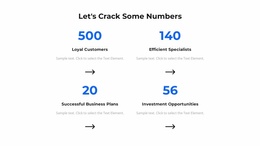
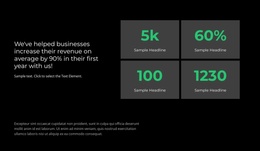
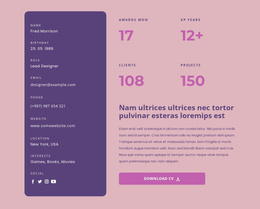
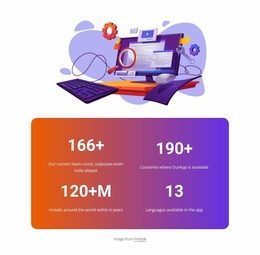
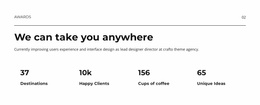
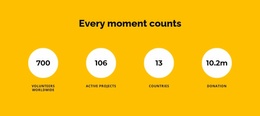
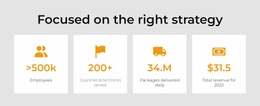
A Counter Landing Page section puts relevant numerical proof next to a specific offer so visitors can judge a claim before acting. Prominent figures paired with concise labels communicate project totals, completed milestones, or other verified results without lengthy explanations. When placed near a relevant call to action, these numerical highlights support the decision rather than compete with it.
How Do Counter Sections Support Landing Page Decisions?
Counter sections help visitors recognize a few key quantitative facts before deciding what to do next. Their role is to provide numerical context, not to replace the explanation of an offer or the action visitors are invited to take.
The best proof depends on the offer: an agency might show delivered projects, an event may show past attendees, and a service provider could show verified customer totals. Only use figures that actually support the promise on that page.
Each metric needs a specific label. A large number may attract attention, but visitors should immediately understand what it measures.
The strongest arrangement connects three elements: a relevant number, its label, and nearby content that explains why it matters.
This makes counters useful as supporting evidence near a decision point without treating them as a standalone conversion mechanism.
Choose Proof That Answers a Buyer’s Question
Ask what a hesitant visitor still needs to know. For a consultancy, the number of client projects may indicate experience; for a course, completed enrollments may show adoption. Neither figure proves results on its own. Visitors need to distinguish individual metrics while recognizing that the figures belong to one coherent summary.
Three content relationships matter most:
- Value and label: Every number needs a concise description that establishes its meaning.
- Metric grouping: Related figures should appear together, with consistent spacing and alignment.
- Visual priority: Important statistics should stand out without overpowering surrounding explanations or actions.
Nicepage’s native Counter Element can display the chosen proof figures with optional counting animation.
Consistent font sizes, alignment, and spacing make the proof figures read as one group beside the landing-page offer. Animation may draw attention, but the claims should remain understandable without movement.
For landing page use, select statistics that offer genuine evidence. Impressive-looking numbers without clear meaning may create uncertainty instead of strengthening a visitor's decision.
Positioning Achievement Counters Near a Relevant CTA
The placement of numerical highlights should reflect the decision they are intended to support.
A Counter section can appear after an explanation of an offer, where figures reinforce previously introduced claims. It can also sit before a CTA, letting visitors review measurable evidence before taking the next step.
For example, a project introduction might describe completed work, followed by a short counter band showing verified totals. A nearby action can then invite visitors to view examples or request more information.
When achievements require a chronological explanation, a timeline section is better suited to showing their progression. Keep counters focused on the resulting numbers.
Nicepage provides ready-made Block Designs that can serve as starting points. The guide to adding Pages, Blocks, and Elements explains how to insert and arrange content sections in the editor.
Choose a design with enough room for the relevant metrics, then adjust the numbers, labels, and spacing to fit the surrounding landing page content.
Avoid Weak Evidence Near the CTA
Place the metric beside the claim it verifies. A generic “10,000+” without a unit, timeframe, or clear source makes a weaker case than a specific, supportable result.
A Features section explains what an offer includes or how it works. A Table helps visitors compare detailed information across multiple attributes. Counters instead isolate a few numerical highlights for immediate recognition.
A group of counter design examples can help illustrate different arrangements for presenting these values.
Expert Tip: Match the metric to the claim it supports. A figure such as "300 Completed Projects" is meaningful when it relates to the offer and can be verified. A number included only for decoration adds little to a visitor's decision.
Avoid presenting estimates as confirmed achievements, and don't assume animated statistics automatically improve conversions.
Counter Landing Page FAQ
Which numbers can support a landing-page offer?
Use verified figures directly related to the offer, such as completed client projects or documented results. A large but irrelevant total adds little.
Should a Counter replace testimonials or case studies?
No. Numerical highlights can complement other proof, but a total alone may not show outcome quality
Where should numerical proof appear relative to a CTA?
Place it near the claim or decision it supports, rather than assuming one fixed position will work for every landing page.
Give Visitors Meaningful Numbers Before Their Next Decision
Start with a Counter design that fits the evidence you want to present. Replace sample figures with verified results, refine their labels, and adjust the presentation in the Nicepage editor. Position the finished section near the relevant offer or CTA so the numbers help visitors evaluate their next step.