550 Group Landing Pages


































































Informative Group Landing Page for Communities and Organizations
A group landing page can act as the public entry point for a community, association, network, club, or team. Present the group purpose, key people, access or join information, important links, and recent activity so visitors can understand what the group is and how to take the next step.
What Should a Group Landing Page Show?
Start with the group itself. Visitors should quickly understand its name, purpose, who it is for, and whether the group is open to new members, customers, partners, or participants. The opening area can combine a concise description with a join, request-access, contact, or learn-more action.
Next, add the information that helps a visitor decide whether the group is relevant. Depending on the organization, that might include administrators or leaders, member highlights, business units, locations, programs, rules, featured resources, or recent updates.
Activity can appear lower on the page as proof that the group is current. Announcements, upcoming sessions, event notices, or recent posts are useful supporting content, but they should not replace the core group information.
Useful Sections for a Public Group Page
A practical page can be organized around a small set of blocks:
Group introduction. State the purpose and audience in plain language. Avoid making the first screen depend on a campaign-style slogan when visitors mainly need to understand the group.
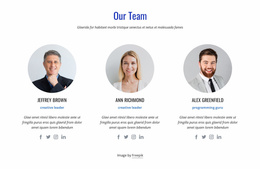
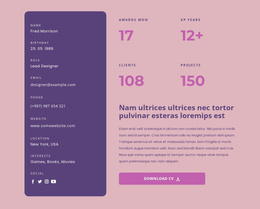
People or structure. Show administrators, organizers, member representatives, departments, chapters, or business units when those details help explain how the group works.
Join or access options. A primary action can lead to membership, a request form, a contact area, or another relevant step. The Button Element controls let a button link to a Page, Block, File, Phone, Email, Modal Popup, or Post.
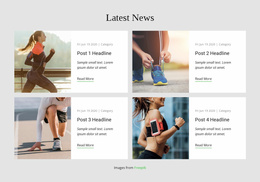
Updates or activity. Add recent announcements, upcoming events, or program highlights when visitors need evidence of current activity.
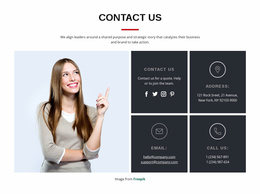
Contact or request form. Contact Form Builder can collect membership questions, access requests, partnership inquiries, volunteering interest, or general messages.
Responsive Modes let you check whether the opening information, join path, and repeated cards remain readable on desktops, laptops, tablets, and phones. Modal Popup can hold a compact form when you want to keep an access or contact action available without adding another long section.
Keep Secondary Campaign Actions in Context
Some groups also use the page for event registration, volunteer recruitment, or newsletter signup. Those can be useful secondary actions, especially when they support the group's main purpose. They do not need to define the entire page.
If a form is used for follow-up, the Contact Form Leads workflow can help teams review submitted lead data from Nicepage forms.
Group Landing Page Questions
Is a Group Landing Page Only for Event Registration?
No. It can serve as the public home or entry page for the group itself, with its purpose, people, join or access information, links, updates, and contact options. You can include event registration when it is relevant, but it doesn't have to be the main purpose.
Can a Join Button Send Visitors Directly to the Right Section?
Yes. The Nicepage Button Element can link to a Block or open a Modal Popup, as well as connect to pages, files, phone numbers, email addresses, or posts. This works well for join, request-access, or contact actions.
Can I Collect Requests From the Group Page?
Yes. Contact Form Builder can collect membership questions, access requests, partnership inquiries, volunteer interest, or general messages. Submitted form data can also be reviewed through the supported Contact Form Leads workflow.
Create a Public Entry Point for Your Group
Choose a design direction, introduce the group clearly, add the people or structure that visitors need to understand, and make the appropriate join, access, or contact action easy to find. Start free, refine the mobile layout in the visual editor, and publish online or export the supported output when the page is ready.