Video Landing Pages









Professional Video Landing Page Blocks for Decision-Support Viewing
A Video Landing Page works when the clip helps visitors move from offer understanding to proof, uncertainty reduction, and a clearer conversion decision. The player or poster supports that path by explaining the offer, demonstrating value, or adding credible evidence before a CTA, form, purchase, trial, or inquiry.
What Role Can Video Play Before a Landing Page Action?
Video can explain an offer, demonstrate how something works, show a process, present an interview, or clarify details that may otherwise require a longer text section. In each case, the functional value is the same: visitors intentionally watch the media to gain information.
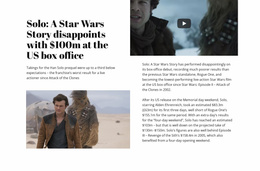
A useful Video section can contain a prominent player or poster, a recognizable play interaction, a concise heading, and supporting copy or a caption. These elements should make the clip easier to understand without competing with it.
The Nicepage Video Element provides the direct media component for this block type. Use the surrounding section to establish context, while keeping playback as the primary interaction.
Place Video Where It Can Resolve a Real Decision
Landing-page intent changes where and why the Video block is useful. A product demo before a free-trial CTA can show the workflow visitors are about to try. A customer testimonial before a purchase or inquiry area can provide proof close to the decision it supports. An explainer near a form can clarify what happens after submission.
Placement matters:
- put a demo close to the feature or offer it explains;
- place testimonial video near the claim or decision it supports;
- keep the CTA or form visually distinct from the player;
- avoid forcing visitors to watch a long clip before they can understand the offer.
Video should earn its space by answering a question, demonstrating value, or supplying relevant proof. It does not need to appear simply because the page has a commercial goal.
Keep the Viewing Step Proportionate to the Landing Page
A short demonstration may work close to the main offer, while a longer interview or case story often fits better after visitors understand the basic proposition. Do not make playback a mandatory detour when the same decision can be made from the visible page content. The player should support the landing-page path, not block it.
Video Landing Page Questions
Are there ready-made Nicepage blocks I can use as a starting point?
Yes. Nicepage provides pre-designed Elements and Blocks. Select a Video-oriented structure that fits the viewing task, then adapt its media, text, and layout to the landing-page context.
Can I review the Video section on different screen sizes?
Yes. Nicepage Responsive Modes include Large Screens, Desktops, Laptops, Tablets, and horizontal and vertical phone views, so that you can check the section across different screen widths.
Where should a Video section appear in a landing-page decision path?
Place it where watching the clip resolves a real information need, such as before an action that depends on understanding a demonstration, explanation, or supporting evidence. Keep the Video Element dominant so the section remains focused on viewing.
Should a landing-page video appear before or after the main CTA?
Either can work, as long as the placement matches the information need. A short demo may sit near an early CTA, while a testimonial or deeper explanation can appear later before a purchase, inquiry, or form decision.
Use Video Where Viewing Helps the Next Decision
Choose a Video block around a specific question the visitor needs answered, open it in the Nicepage editor, and adapt the player context and supporting copy to that purpose. Integrate the section near the relevant decision point so the clip contributes useful information without becoming a generic conversion device.