
100+ Pricing WordPress Themes
Each pricing tier needs its own cost, billing details, benefits, and next action. These block designs help keep that information consistent while you adapt pricing content in Nicepage-created WordPress pages, without treating the section as an entire theme.
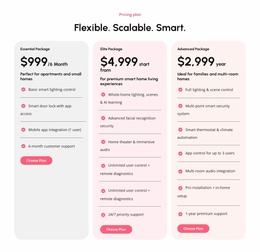
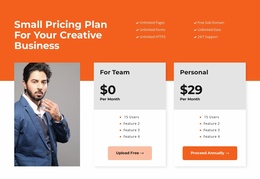
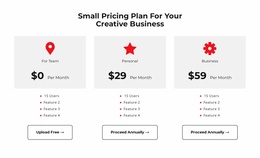
Other Pricing WordPress Themes
Customizable Pricing WordPress Themes for In-Editor Plan Management
Pricing WordPress Themes offer pricing-section designs for WordPress projects, rather than complete WordPress themes on their own. Use the Nicepage WordPress Plugin to edit Nicepage-created page content such as subscription prices, membership tiers, and plan buttons. Theme styling and pricing-page updates are separate editing concerns.
The important relationship is between each plan's price, its benefits, and the action visitors can take. A pricing block should preserve that connection even when package details change, or additional offers are introduced.
Separate WordPress Theme Styling From Pricing Page Content
Select a WordPress pricing design by the offer it needs to show: three-tier SaaS subscription cards, membership levels with renewal terms, or service packages with defined scope. The pricing section becomes editable page content within the wider WordPress theme, and Nicepage-created content can be maintained using the Nicepage WordPress Plugin.
This distinction becomes practical when offers change. A membership site might revise the price of annual access, a digital service might add an agency tier, and a consultant might update package deliverables. These are usually changes to page content and its links, not reasons to rebuild the site's theme.
When maintaining a pricing section in WordPress, check:
- Plan accuracy: prices, billing periods, included support, and restrictions.
- Destination accuracy: whether trial, registration, or inquiry buttons lead to the correct pages.
- Page consistency: whether the updated block still matches the surrounding Nicepage-created page.
- Mobile presentation: whether longer feature descriptions remain clear after an edit.
Use the relevant WordPress content-editing workflow for the pricing section and treat theme-level changes separately.
Organize Pricing Cards and Comparison Tables
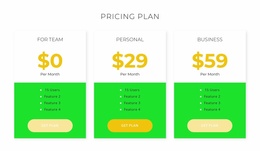
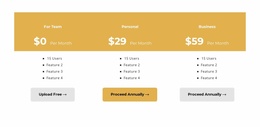
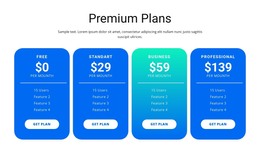
Pricing cards work well when each offer can be described in a compact group. Plan names usually appear above prominent prices, followed by features and a selection button.
For more detailed comparisons, the Table Element in Nicepage supports pricing tables with rows and columns. This arrangement helps present shared attributes across several tiers.
Consider these layouts:
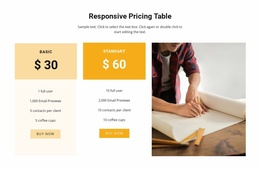
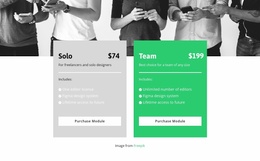
- Two-card pricing for a straightforward choice between basic and expanded packages.
- Three-tier pricing for entry, intermediate, and advanced offers.
- Comparison tables when multiple features or conditions require individual evaluation.
- Highlighted plans when a specific offer deserves additional visual emphasis.
A standard Table block can organize many types of information. A Pricing block uses that structure specifically to connect prices, included value, and selection decisions.
Edit Pricing Content Within Your WordPress Project
WordPress integration becomes important when pricing details need to be maintained alongside other Nicepage-created page content.
The Nicepage WordPress Plugin supports creating and editing pages through the Nicepage editor inside WordPress. This provides a content-editing workflow for pricing sections without requiring every adjustment to begin in the desktop application.
A practical process involves:
- Select a pricing block design with the appropriate number of plans.
- Replace sample prices and features with the current offer details.
- Adjust card content and alignment to maintain a recognizable comparison structure.
- Open the relevant WordPress page through the Nicepage editor when further content changes are needed.
- Save and review the page to confirm that the displayed pricing information remains accurate.
The distinction between page content and theme settings matters. Pricing cards belong to the page's content structure, while WordPress theme appearance and templates have separate controls and supported editing workflows.
Responsive Pricing Layouts for Clear Plan Selection
A pricing section may appear in several columns on desktop but needs a different arrangement on smaller screens.
When cards stack vertically, prices, billing terms, and selection buttons should remain connected to their corresponding plans. Pay close attention to long feature lists and uneven descriptions, as they can increase the distance between a price and its action.
For recurring subscriptions, show billing periods consistently. For fixed-price services, keep package scope close to the amount. The goal is to make every plan understandable, even when visitors view one card at a time.
Pricing WordPress Themes FAQ
Can I edit a Nicepage pricing section directly in WordPress?
Yes. The Nicepage WordPress Plugin supports editing Nicepage-created pages through the Nicepage editor within WordPress. You can update pricing-section content and save the revised page without rebuilding the entire layout.
Can I create a pricing comparison with several plans?
Yes. Nicepage includes a Table Element with adjustable rows and columns. It can be used to organize multiple pricing tiers and their shared comparison criteria. Card-based block designs are another option when you need individual plans in separate visual groups.
Can I edit a Nicepage WordPress theme without exporting it again?
Nicepage supports editing certain theme styles and templates directly through its WordPress Plugin when the appropriate Site Style Source is configured. This is separate from editing individual pricing sections as page content.
Does a pricing block automatically manage subscriptions or payments?
No. A pricing block primarily presents plan information and selection actions. Payment processing, recurring billing, and subscription management require separate configuration. Displaying a price or selection button does not automatically create those systems.
Should I use pricing cards or a comparison table?
Choose pricing cards when each offer has a short description and a clear call to action. Use a comparison table when visitors need to examine many shared features or conditions across several plans. The right format depends on how complex the decision is.
Adapt a Pricing Block for WordPress With Nicepage
Choose a pricing design that matches the number of offers and the details visitors need to evaluate. Adjust prices, feature lists, billing information, and selection buttons in the Nicepage editor, then integrate the block into your WordPress page.
The finished section should make each plan's cost, included benefits, and next action easy to identify, while remaining practical to update as the offers change.