Leadership program WordPress Theme


Stable Program Content for a WordPress-Managed Page
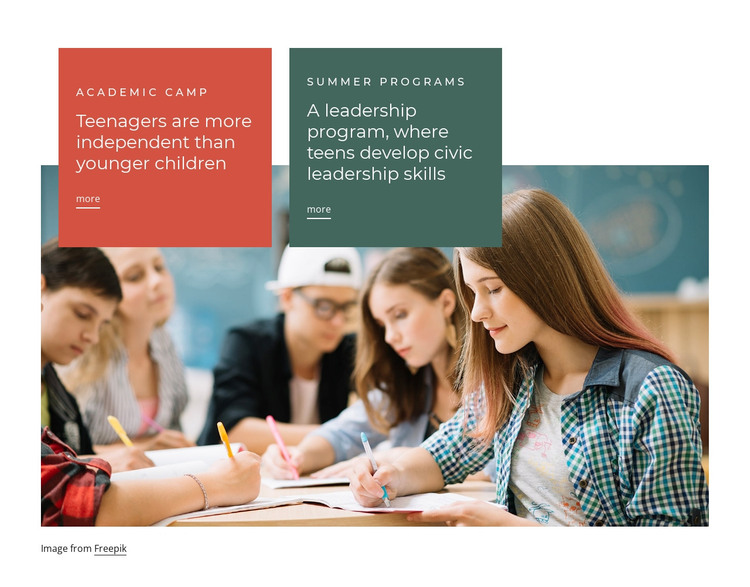
The two cards read as enduring program information rather than a stream of time-sensitive updates. Academic Camp explains a developmental benefit associated with teenagers, while Summer Programs describes a leadership program focused on civic leadership skills. Each offering has its own label, heading, supporting copy, and “more” link, so the content can remain organized as two related page areas within a WordPress-managed site.
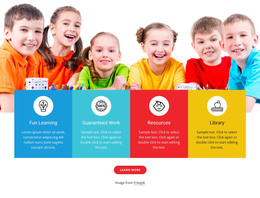
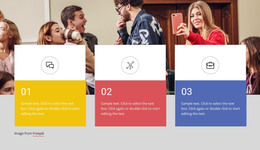
The visual arrangement supports that page-content role. Coral and dark green panels distinguish the programs, matching typography and spacing keep the pair coherent, and the classroom photograph provides a shared educational setting. Because the image sits beneath the overlapping cards, it reinforces the subject without competing with the written information or becoming a separate content record.
In a WordPress-oriented project, this block can serve as a stable services or programs section while the surrounding site handles broader page content and publishing needs. The two links can lead to fuller information for Academic Camp and Summer Programs, preserving the connection between each card and its destination. The section is not a standalone theme; its value lies in giving a WordPress-managed page a clear, reusable presentation for two educational offerings with consistent visual treatment.
Customize with Nicepage
Open this ready-made template in the WordPress Website Builder and customize it visually in the Nicepage editor. Replace demo content, edit page sections, and adapt the design to your project without rebuilding the template from scratch.
Edit Template Offline
2. Create a new page or select existing
3. Click Add new block, search for id 69144 and click enter
Edit Template Online
Create Awesome Websites


Free Nicepage Builder
Keywords
Manage and Edit This Theme in WordPress
Customize and Install the WordPress Theme
Start with this ready-made theme instead of building the WordPress design from scratch. Customize its layout, content, typography, images, sections, and other design elements visually in Nicepage editor, then export and install the WordPress Theme, Plugin, and Pages on your WordPress site. The Nicepage WordPress Plugin lets you continue working with the site after installation.
Edit the Theme Directly in WordPress
After installation, you can edit the WordPress Theme directly in WordPress with the Nicepage WordPress Plugin. Use Site Style to customize site Colors, Fonts, Header, Footer, Blog, and Post Page Templates while working within your WordPress website.
Edit WordPress Pages Visually
Use the Nicepage WordPress Plugin to edit page content directly from the WordPress admin area. Open a WordPress Page with Nicepage and visually change its text, images, sections, and other page elements while continuing to manage the Page through WordPress.
WordPress Content and Theme Integration
Use the customized theme with WordPress Pages, Posts, Blog and Post Templates, menus, widgets, and other CMS-managed content. Shared theme elements such as Colors, Fonts, Header, Footer, Blog, and Post Page Templates can be managed as part of the overall site design, while WordPress provides the CMS environment for managing site content.
This workflow combines a ready-made WordPress Theme with visual customization, direct theme editing in WordPress, and continued content management through the Nicepage WordPress Plugin.