Overlapping pricing table WordPress Theme


Plan Details Form Stable Page Content
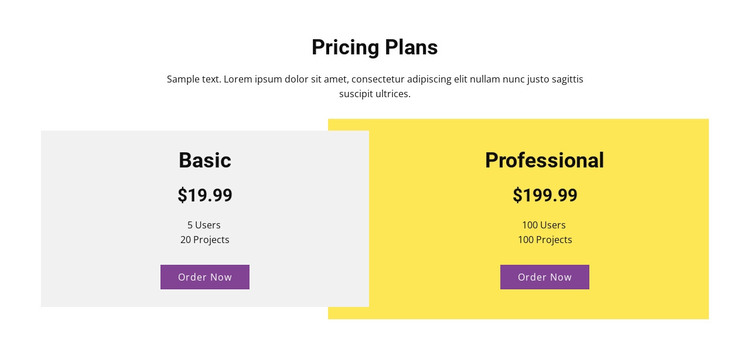
The centered “Pricing Plans” heading and supporting paragraph establish a durable informational purpose for the section. The two cards then organize the actual options into comparable content units: Basic shows $19.99, 5 Users, and 20 Projects, while Professional shows $199.99, 100 Users, and 100 Projects. Because both cards include an “Order Now” button, the section combines publishable plan information with clear action points without becoming a complete purchasing workflow.
In a WordPress-oriented project, this block can serve as reusable pricing content on a page where the wider site manages its other content separately. The repeated card structure is useful when plan details need to remain visually consistent, while the light gray and yellow treatments help distinguish the two options. The purple buttons create a shared action pattern that can be retained as the surrounding design evolves.
The block’s CMS interpretation is therefore centered on stable page content rather than on a particular editorial feed or blog structure. Its values and allowance labels can be replaced or maintained as the project requires, while the section’s comparison logic remains intact. A broader WordPress-managed site can place this pricing area alongside other blocks for features, proof, contact, or support. The section contributes plan presentation within that environment, not a standalone theme architecture.
Customize with Nicepage
Open this ready-made template in the WordPress Website Builder and customize it visually in the Nicepage editor. Replace demo content, edit page sections, and adapt the design to your project without rebuilding the template from scratch.
Edit Template Offline
2. Create a new page or select existing
3. Click Add new block, search for id 42415 and click enter
Edit Template Online
Create Awesome Websites


Free Nicepage Builder
Keywords
Manage and Edit This Theme in WordPress
Customize and Install the WordPress Theme
Start with this ready-made theme instead of building the WordPress design from scratch. Customize its layout, content, typography, images, sections, and other design elements visually in Nicepage editor, then export and install the WordPress Theme, Plugin, and Pages on your WordPress site. The Nicepage WordPress Plugin lets you continue working with the site after installation.
Edit the Theme Directly in WordPress
After installation, you can edit the WordPress Theme directly in WordPress with the Nicepage WordPress Plugin. Use Site Style to customize site Colors, Fonts, Header, Footer, Blog, and Post Page Templates while working within your WordPress website.
Edit WordPress Pages Visually
Use the Nicepage WordPress Plugin to edit page content directly from the WordPress admin area. Open a WordPress Page with Nicepage and visually change its text, images, sections, and other page elements while continuing to manage the Page through WordPress.
WordPress Content and Theme Integration
Use the customized theme with WordPress Pages, Posts, Blog and Post Templates, menus, widgets, and other CMS-managed content. Shared theme elements such as Colors, Fonts, Header, Footer, Blog, and Post Page Templates can be managed as part of the overall site design, while WordPress provides the CMS environment for managing site content.
This workflow combines a ready-made WordPress Theme with visual customization, direct theme editing in WordPress, and continued content management through the Nicepage WordPress Plugin.