
270+ Counter WordPress Themes
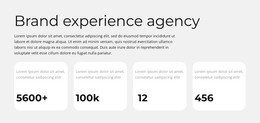
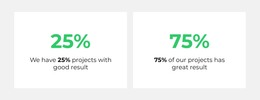
Project totals and achievements are easier to recognize when each number has a short, specific label. Counter sections group these metrics into readable layouts that can be customized in the Nicepage editor and managed within a WordPress page workflow.



























































Other Counter WordPress Themes
Flexible Counter WordPress Themes for Editable CMS Statistics Sections
A WordPress theme defines the wider site presentation, whereas a Counter is a content section on an individual page. Important achievements often lose their impact when buried inside long paragraphs. Counter WordPress Themes provide compact numerical sections that put verified figures and short labels front and center. These blocks help visitors recognize project totals, milestones, and other measurable facts while fitting into a WordPress page managed with Nicepage.
What Information Belongs in a WordPress Counter Section?
A Counter section presents a limited group of quantitative facts that visitors should understand at a glance. Each number communicates a specific measurement, and its label explains what it represents.
On a WordPress agency website, an About page could feature counters for delivered projects and years in business directly under the team introduction. The theme supplies the site-wide header and styling; the Counter adds page-specific evidence.
A well-organized WordPress statistics block generally contains:
- Numerical values: Prominent figures that communicate measurable information.
- Metric labels: Short descriptions that clarify each number.
- Grouped counters: Related measurements arranged as a coordinated summary.
- Supporting context: An optional heading or brief introduction explaining the significance of the figures.
These elements work together to communicate numerical information without turning the section into a detailed report.
When a page requires extensive comparisons, a separate data presentation section may be more appropriate than a row of counters.
Fit Counters into a WordPress Theme
Check that a Counter section works with the theme’s typography and surrounding page sections, particularly on narrower screens. The figure should attract attention first, while the accompanying text provides immediate context.
The native Counter Element provides configured numerical highlights with optional animation on WordPress pages edited in Nicepage.
For a cohesive WordPress statistics section, use consistent number typography, label styles, and spacing across related counters. This keeps different achievements visually connected without making their values appear interchangeable.
A counter-focused design can also provide a starting point when deciding how prominently to present a group of metrics.
Avoid placing too many unrelated figures together. A concise set of measurements with clear labels usually communicates more effectively than a large collection of numbers.
Editing Counter Sections in WordPress with Nicepage
Keep a WordPress counter section easy to update when the underlying facts change.
The Nicepage WordPress Plugin supports creating and visually editing Nicepage pages within WordPress. This allows the numerical section to be managed alongside surrounding page content.
The supported workflow is straightforward:
- Select a Counter block design and open it in the Nicepage editor.
- Replace example figures with accurate values and adjust their labels.
- Refine spacing, typography, and animation settings.
- Incorporate the section into a Nicepage page used within WordPress.
The WordPress Plugin editing documentation explains how Nicepage pages can be created, edited, saved, and published through the WordPress administration interface.
When statistics change, the configured values can be revised through the supported editing workflow.
The Counter Element itself is not an automatic analytics tracker. Numerical updates should not be described as synchronized with WordPress databases or external reporting systems without a separately confirmed integration.
Keep WordPress Counter, Content Current
Choose figures an editor can verify and maintain. If an agency adds another completed project, update the displayed count through the supported Nicepage editing workflow instead of assuming it changes automatically.
A Features section explains benefits or capabilities through descriptive content. A Table supports detailed comparisons using rows and columns. Counter sections instead highlight a few selected values with concise explanations.
For WordPress content, counters can appear after a project introduction, alongside an achievement summary, or before more detailed supporting information.
Expert Tip: Review numerical accuracy and label clarity together. A large figure without context may attract attention but communicate little. Each metric should remain meaningful even when viewed separately from the surrounding text.
Counter WordPress Themes FAQ
Does adding a Counter replace my WordPress theme?
No. It adds a numerical section to a page; the theme still defines the overall WordPress site presentation.
Can I update achievement figures through the WordPress Plugin?
The Nicepage WordPress Plugin supports visual editing of Nicepage pages in WordPress, including their Counter content.
Will a Counter automatically reflect changes in WordPress data?
No. Configured figures need to be updated unless a separate, tested integration has been implemented.
Can the WordPress Plugin export a Nicepage project?
No. Project export is handled through supported Nicepage application tools rather than the WordPress Plugin.
Add Meaningful Numerical Highlights to Your WordPress Page
Choose a Counter design that matches the statistics you want to present. Open it in the Nicepage editor, replace the sample figures, adjust the metric labels, and refine the animation settings. Integrate the section into your WordPress page so visitors can understand important numerical information without searching through lengthy explanations.