Photos of the new collection WordPress Theme



A Three-Image Gallery Suits Stable WordPress Page Content
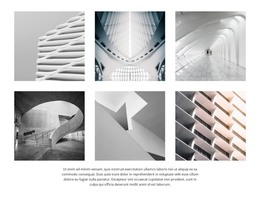
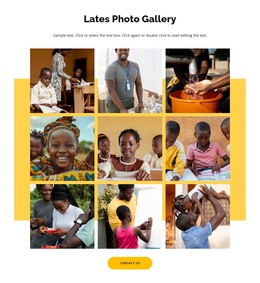
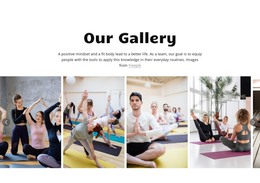
The repeated image group gives this section a clear and durable content role. Three full-height photographic panels occupy the right side, creating a visual sequence that can present a collection without relying on a long text column. On the left, supporting copy and Facebook, Twitter, and Instagram icons form a compact companion area. The asymmetry keeps the gallery visually prominent while ensuring that the accompanying information and social links remain easy to locate. Against the white background, the warm lifestyle imagery supplies contrast and focus.
In a WordPress-managed page, this block can serve as a stable visual content section around which other publishable information is arranged. The supporting paragraph can be updated as the collection changes, while the three image positions preserve a consistent presentation. Lightbox viewing gives visitors a way to examine individual photographs beyond the initial panel arrangement. This makes the section suitable for a page that needs both visual emphasis and a small amount of contextual content, while the wider WordPress project handles navigation, additional pages, and other content areas separately. The left-side text also provides a natural place for changing editorial context without disturbing the established image sequence or its visual balance.
Customize with Nicepage
Open this ready-made template in the WordPress Website Builder and customize it visually in the Nicepage editor. Replace demo content, edit page sections, and adapt the design to your project without rebuilding the template from scratch.
Edit Template Offline
2. Create a new page or select existing
3. Click Add new block, search for id 78630 and click enter
Edit Template Online
Create Awesome Websites


Free Nicepage Builder
Keywords
Manage and Edit This Theme in WordPress
Customize and Install the WordPress Theme
Start with this ready-made theme instead of building the WordPress design from scratch. Customize its layout, content, typography, images, sections, and other design elements visually in Nicepage editor, then export and install the WordPress Theme, Plugin, and Pages on your WordPress site. The Nicepage WordPress Plugin lets you continue working with the site after installation.
Edit the Theme Directly in WordPress
After installation, you can edit the WordPress Theme directly in WordPress with the Nicepage WordPress Plugin. Use Site Style to customize site Colors, Fonts, Header, Footer, Blog, and Post Page Templates while working within your WordPress website.
Edit WordPress Pages Visually
Use the Nicepage WordPress Plugin to edit page content directly from the WordPress admin area. Open a WordPress Page with Nicepage and visually change its text, images, sections, and other page elements while continuing to manage the Page through WordPress.
WordPress Content and Theme Integration
Use the customized theme with WordPress Pages, Posts, Blog and Post Templates, menus, widgets, and other CMS-managed content. Shared theme elements such as Colors, Fonts, Header, Footer, Blog, and Post Page Templates can be managed as part of the overall site design, while WordPress provides the CMS environment for managing site content.
This workflow combines a ready-made WordPress Theme with visual customization, direct theme editing in WordPress, and continued content management through the Nicepage WordPress Plugin.