Bring out the best in your curls WordPress Theme


Edit Template Offline
2. Create new page and search for id 6139947
Edit Template Online
Create Awesome Websites


Free Nicepage Builder
Keywords
Editorial Curl Content Gives the Theme Reusable WordPress Page Areas
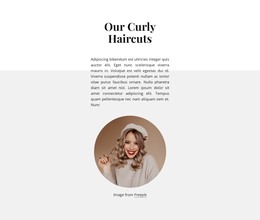
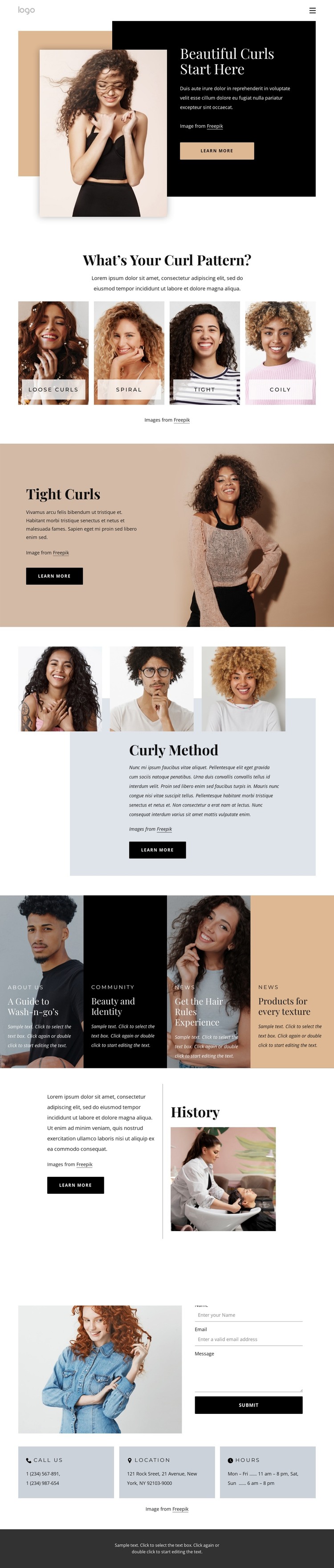
The four curl pattern cards provide a strong page-oriented starting point for a WordPress theme because they divide the salon’s subject into recognizable content topics. Loose Curls, Spiral, Tight, and Coily can introduce the site’s care focus, while the separate Tight Curls feature gives one category greater visual and editorial emphasis. This combination allows permanent explanatory content to sit beside more focused sections without losing the page’s central curl-care identity.
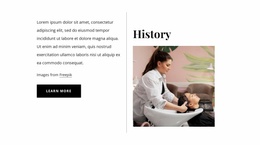
The Curly Method and History blocks contribute two complementary content roles. The method section can support practical or educational material, while the history section gives the salon a place for background information. Their image-and-text layouts keep each subject visually distinct. The four editorial cards then extend the theme’s content range through About Us, Community, News, and products for every texture, suggesting natural areas for page or publication updates without claiming that posts or articles already exist in the template.
The contact region completes the page with a form containing name, email, and message inputs, an accompanying image, and Call Us, Location, and Hours cards. Those details create a clear permanent contact area that can sit alongside evolving salon content. A WordPress implementation can preserve the shared navigation, visual hierarchy, and dark footer while organizing these page areas within a CMS-managed site.
Customize with Nicepage
Open this ready-made template in the WordPress Website Builder and customize it visually in the Nicepage editor. Replace demo content, edit page sections, and adapt the design to your project without rebuilding the template from scratch.
Manage and Edit This Theme in WordPress
Customize and Install the WordPress Theme
Start with this ready-made theme instead of building the WordPress design from scratch. Customize its layout, content, typography, images, sections, and other design elements visually in Nicepage editor, then export and install the WordPress Theme, Plugin, and Pages on your WordPress site. The Nicepage WordPress Plugin lets you continue working with the site after installation.
Edit the Theme Directly in WordPress
After installation, you can edit the WordPress Theme directly in WordPress with the Nicepage WordPress Plugin. Use Site Style to customize site Colors, Fonts, Header, Footer, Blog, and Post Page Templates while working within your WordPress website.
Edit WordPress Pages Visually
Use the Nicepage WordPress Plugin to edit page content directly from the WordPress admin area. Open a WordPress Page with Nicepage and visually change its text, images, sections, and other page elements while continuing to manage the Page through WordPress.
WordPress Content and Theme Integration
Use the customized theme with WordPress Pages, Posts, Blog and Post Templates, menus, widgets, and other CMS-managed content. Shared theme elements such as Colors, Fonts, Header, Footer, Blog, and Post Page Templates can be managed as part of the overall site design, while WordPress provides the CMS environment for managing site content.
This workflow combines a ready-made WordPress Theme with visual customization, direct theme editing in WordPress, and continued content management through the Nicepage WordPress Plugin.