Flower delivery in NYC WordPress Theme



Edit Template Offline
2. Create new page and search for id 6349541
Edit Template Online
Create Awesome Websites


Free Nicepage Builder
Keywords
Bouquets, Collections, and Editorial Content Fit a Managed Floral Site
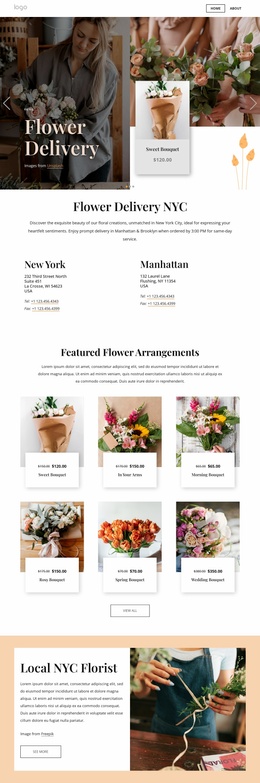
The page’s content areas can be interpreted naturally within a WordPress-oriented site without claiming that WordPress Posts, categories, or templates already exist in the design. The six featured arrangement cards provide a page-oriented product presentation, while the six collection tiles create a separate visual grouping for floral styles and categories. Keeping those two relationships distinct would help a managed site present individual bouquet choices alongside broader collection content.
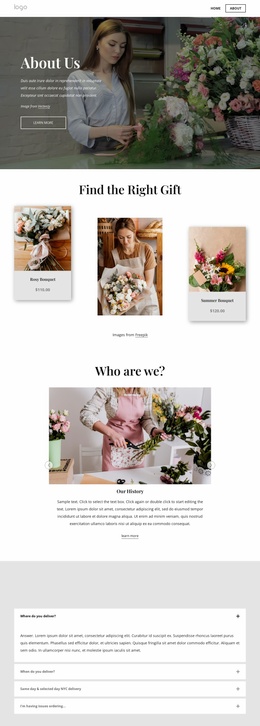
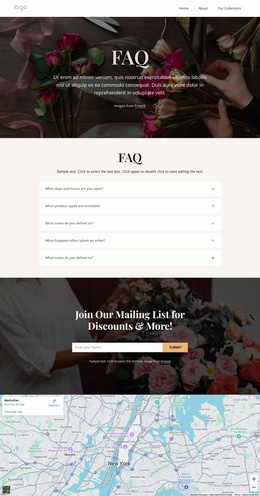
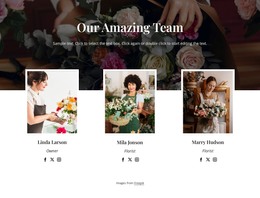
The Events, Weddings, and Workshops cards add service information that differs from the product grid. The nine-image gallery can carry portfolio-style material, and the six team cards provide people-focused content that could remain part of the same visual direction. Testimonials and the five FAQ rows add supporting information around the main offer, while the mailing-list form supplies a defined audience-contact area rather than another product block.
The navigation, New York City map, and compact footer provide shared site context around those content groups. Sample names, prices, and testimonial text should be replaced with verified project content; their presence only demonstrates the intended structure. In a WordPress project, the design can therefore connect permanent florist information with content that may later be expanded or updated, while preserving the serif-led, image-rich character. The Nicepage WordPress Plugin is a possible implementation bridge, but it is not evidence that the supplied page already contains WordPress-managed content.
Customize with Nicepage
Open this ready-made template in the WordPress Website Builder and customize it visually in the Nicepage editor. Replace demo content, edit page sections, and adapt the design to your project without rebuilding the template from scratch.
Manage and Edit This Theme in WordPress
Customize and Install the WordPress Theme
Start with this ready-made theme instead of building the WordPress design from scratch. Customize its layout, content, typography, images, sections, and other design elements visually in Nicepage editor, then export and install the WordPress Theme, Plugin, and Pages on your WordPress site. The Nicepage WordPress Plugin lets you continue working with the site after installation.
Edit the Theme Directly in WordPress
After installation, you can edit the WordPress Theme directly in WordPress with the Nicepage WordPress Plugin. Use Site Style to customize site Colors, Fonts, Header, Footer, Blog, and Post Page Templates while working within your WordPress website.
Edit WordPress Pages Visually
Use the Nicepage WordPress Plugin to edit page content directly from the WordPress admin area. Open a WordPress Page with Nicepage and visually change its text, images, sections, and other page elements while continuing to manage the Page through WordPress.
WordPress Content and Theme Integration
Use the customized theme with WordPress Pages, Posts, Blog and Post Templates, menus, widgets, and other CMS-managed content. Shared theme elements such as Colors, Fonts, Header, Footer, Blog, and Post Page Templates can be managed as part of the overall site design, while WordPress provides the CMS environment for managing site content.
This workflow combines a ready-made WordPress Theme with visual customization, direct theme editing in WordPress, and continued content management through the Nicepage WordPress Plugin.