Manhattan barbershop WordPress Theme



Edit Template Offline
2. Create new page and search for id 4859949
Edit Template Online
Create Awesome Websites


Free Nicepage Builder
Keywords
Service content and recurring proof areas suit a managed WordPress site
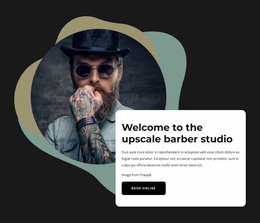
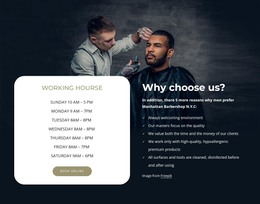
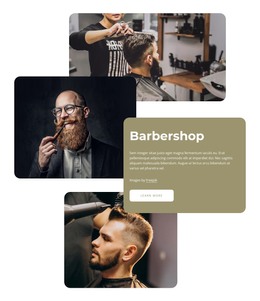
The page separates permanent business information into recognizable content areas. The hero can introduce the barbershop and its immediate booking route, while the About Us block provides a place for the business story and image-led identity. Working hours and the five reasons-to-choose list add practical and differentiating content, giving the page more depth than a purely promotional header. These areas are naturally page-oriented because each answers a different visitor question within the same visual system.
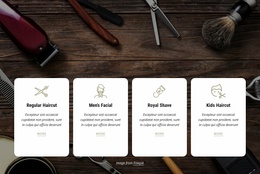
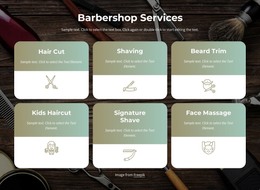
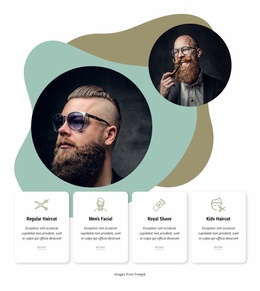
The four service cards and eight pricing entries create two related but distinct content groups. The cards summarize Regular Haircut, Men’s Facial, Royal Shave, and Kids Haircut, while the pricing menu expands the offer with individual and combined services such as Haircut + Beard Trim and Beard + Facial. Three testimonial cards form a separate recurring proof area beside a customer photograph. If the project later publishes updated service information, announcements, or other editorial material, those additions can follow the existing combination of dark panels, white content areas, bold headings, and image-led sections.
The contact form closes the page with name, email, and message inputs beside a large barber image, giving the design a clear inquiry region. This interpretation focuses on how the template’s content areas can support WordPress-managed pages and future updates; it does not claim that posts, categories, or other CMS structures already exist in the template.
Customize with Nicepage
Open this ready-made template in the WordPress Website Builder and customize it visually in the Nicepage editor. Replace demo content, edit page sections, and adapt the design to your project without rebuilding the template from scratch.
Manage and Edit This Theme in WordPress
Customize and Install the WordPress Theme
Start with this ready-made theme instead of building the WordPress design from scratch. Customize its layout, content, typography, images, sections, and other design elements visually in Nicepage editor, then export and install the WordPress Theme, Plugin, and Pages on your WordPress site. The Nicepage WordPress Plugin lets you continue working with the site after installation.
Edit the Theme Directly in WordPress
After installation, you can edit the WordPress Theme directly in WordPress with the Nicepage WordPress Plugin. Use Site Style to customize site Colors, Fonts, Header, Footer, Blog, and Post Page Templates while working within your WordPress website.
Edit WordPress Pages Visually
Use the Nicepage WordPress Plugin to edit page content directly from the WordPress admin area. Open a WordPress Page with Nicepage and visually change its text, images, sections, and other page elements while continuing to manage the Page through WordPress.
WordPress Content and Theme Integration
Use the customized theme with WordPress Pages, Posts, Blog and Post Templates, menus, widgets, and other CMS-managed content. Shared theme elements such as Colors, Fonts, Header, Footer, Blog, and Post Page Templates can be managed as part of the overall site design, while WordPress provides the CMS environment for managing site content.
This workflow combines a ready-made WordPress Theme with visual customization, direct theme editing in WordPress, and continued content management through the Nicepage WordPress Plugin.