Aromatherapy and fitness spa WordPress Theme



Edit Template Offline
2. Create new page and search for id 195862
Edit Template Online
Create Awesome Websites


Free Nicepage Builder
Keywords
Facial and Beauty Content Provides Distinct WordPress Page Areas
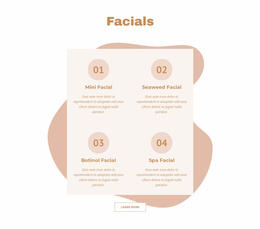
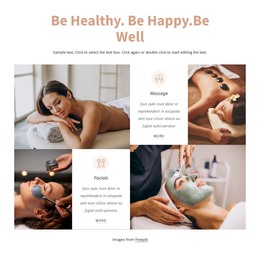
The Facials section gives the design a clear page-oriented content group. Mini Facial, Seaweed Facial, Botinol Facial, and Spa Facial are arranged as four repeated cards, making them easier to interpret as related service information rather than isolated promotional phrases. The Hair and Beauty Services area provides a separate group with Makeup & Lashes, Hair Care, and Nails & Pedicure. Together, these sections create permanent content areas that can remain visually connected while presenting different parts of the spa offering.
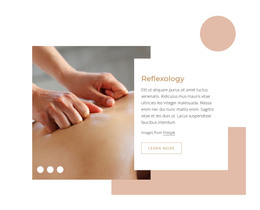
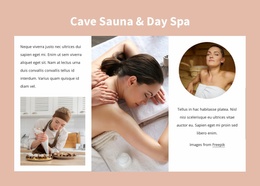
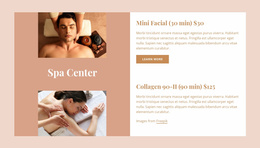
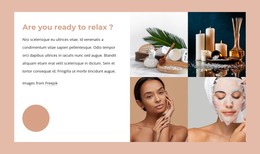
The surrounding imagery supports content that benefits from a strong visual presentation. The relaxation section combines supporting text with four treatment images, while the featured treatment area pairs an image-led panel with two treatment listings. Four additional highlights—Foot massage, Glow Facial, Stone Massage, and Luxury spa—add shorter service-focused content. These relationships make the design suitable for interpreting service information and recurring page content in a WordPress-managed environment, without claiming that blog posts, categories, or other CMS structures already exist.
The closing Contact Us block adds another defined page area through contact details, opening hours, social links, and an inquiry form. The shared pastel palette, dark text accents, rounded forms, and spacious image-text layouts can keep these areas within one theme direction. If a project later introduces regularly updated editorial content, the same visual character could frame it, but the verified strength of this design is its organized service and contact content. Its WordPress theme role comes from mapping those concrete areas to a managed content environment, not from simply changing the CMS name.
Customize with Nicepage
Open this ready-made template in the WordPress Website Builder and customize it visually in the Nicepage editor. Replace demo content, edit page sections, and adapt the design to your project without rebuilding the template from scratch.
Manage and Edit This Theme in WordPress
Customize and Install the WordPress Theme
Start with this ready-made theme instead of building the WordPress design from scratch. Customize its layout, content, typography, images, sections, and other design elements visually in Nicepage editor, then export and install the WordPress Theme, Plugin, and Pages on your WordPress site. The Nicepage WordPress Plugin lets you continue working with the site after installation.
Edit the Theme Directly in WordPress
After installation, you can edit the WordPress Theme directly in WordPress with the Nicepage WordPress Plugin. Use Site Style to customize site Colors, Fonts, Header, Footer, Blog, and Post Page Templates while working within your WordPress website.
Edit WordPress Pages Visually
Use the Nicepage WordPress Plugin to edit page content directly from the WordPress admin area. Open a WordPress Page with Nicepage and visually change its text, images, sections, and other page elements while continuing to manage the Page through WordPress.
WordPress Content and Theme Integration
Use the customized theme with WordPress Pages, Posts, Blog and Post Templates, menus, widgets, and other CMS-managed content. Shared theme elements such as Colors, Fonts, Header, Footer, Blog, and Post Page Templates can be managed as part of the overall site design, while WordPress provides the CMS environment for managing site content.
This workflow combines a ready-made WordPress Theme with visual customization, direct theme editing in WordPress, and continued content management through the Nicepage WordPress Plugin.