Get in touch with glamour WordPress Theme


Edit Template Offline
2. Create new page and search for id 6085205
Edit Template Online
Create Awesome Websites


Free Nicepage Builder
Keywords
Reusable Salon Content Areas Suit a WordPress-Managed Theme
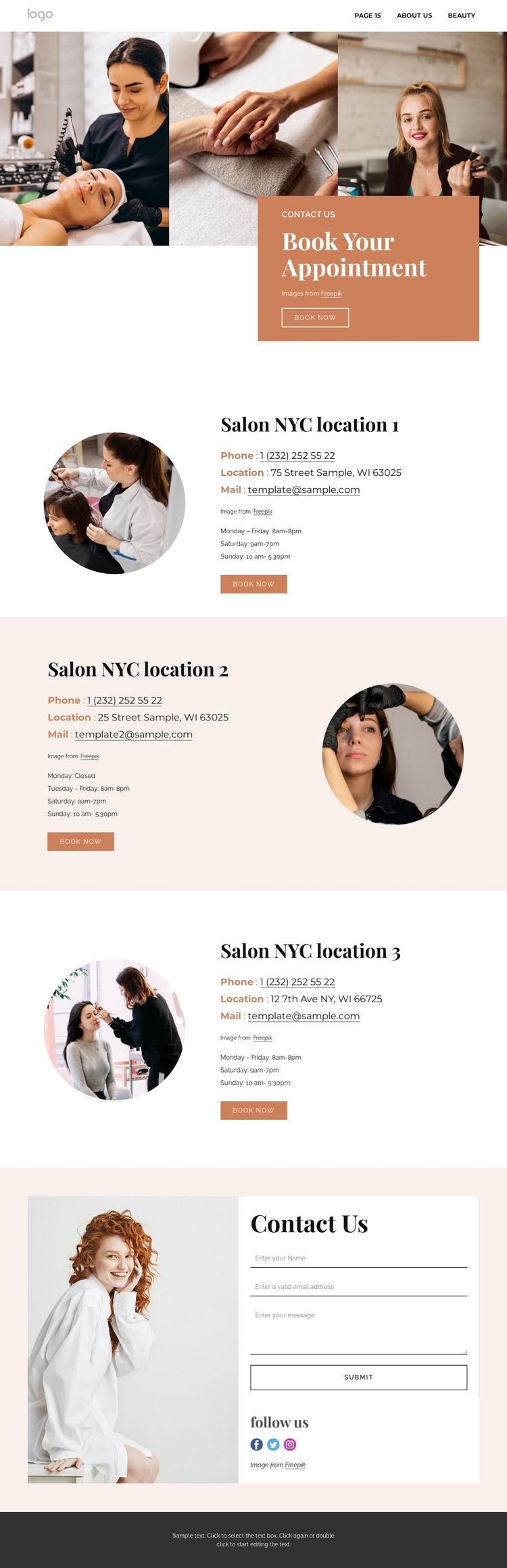
The page separates permanent salon information into recognizable content areas that can translate naturally into a WordPress-oriented project. The three location sections are the clearest example: each combines a circular image with contact details, opening hours, and a booking action, while the second section changes the image position to vary the presentation. Together, they create a repeatable structure for location-oriented page content without claiming that WordPress posts, categories, or blog templates already exist.
The appointment hero gives the design a strong page introduction, and the final Contact Us area supplies a different kind of content through its form, social links, and “Follow us” heading. This distinction can help separate page-oriented salon information from ongoing communication or promotional content if the project later expands. The navigation and mobile navigation remain important shared site elements, while the dark footer provides a consistent ending. A WordPress implementation can preserve the warm peach, terracotta, white, and dark gray visual direction while the site’s content is maintained through the CMS. Nicepage’s WordPress Plugin is an optional bridge when direct visual editing of compatible WordPress content is needed, but it is not evidence that the current template already contains WordPress-managed areas. The strongest theme interpretation therefore comes from the template’s existing content model: an appointment introduction, three branch records, a general inquiry area, social follow-up, and repeated booking controls. Sample addresses, emails, and phone values should be replaced with verified salon information before publication.
Customize with Nicepage
Open this ready-made template in the WordPress Website Builder and customize it visually in the Nicepage editor. Replace demo content, edit page sections, and adapt the design to your project without rebuilding the template from scratch.
Manage and Edit This Theme in WordPress
Customize and Install the WordPress Theme
Start with this ready-made theme instead of building the WordPress design from scratch. Customize its layout, content, typography, images, sections, and other design elements visually in Nicepage editor, then export and install the WordPress Theme, Plugin, and Pages on your WordPress site. The Nicepage WordPress Plugin lets you continue working with the site after installation.
Edit the Theme Directly in WordPress
After installation, you can edit the WordPress Theme directly in WordPress with the Nicepage WordPress Plugin. Use Site Style to customize site Colors, Fonts, Header, Footer, Blog, and Post Page Templates while working within your WordPress website.
Edit WordPress Pages Visually
Use the Nicepage WordPress Plugin to edit page content directly from the WordPress admin area. Open a WordPress Page with Nicepage and visually change its text, images, sections, and other page elements while continuing to manage the Page through WordPress.
WordPress Content and Theme Integration
Use the customized theme with WordPress Pages, Posts, Blog and Post Templates, menus, widgets, and other CMS-managed content. Shared theme elements such as Colors, Fonts, Header, Footer, Blog, and Post Page Templates can be managed as part of the overall site design, while WordPress provides the CMS environment for managing site content.
This workflow combines a ready-made WordPress Theme with visual customization, direct theme editing in WordPress, and continued content management through the Nicepage WordPress Plugin.