Lates photo gallery WordPress Theme


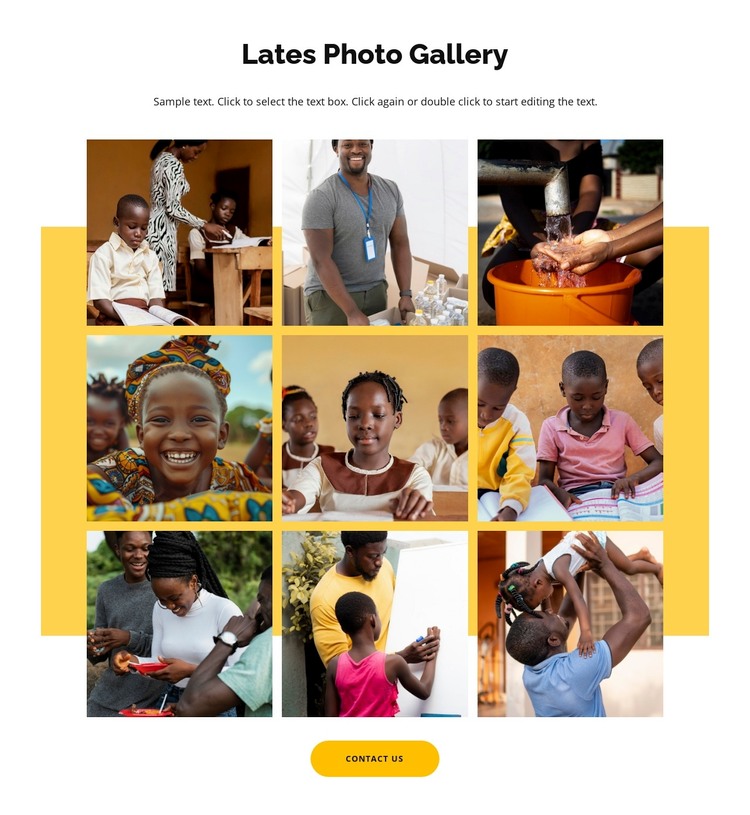
Nine photographs provide stable visual content for a managed page
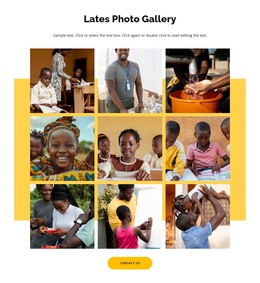
The section reads as durable page content: a heading introduces the latest photo gallery, a supporting paragraph supplies context, and nine photographs present a coherent visual collection. The three-column grid gives the images a predictable repeated structure, while the warm yellow panel behind them separates this content area from neighboring sections. Because the photographs depict children, families, teaching, food preparation, and water-related activities, the gallery can communicate community or education themes through visual evidence rather than a long list of statements.
Lightbox viewing gives the image collection a second level of use. Visitors can first scan all nine photographs and then inspect a selected image more closely, preserving the section’s overview while adding detail on demand. The centered Contact Us button below the grid can connect this visual content to a broader inquiry or information path managed elsewhere on the page.
In a WordPress-oriented project, this block can remain a reusable visual section within permanent page content while the wider site manages its other pages and editorial areas. The important distinction is content role: the block supplies a gallery and contact-oriented action, not a standalone WordPress Theme. Its image arrangement, accent panel, and lightbox behavior remain the defining characteristics of the section.
Customize with Nicepage
Open this ready-made template in the WordPress Website Builder and customize it visually in the Nicepage editor. Replace demo content, edit page sections, and adapt the design to your project without rebuilding the template from scratch.
Edit Template Offline
2. Create a new page or select existing
3. Click Add new block, search for id 6319410 and click enter
Edit Template Online
Create Awesome Websites


Free Nicepage Builder
Keywords
Manage and Edit This Theme in WordPress
Customize and Install the WordPress Theme
Start with this ready-made theme instead of building the WordPress design from scratch. Customize its layout, content, typography, images, sections, and other design elements visually in Nicepage editor, then export and install the WordPress Theme, Plugin, and Pages on your WordPress site. The Nicepage WordPress Plugin lets you continue working with the site after installation.
Edit the Theme Directly in WordPress
After installation, you can edit the WordPress Theme directly in WordPress with the Nicepage WordPress Plugin. Use Site Style to customize site Colors, Fonts, Header, Footer, Blog, and Post Page Templates while working within your WordPress website.
Edit WordPress Pages Visually
Use the Nicepage WordPress Plugin to edit page content directly from the WordPress admin area. Open a WordPress Page with Nicepage and visually change its text, images, sections, and other page elements while continuing to manage the Page through WordPress.
WordPress Content and Theme Integration
Use the customized theme with WordPress Pages, Posts, Blog and Post Templates, menus, widgets, and other CMS-managed content. Shared theme elements such as Colors, Fonts, Header, Footer, Blog, and Post Page Templates can be managed as part of the overall site design, while WordPress provides the CMS environment for managing site content.
This workflow combines a ready-made WordPress Theme with visual customization, direct theme editing in WordPress, and continued content management through the Nicepage WordPress Plugin.