Body treatments and massages WordPress Theme

Edit Template Offline
2. Create new page and search for id 556520
Edit Template Online
Create Awesome Websites


Free Nicepage Builder
Keywords
Repeated Service Cards Give WordPress Content Areas a Clear Shape
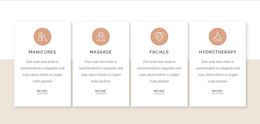
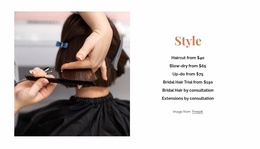
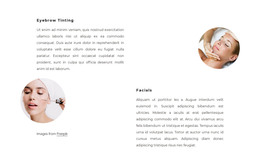
The page separates permanent salon information into recognizable content groups. The four opening cards cover manicures, massage, facials, and hydrotherapy, creating broad treatment categories before the design moves into more specific content. The eight photographic service cards then provide a second, more detailed layer with skin tightening, vajacial, makeup application, waxing, manicure, pedicure, keratin treatment, and haircut, each accompanied by a displayed starting price. This distinction can help a WordPress project organize page content around categories and individual service information without claiming that those CMS structures already exist.
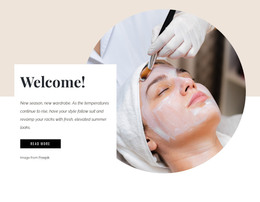
The three testimonial entries offer a different type of repeated content. They sit beside a portrait image and can be interpreted as a proof-oriented area that complements the service information rather than duplicating it. The home skin care feature adds a focused promotional block, while the welcome panels provide broader introductory context. Together, these relationships give the theme a content direction that can accommodate both stable salon information and additional material as the project develops.
The closing Contact Us region is suited to permanent contact content: it includes a portrait image, contact form, Submit action, and links for Facebook, Twitter, and Instagram. Navigation and mobile navigation support movement between the page’s content areas. In a WordPress-oriented implementation, these page sections and recurring cards can remain part of one visual system while salon content is managed through the CMS, without treating demo names, prices, or testimonials as independently verified business facts.
Customize with Nicepage
Open this ready-made template in the WordPress Website Builder and customize it visually in the Nicepage editor. Replace demo content, edit page sections, and adapt the design to your project without rebuilding the template from scratch.
Manage and Edit This Theme in WordPress
Customize and Install the WordPress Theme
Start with this ready-made theme instead of building the WordPress design from scratch. Customize its layout, content, typography, images, sections, and other design elements visually in Nicepage editor, then export and install the WordPress Theme, Plugin, and Pages on your WordPress site. The Nicepage WordPress Plugin lets you continue working with the site after installation.
Edit the Theme Directly in WordPress
After installation, you can edit the WordPress Theme directly in WordPress with the Nicepage WordPress Plugin. Use Site Style to customize site Colors, Fonts, Header, Footer, Blog, and Post Page Templates while working within your WordPress website.
Edit WordPress Pages Visually
Use the Nicepage WordPress Plugin to edit page content directly from the WordPress admin area. Open a WordPress Page with Nicepage and visually change its text, images, sections, and other page elements while continuing to manage the Page through WordPress.
WordPress Content and Theme Integration
Use the customized theme with WordPress Pages, Posts, Blog and Post Templates, menus, widgets, and other CMS-managed content. Shared theme elements such as Colors, Fonts, Header, Footer, Blog, and Post Page Templates can be managed as part of the overall site design, while WordPress provides the CMS environment for managing site content.
This workflow combines a ready-made WordPress Theme with visual customization, direct theme editing in WordPress, and continued content management through the Nicepage WordPress Plugin.