Our barbers WordPress Theme


Portrait Cards Keep Staff Content Consistent on a Services Page
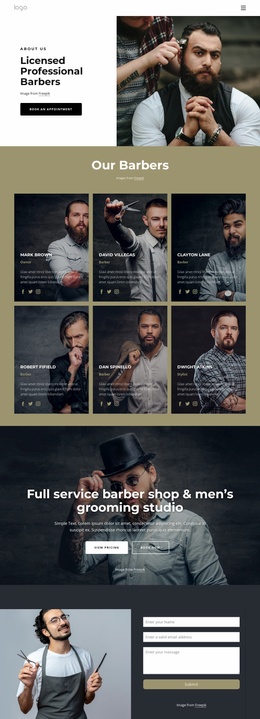
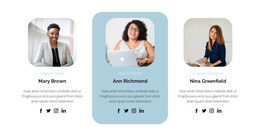
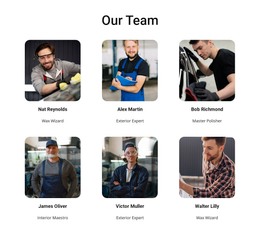
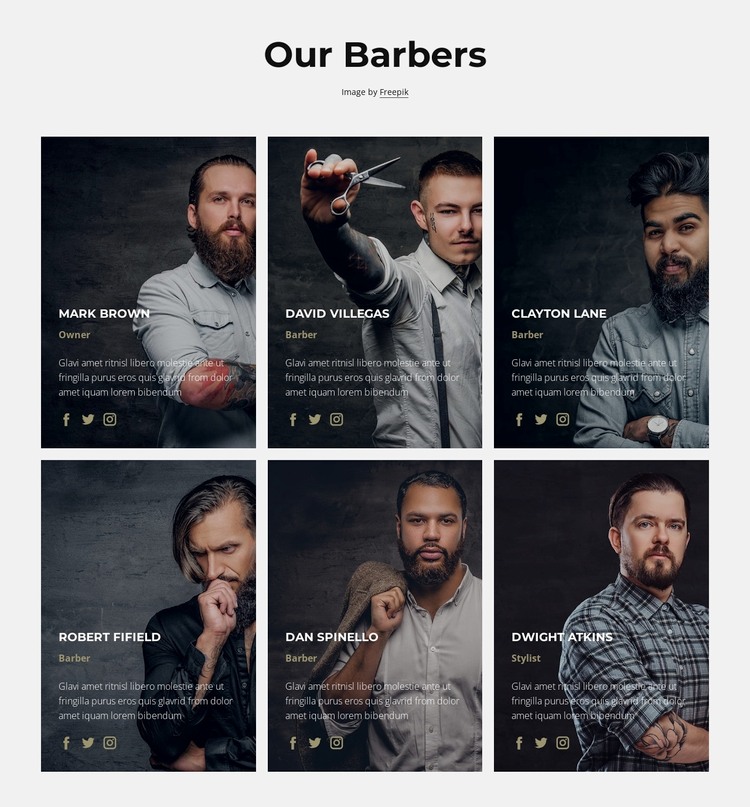
The six repeated cards read as stable page content for a WordPress-managed grooming site because they present a defined team rather than a time-sensitive stream of entries. The centered “Our Barbers” heading introduces the content area, and the three-column grid continues across two rows to accommodate all six profiles in a consistent structure. Each card pairs a portrait with a role label, short profile paragraph, and three social icons, giving every staff member the same amount of visual and textual space.
The labels create a simple content hierarchy within the group. Five profiles use Barber, while Owner and Stylist identify the remaining roles. That distinction can help visitors understand the staff mix without requiring a separate explanatory block. Dark overlays allow the white text to sit directly over the photography, and muted gold accents add a recognizable detail across the repeated cards. The light gray section background frames the team area and helps it remain visually distinct from service, pricing, or booking content around it.
Within a WordPress-oriented project, this block can remain a reusable section on a stable services or team page while the wider site manages other content separately. The cards themselves do not need to become a blog or post listing; their value comes from the fixed profile pattern and its clear presentation of people, roles, and social links. The Freepik attribution line should remain associated with the section when the imagery is retained.
Customize with Nicepage
Open this ready-made template in the WordPress Website Builder and customize it visually in the Nicepage editor. Replace demo content, edit page sections, and adapt the design to your project without rebuilding the template from scratch.
Edit Template Offline
2. Create a new page or select existing
3. Click Add new block, search for id 4871111 and click enter
Edit Template Online
Create Awesome Websites


Free Nicepage Builder
Keywords
Manage and Edit This Theme in WordPress
Customize and Install the WordPress Theme
Start with this ready-made theme instead of building the WordPress design from scratch. Customize its layout, content, typography, images, sections, and other design elements visually in Nicepage editor, then export and install the WordPress Theme, Plugin, and Pages on your WordPress site. The Nicepage WordPress Plugin lets you continue working with the site after installation.
Edit the Theme Directly in WordPress
After installation, you can edit the WordPress Theme directly in WordPress with the Nicepage WordPress Plugin. Use Site Style to customize site Colors, Fonts, Header, Footer, Blog, and Post Page Templates while working within your WordPress website.
Edit WordPress Pages Visually
Use the Nicepage WordPress Plugin to edit page content directly from the WordPress admin area. Open a WordPress Page with Nicepage and visually change its text, images, sections, and other page elements while continuing to manage the Page through WordPress.
WordPress Content and Theme Integration
Use the customized theme with WordPress Pages, Posts, Blog and Post Templates, menus, widgets, and other CMS-managed content. Shared theme elements such as Colors, Fonts, Header, Footer, Blog, and Post Page Templates can be managed as part of the overall site design, while WordPress provides the CMS environment for managing site content.
This workflow combines a ready-made WordPress Theme with visual customization, direct theme editing in WordPress, and continued content management through the Nicepage WordPress Plugin.