Contact our barber team WordPress Theme


Edit Template Offline
2. Create new page and search for id 6445547
Edit Template Online
Create Awesome Websites


Free Nicepage Builder
Keywords
A Photo-Led Contact Theme With Permanent Page Content and Updateable Business Areas
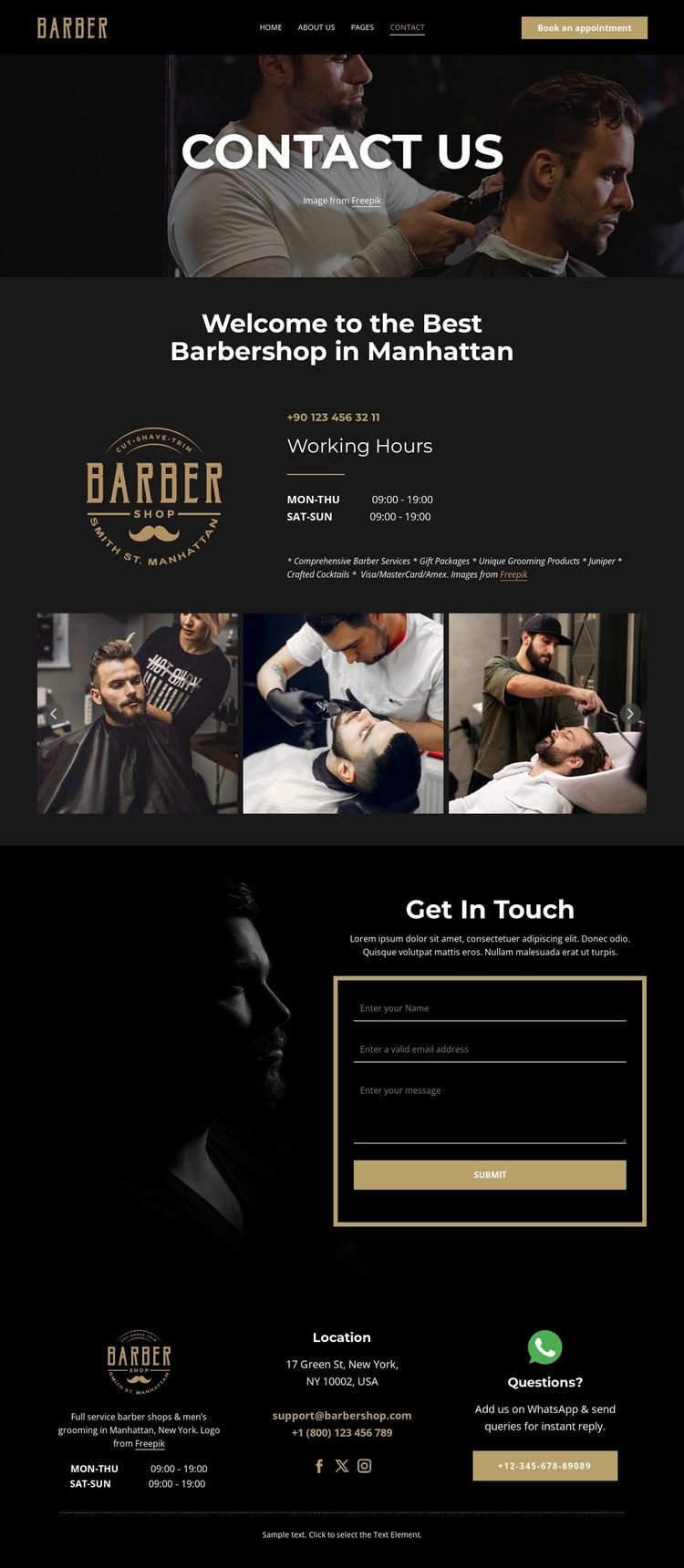
The page separates several kinds of content that can remain part of one WordPress-oriented visual system. The header and Contact Us hero establish the barbershop identity and provide the appointment route, while the welcome section holds more permanent page information: the business introduction, operating hours, branding, and labels for barber services, grooming products, gift packages, and crafted cocktails. These areas are distinct enough to maintain as page content while preserving the same dark and gold presentation.
The seven-image gallery gives the theme a repeatable media-led region for barbering photography. It can represent the visual character of the shop without turning the supplied images into claims about specific completed work. The Get In Touch section then provides a separate communication area with introductory text, name, email, and message fields, plus a Submit control. At the bottom, the Location region brings together the Manhattan location, hours, email, telephone links, social links, and Questions? support content.
This division is useful for a WordPress theme because permanent contact information and visual sections can coexist with future content managed around the same design character. If the project later adds regularly updated announcements, articles, or other site content, the navigation, typography, photography treatment, and footer structure can continue to frame it. Placeholder phone numbers, address, and email should be replaced with verified business data before the theme is published.
Customize with Nicepage
Open this ready-made template in the WordPress Website Builder and customize it visually in the Nicepage editor. Replace demo content, edit page sections, and adapt the design to your project without rebuilding the template from scratch.
Manage and Edit This Theme in WordPress
Customize and Install the WordPress Theme
Start with this ready-made theme instead of building the WordPress design from scratch. Customize its layout, content, typography, images, sections, and other design elements visually in Nicepage editor, then export and install the WordPress Theme, Plugin, and Pages on your WordPress site. The Nicepage WordPress Plugin lets you continue working with the site after installation.
Edit the Theme Directly in WordPress
After installation, you can edit the WordPress Theme directly in WordPress with the Nicepage WordPress Plugin. Use Site Style to customize site Colors, Fonts, Header, Footer, Blog, and Post Page Templates while working within your WordPress website.
Edit WordPress Pages Visually
Use the Nicepage WordPress Plugin to edit page content directly from the WordPress admin area. Open a WordPress Page with Nicepage and visually change its text, images, sections, and other page elements while continuing to manage the Page through WordPress.
WordPress Content and Theme Integration
Use the customized theme with WordPress Pages, Posts, Blog and Post Templates, menus, widgets, and other CMS-managed content. Shared theme elements such as Colors, Fonts, Header, Footer, Blog, and Post Page Templates can be managed as part of the overall site design, while WordPress provides the CMS environment for managing site content.
This workflow combines a ready-made WordPress Theme with visual customization, direct theme editing in WordPress, and continued content management through the Nicepage WordPress Plugin.