Enhance Online Success WordPress Theme


The Gallery Provides Stable Visual Content for a WordPress Page
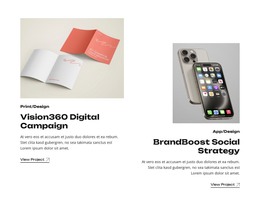
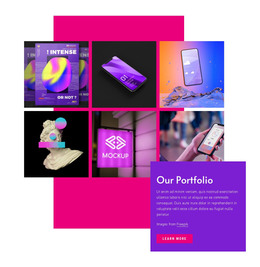
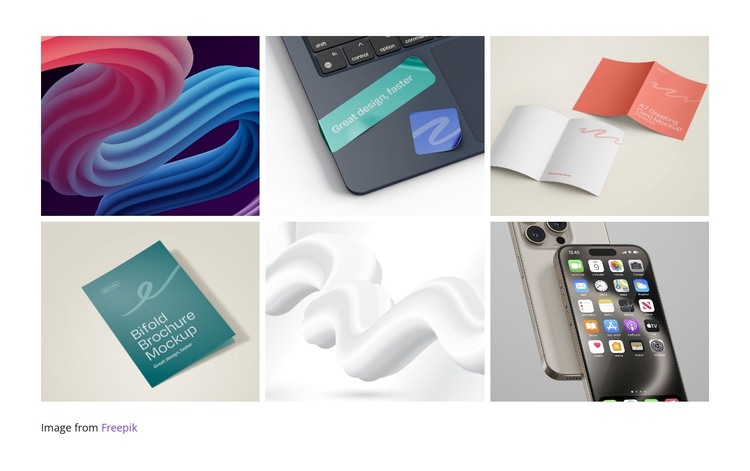
The six-image collection reads as stable page content rather than as a time-based editorial stream. Abstract artwork, printed design mockups, and mobile-device visuals are presented together in a three-column, two-row grid, giving the section a clear visual subject and a defined place within a WordPress-managed page. Narrow white gutters separate each image, while the white background keeps the collection distinct from adjacent content areas.
The image behavior supports this page-content role. Hover zoom offers a quick visual response when visitors examine a tile, and lightbox viewing provides a larger inspection state for an image that deserves closer attention. The small attribution credit below the grid remains part of the section’s supporting information, keeping the source acknowledgment close to the collection without turning it into another gallery item.
In a WordPress-oriented project, the block can serve as a reusable visual area on a page devoted to projects, portfolio work, or related presentation content. The wider site can manage other page sections and publishing needs around it, while this block retains its own six-image arrangement and interaction pattern. Its value comes from preserving a consistent presentation for visual material, not from acting as a standalone theme or complete site structure.
Customize with Nicepage
Open this ready-made template in the WordPress Website Builder and customize it visually in the Nicepage editor. Replace demo content, edit page sections, and adapt the design to your project without rebuilding the template from scratch.
Edit Template Offline
2. Create a new page or select existing
3. Click Add new block, search for id 6393065 and click enter
Edit Template Online
Create Awesome Websites


Free Nicepage Builder
Keywords
Manage and Edit This Theme in WordPress
Customize and Install the WordPress Theme
Start with this ready-made theme instead of building the WordPress design from scratch. Customize its layout, content, typography, images, sections, and other design elements visually in Nicepage editor, then export and install the WordPress Theme, Plugin, and Pages on your WordPress site. The Nicepage WordPress Plugin lets you continue working with the site after installation.
Edit the Theme Directly in WordPress
After installation, you can edit the WordPress Theme directly in WordPress with the Nicepage WordPress Plugin. Use Site Style to customize site Colors, Fonts, Header, Footer, Blog, and Post Page Templates while working within your WordPress website.
Edit WordPress Pages Visually
Use the Nicepage WordPress Plugin to edit page content directly from the WordPress admin area. Open a WordPress Page with Nicepage and visually change its text, images, sections, and other page elements while continuing to manage the Page through WordPress.
WordPress Content and Theme Integration
Use the customized theme with WordPress Pages, Posts, Blog and Post Templates, menus, widgets, and other CMS-managed content. Shared theme elements such as Colors, Fonts, Header, Footer, Blog, and Post Page Templates can be managed as part of the overall site design, while WordPress provides the CMS environment for managing site content.
This workflow combines a ready-made WordPress Theme with visual customization, direct theme editing in WordPress, and continued content management through the Nicepage WordPress Plugin.