Making your ideas a reality WordPress Theme


Edit Template Offline
2. Create new page and search for id 6215089
Edit Template Online
Create Awesome Websites


Free Nicepage Builder
Keywords
Project Cards and Gallery Content Support WordPress Pages
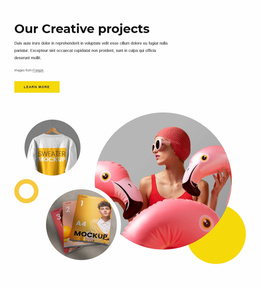
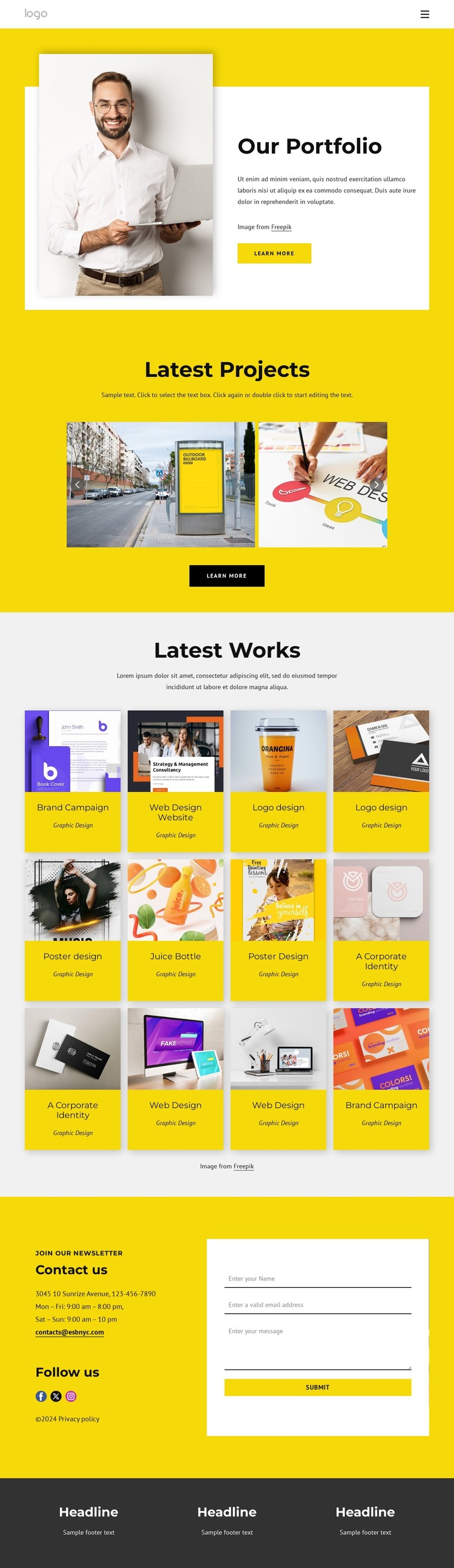
The page-oriented content is well suited to a WordPress theme interpretation because it separates permanent presentation areas from repeated project material. Navigation links for About Us, Home Page, Our Team, and Portfolio establish the main page context, while the Our Portfolio hero supplies a visual introduction with an image, supporting copy, and a Learn more button. These areas can remain stable as the site’s core presentation while the work content changes.
The Latest Projects gallery and Latest Works cards provide the more repeatable side of the design. Six gallery images create a selected showcase, whereas twelve cards carry labels such as Brand Campaign, Web Design Website, Logo design, Poster design, A Corporate Identity, Web Design, and Graphic Design. That difference can help a WordPress project distinguish highlighted work from a larger collection of portfolio content without changing the page’s visual direction. The source confirms the visible cards and gallery, but not any existing WordPress Posts or categories.
The contact section adds permanent business information, Facebook, Twitter, and Instagram links, newsletter wording, and an inquiry form. Those elements can sit alongside page content managed in a WordPress environment, while the dark footer provides a shared-looking closing region with three columns. The result is a theme foundation that connects visual project content with ongoing page maintenance, rather than merely applying the WordPress label to a static portfolio description.
Customize with Nicepage
Open this ready-made template in the WordPress Website Builder and customize it visually in the Nicepage editor. Replace demo content, edit page sections, and adapt the design to your project without rebuilding the template from scratch.
Manage and Edit This Theme in WordPress
Customize and Install the WordPress Theme
Start with this ready-made theme instead of building the WordPress design from scratch. Customize its layout, content, typography, images, sections, and other design elements visually in Nicepage editor, then export and install the WordPress Theme, Plugin, and Pages on your WordPress site. The Nicepage WordPress Plugin lets you continue working with the site after installation.
Edit the Theme Directly in WordPress
After installation, you can edit the WordPress Theme directly in WordPress with the Nicepage WordPress Plugin. Use Site Style to customize site Colors, Fonts, Header, Footer, Blog, and Post Page Templates while working within your WordPress website.
Edit WordPress Pages Visually
Use the Nicepage WordPress Plugin to edit page content directly from the WordPress admin area. Open a WordPress Page with Nicepage and visually change its text, images, sections, and other page elements while continuing to manage the Page through WordPress.
WordPress Content and Theme Integration
Use the customized theme with WordPress Pages, Posts, Blog and Post Templates, menus, widgets, and other CMS-managed content. Shared theme elements such as Colors, Fonts, Header, Footer, Blog, and Post Page Templates can be managed as part of the overall site design, while WordPress provides the CMS environment for managing site content.
This workflow combines a ready-made WordPress Theme with visual customization, direct theme editing in WordPress, and continued content management through the Nicepage WordPress Plugin.