Ignite Your Brand's Success WordPress Theme


Edit Template Offline
2. Create new page and search for id 6257880
Edit Template Online
Create Awesome Websites


Free Nicepage Builder
Keywords
Project Categories Give WordPress Content a Clear Visual Framework
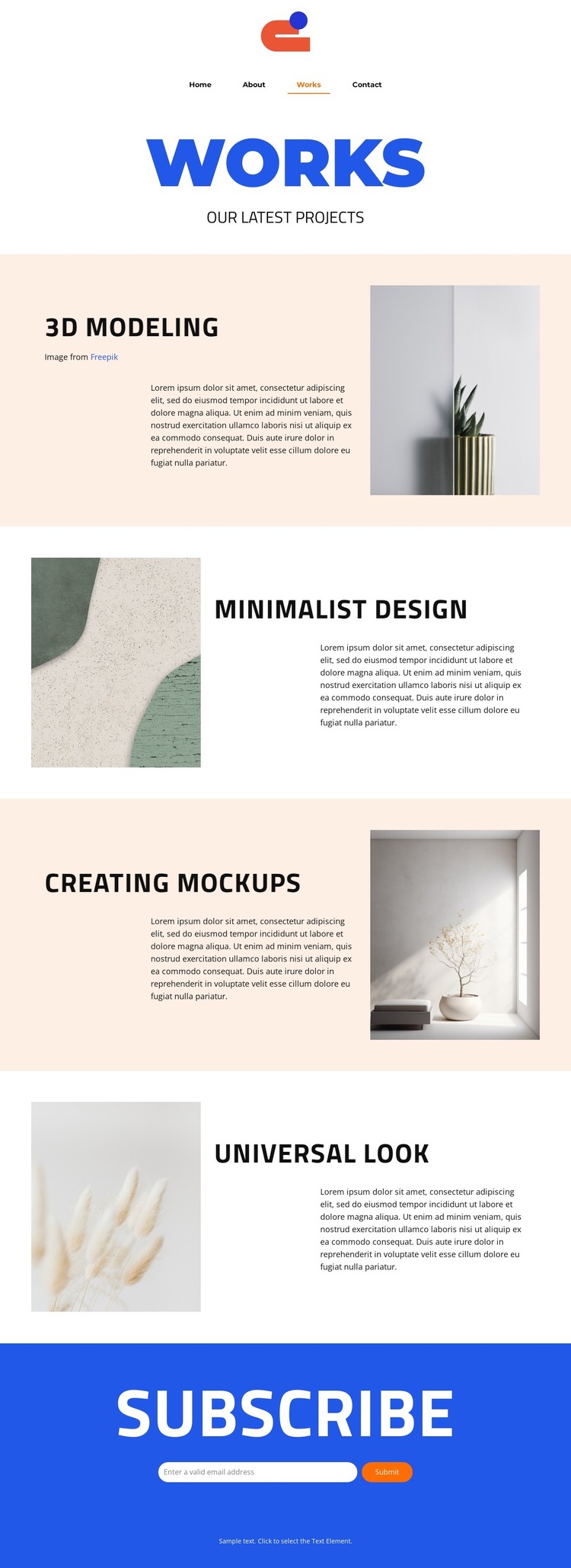
The four project entries create distinct areas for permanent portfolio content within a WordPress-oriented site design. 3D modeling, Minimalist design, Creating mockups, and Universal look are presented as separate subjects, so each can retain its own heading, description, and supporting image rather than being reduced to one undifferentiated introduction. This separation gives the Works page a useful content framework for presenting selected projects while keeping every entry connected to the same visual direction.
The alternating placement strengthens that relationship. The first project pairs text with an image on one side, the next reverses the arrangement, and the sequence continues through all four entries. Because the content role remains consistent while the visual position changes, the page can accommodate revised project descriptions and images without losing its editorial rhythm. The compact Home, About, Works, and Contact navigation places the page within a recognizable site structure, while the centered footer provides a shared closing boundary.
The subscribe section adds a different kind of content area at the end. Its heading, email field, and Submit action are separate from the portfolio narrative, making the form suitable for an audience-communication role alongside the permanent project content. The template does not verify existing blog posts or other WordPress-specific content types, so those should not be assumed. Instead, its confirmed project categories, navigation, imagery, and subscription area provide a solid visual base for a WordPress-managed creative portfolio.
Customize with Nicepage
Open this ready-made template in the WordPress Website Builder and customize it visually in the Nicepage editor. Replace demo content, edit page sections, and adapt the design to your project without rebuilding the template from scratch.
Manage and Edit This Theme in WordPress
Customize and Install the WordPress Theme
Start with this ready-made theme instead of building the WordPress design from scratch. Customize its layout, content, typography, images, sections, and other design elements visually in Nicepage editor, then export and install the WordPress Theme, Plugin, and Pages on your WordPress site. The Nicepage WordPress Plugin lets you continue working with the site after installation.
Edit the Theme Directly in WordPress
After installation, you can edit the WordPress Theme directly in WordPress with the Nicepage WordPress Plugin. Use Site Style to customize site Colors, Fonts, Header, Footer, Blog, and Post Page Templates while working within your WordPress website.
Edit WordPress Pages Visually
Use the Nicepage WordPress Plugin to edit page content directly from the WordPress admin area. Open a WordPress Page with Nicepage and visually change its text, images, sections, and other page elements while continuing to manage the Page through WordPress.
WordPress Content and Theme Integration
Use the customized theme with WordPress Pages, Posts, Blog and Post Templates, menus, widgets, and other CMS-managed content. Shared theme elements such as Colors, Fonts, Header, Footer, Blog, and Post Page Templates can be managed as part of the overall site design, while WordPress provides the CMS environment for managing site content.
This workflow combines a ready-made WordPress Theme with visual customization, direct theme editing in WordPress, and continued content management through the Nicepage WordPress Plugin.