Transform Your Brand WordPress Theme


A Stable Portfolio Entry With Narrative First and Metadata Alongside
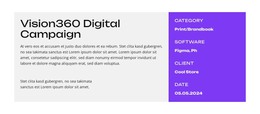
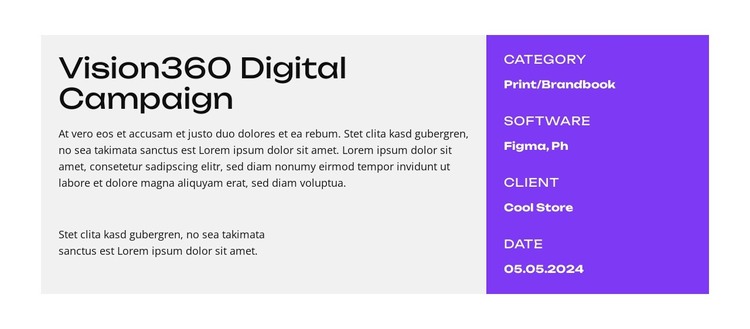
The broad left panel reads as permanent project content: a strong title introduces the featured work, and two paragraphs provide room for an explanatory account rather than a single short label. The narrower right panel supports that content with four compact fields for category, software, client, and date. This arrangement makes the project story primary while keeping its identifying details visible at the same time.
In a WordPress-managed page, the section can serve as a reusable visual region for one portfolio or case-study entry. The light-gray description surface and saturated purple metadata panel give the content a defined presentation, while the aligned horizontal structure can sit within a wider page that contains other projects or editorial sections. The block’s static interaction means its organization remains understandable without requiring a carousel, filter, or expandable control.
The content model also separates two useful maintenance concerns. Descriptive copy occupies the larger reading area, whereas the four metadata groups form a concise summary that can be reviewed independently. That makes the block suitable for stable page-oriented project information in a broader WordPress site, without implying that it is a complete theme or that WordPress-specific post structures are already part of the section.
Customize with Nicepage
Open this ready-made template in the WordPress Website Builder and customize it visually in the Nicepage editor. Replace demo content, edit page sections, and adapt the design to your project without rebuilding the template from scratch.
Edit Template Offline
2. Create a new page or select existing
3. Click Add new block, search for id 6392168 and click enter
Edit Template Online
Create Awesome Websites


Free Nicepage Builder
Keywords
Manage and Edit This Theme in WordPress
Customize and Install the WordPress Theme
Start with this ready-made theme instead of building the WordPress design from scratch. Customize its layout, content, typography, images, sections, and other design elements visually in Nicepage editor, then export and install the WordPress Theme, Plugin, and Pages on your WordPress site. The Nicepage WordPress Plugin lets you continue working with the site after installation.
Edit the Theme Directly in WordPress
After installation, you can edit the WordPress Theme directly in WordPress with the Nicepage WordPress Plugin. Use Site Style to customize site Colors, Fonts, Header, Footer, Blog, and Post Page Templates while working within your WordPress website.
Edit WordPress Pages Visually
Use the Nicepage WordPress Plugin to edit page content directly from the WordPress admin area. Open a WordPress Page with Nicepage and visually change its text, images, sections, and other page elements while continuing to manage the Page through WordPress.
WordPress Content and Theme Integration
Use the customized theme with WordPress Pages, Posts, Blog and Post Templates, menus, widgets, and other CMS-managed content. Shared theme elements such as Colors, Fonts, Header, Footer, Blog, and Post Page Templates can be managed as part of the overall site design, while WordPress provides the CMS environment for managing site content.
This workflow combines a ready-made WordPress Theme with visual customization, direct theme editing in WordPress, and continued content management through the Nicepage WordPress Plugin.