We are digital marketing services WordPress Theme


The Service Categories Read as Stable WordPress Page Content
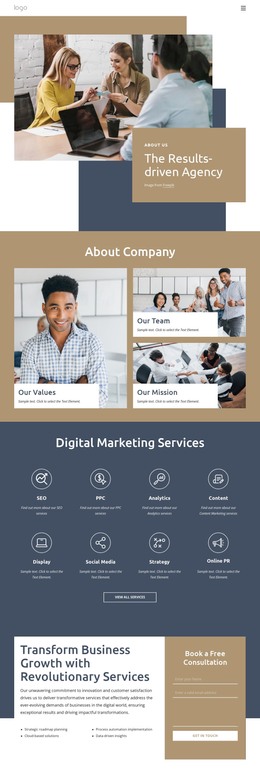
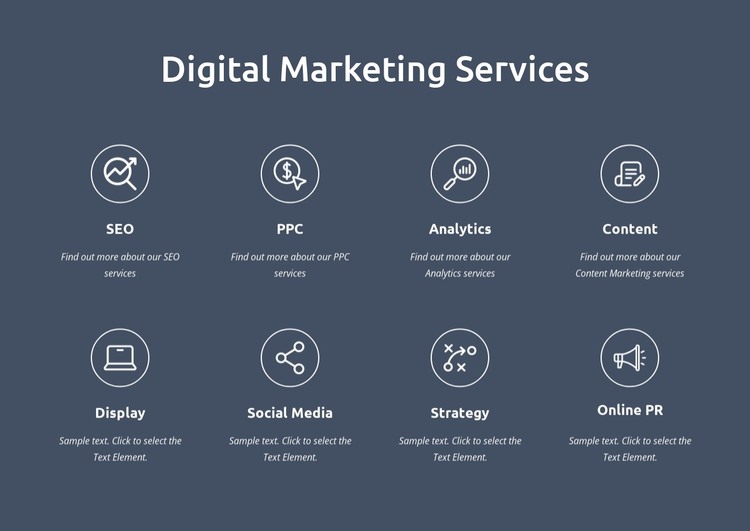
The heading and eight named categories give this block the character of lasting services information within a WordPress-managed page. SEO, PPC, Analytics, Content, Display, Social Media, Strategy, and Online PR are presented as a structured overview rather than as a chronological stream of updates. Each category receives the same basic treatment—a circular outlined icon, a service title, and a supporting description—so the section can remain visually consistent as part of permanent page content.
The four-column layout across two rows keeps the service range compact while still giving every category a distinct position. A dark blue-gray background marks the section as a separate content region, and white typography maintains the contrast needed for the heading and item titles. The Content item differs slightly because its description links to Content Marketing services, allowing one category to connect with deeper information while the rest continue to function as overview content.
In a WordPress-oriented project, this block can occupy a services page or another stable content area while the wider site handles navigation, editorial material, and additional pages separately. Its value is the organized presentation of related service information: the repeated grid supports scanning, the title hierarchy clarifies categories, and the selected link creates a focused continuation. The block participates in the CMS-managed page; it is not the theme or the whole site.
Customize with Nicepage
Open this ready-made template in the WordPress Website Builder and customize it visually in the Nicepage editor. Replace demo content, edit page sections, and adapt the design to your project without rebuilding the template from scratch.
Edit Template Offline
2. Create a new page or select existing
3. Click Add new block, search for id 6168275 and click enter
Edit Template Online
Create Awesome Websites


Free Nicepage Builder
Keywords
Manage and Edit This Theme in WordPress
Customize and Install the WordPress Theme
Start with this ready-made theme instead of building the WordPress design from scratch. Customize its layout, content, typography, images, sections, and other design elements visually in Nicepage editor, then export and install the WordPress Theme, Plugin, and Pages on your WordPress site. The Nicepage WordPress Plugin lets you continue working with the site after installation.
Edit the Theme Directly in WordPress
After installation, you can edit the WordPress Theme directly in WordPress with the Nicepage WordPress Plugin. Use Site Style to customize site Colors, Fonts, Header, Footer, Blog, and Post Page Templates while working within your WordPress website.
Edit WordPress Pages Visually
Use the Nicepage WordPress Plugin to edit page content directly from the WordPress admin area. Open a WordPress Page with Nicepage and visually change its text, images, sections, and other page elements while continuing to manage the Page through WordPress.
WordPress Content and Theme Integration
Use the customized theme with WordPress Pages, Posts, Blog and Post Templates, menus, widgets, and other CMS-managed content. Shared theme elements such as Colors, Fonts, Header, Footer, Blog, and Post Page Templates can be managed as part of the overall site design, while WordPress provides the CMS environment for managing site content.
This workflow combines a ready-made WordPress Theme with visual customization, direct theme editing in WordPress, and continued content management through the Nicepage WordPress Plugin.