Engage Your Audience WordPress Theme


Edit Template Offline
2. Create new page and search for id 6393002
Edit Template Online
Create Awesome Websites


Free Nicepage Builder
Keywords
Page Content and Repeated Identity Areas Fit a Managed Theme Structure
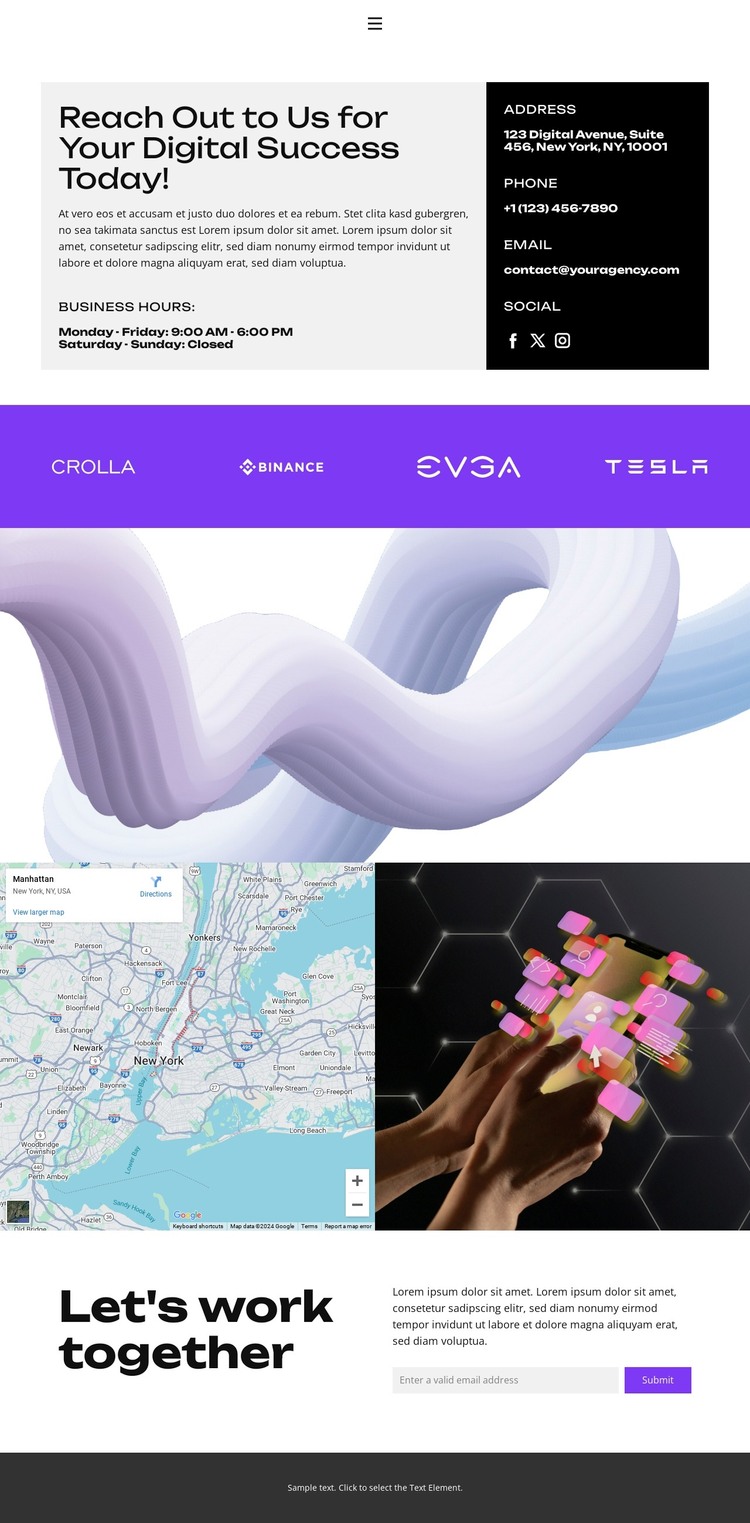
The design separates permanent contact information from repeated identity content in a way that can translate into a WordPress-managed site. The opening panel contains the page’s core contact material: an introductory message, business hours, contact details, and social links. These items form a clear page-oriented content area, while the navigation connects the page with Home, About, Projects, FAQ, and Contact destinations.
The 12 brand-logo strip offers a different kind of content relationship. Its repeated tiles can represent approved association content while retaining a consistent visual treatment beneath the main contact panel. The later map-and-technology pairing adds location and image context, giving the page more than a simple address-and-form arrangement. The abstract image band can continue as a visual separator without being mistaken for verified service information.
The closing collaboration section brings the managed content back to a practical response: a heading, explanatory copy, email submission form, and Submit action. WordPress Pages could naturally hold this stable contact material, while future editorial or project content would require separate verification rather than being assumed from the current analysis. The displayed address, phone number, email, and hours are sample values and should be replaced. If the project needs direct CMS editing, the Nicepage WordPress Plugin is an available product bridge, but it does not prove that WordPress content already exists in this template.
Customize with Nicepage
Open this ready-made template in the WordPress Website Builder and customize it visually in the Nicepage editor. Replace demo content, edit page sections, and adapt the design to your project without rebuilding the template from scratch.
Manage and Edit This Theme in WordPress
Customize and Install the WordPress Theme
Start with this ready-made theme instead of building the WordPress design from scratch. Customize its layout, content, typography, images, sections, and other design elements visually in Nicepage editor, then export and install the WordPress Theme, Plugin, and Pages on your WordPress site. The Nicepage WordPress Plugin lets you continue working with the site after installation.
Edit the Theme Directly in WordPress
After installation, you can edit the WordPress Theme directly in WordPress with the Nicepage WordPress Plugin. Use Site Style to customize site Colors, Fonts, Header, Footer, Blog, and Post Page Templates while working within your WordPress website.
Edit WordPress Pages Visually
Use the Nicepage WordPress Plugin to edit page content directly from the WordPress admin area. Open a WordPress Page with Nicepage and visually change its text, images, sections, and other page elements while continuing to manage the Page through WordPress.
WordPress Content and Theme Integration
Use the customized theme with WordPress Pages, Posts, Blog and Post Templates, menus, widgets, and other CMS-managed content. Shared theme elements such as Colors, Fonts, Header, Footer, Blog, and Post Page Templates can be managed as part of the overall site design, while WordPress provides the CMS environment for managing site content.
This workflow combines a ready-made WordPress Theme with visual customization, direct theme editing in WordPress, and continued content management through the Nicepage WordPress Plugin.