Lead with Innovation WordPress Theme


Edit Template Offline
2. Create new page and search for id 6393060
Edit Template Online
Create Awesome Websites


Free Nicepage Builder
Keywords
Profile Cards and Milestones Support WordPress Page Content
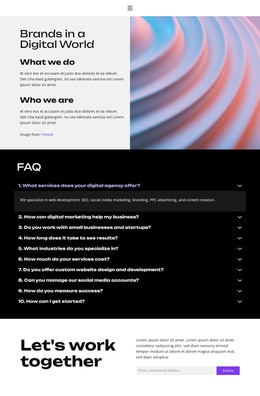
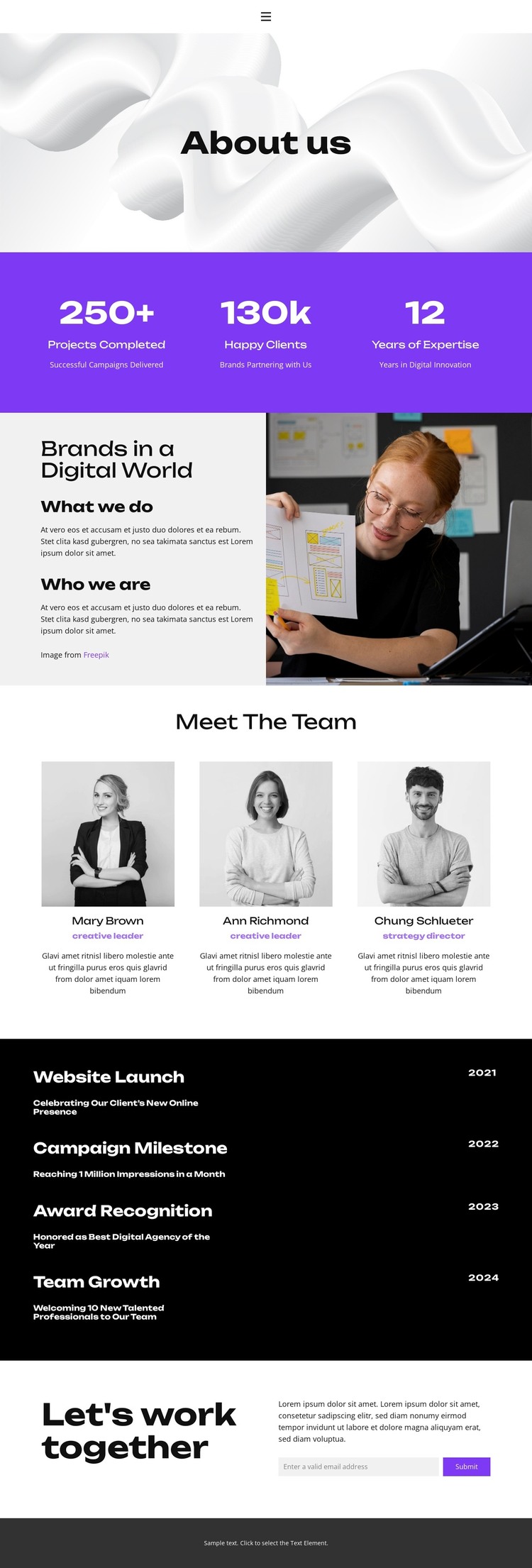
The three team profile cards create a clear page-oriented content area: each profile combines a portrait, role label, and description within the same visual pattern. That makes the people section distinct from the Brands in a Digital World area, where explanatory text sits beside a workplace photograph. Together, they provide permanent organizational content that can remain central to a WordPress-managed site without claiming that a blog or post structure already exists in the template.
The four dated milestones offer a different publishing relationship. Their dates, titles, and descriptions form a chronological record, so future content can be understood as organizational development rather than as another profile card. The three displayed metric columns add a concise summary layer above these details, while the About us introduction gives the page a stable entry point. This combination supports a WordPress theme interpretation centered on pages and reusable content areas, not merely on visual appearance.
Navigation for Home, About, Projects, FAQ, and Contact connects the page to other possible content destinations. At the end, Let's work together and the email-based form create a defined inquiry area for collaboration. The design can therefore carry permanent About content, people-focused information, milestone storytelling, and contact content within one consistent theme direction. Any additional WordPress editorial areas would need to be created separately; they are not presented as existing components here.
Customize with Nicepage
Open this ready-made template in the WordPress Website Builder and customize it visually in the Nicepage editor. Replace demo content, edit page sections, and adapt the design to your project without rebuilding the template from scratch.
Manage and Edit This Theme in WordPress
Customize and Install the WordPress Theme
Start with this ready-made theme instead of building the WordPress design from scratch. Customize its layout, content, typography, images, sections, and other design elements visually in Nicepage editor, then export and install the WordPress Theme, Plugin, and Pages on your WordPress site. The Nicepage WordPress Plugin lets you continue working with the site after installation.
Edit the Theme Directly in WordPress
After installation, you can edit the WordPress Theme directly in WordPress with the Nicepage WordPress Plugin. Use Site Style to customize site Colors, Fonts, Header, Footer, Blog, and Post Page Templates while working within your WordPress website.
Edit WordPress Pages Visually
Use the Nicepage WordPress Plugin to edit page content directly from the WordPress admin area. Open a WordPress Page with Nicepage and visually change its text, images, sections, and other page elements while continuing to manage the Page through WordPress.
WordPress Content and Theme Integration
Use the customized theme with WordPress Pages, Posts, Blog and Post Templates, menus, widgets, and other CMS-managed content. Shared theme elements such as Colors, Fonts, Header, Footer, Blog, and Post Page Templates can be managed as part of the overall site design, while WordPress provides the CMS environment for managing site content.
This workflow combines a ready-made WordPress Theme with visual customization, direct theme editing in WordPress, and continued content management through the Nicepage WordPress Plugin.