For every purpose WordPress Theme


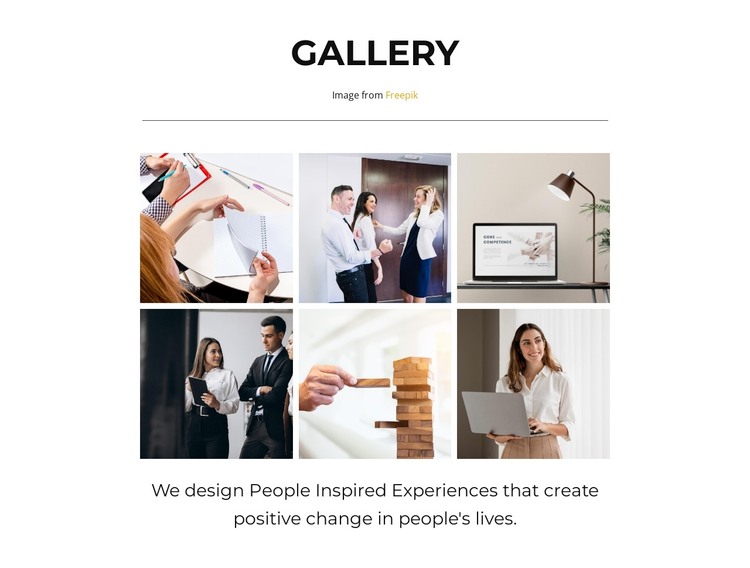
Six Images Form Stable Page Content for a WordPress-Managed Site
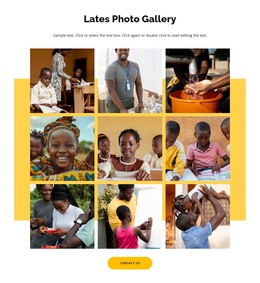
The gallery heading, six photographic items, and centered closing statement read as stable page content rather than a time-sensitive stream. That makes the section a natural fit for a WordPress-managed page where a business or professional theme needs a defined visual collection. The three-column by two-row grid keeps the content compact, while scenes of meetings, office work, and workplace technology give the gallery a consistent subject.
The block’s content logic is straightforward: the heading introduces the collection, repeated rectangular tiles present the images, and the statement beneath them gives the visual material a broader human interpretation. Lightbox behavior provides an additional viewing layer for visitors who want to inspect a photograph more closely, but the main page content remains the six-image grid. This separation helps the section retain a predictable role when it is placed alongside other managed page areas.
In a WordPress-oriented project, the block can remain one reusable visual section within a wider page or theme context. The CMS environment can surround it with other content, but the gallery itself keeps its own heading, image sequence, interaction, and closing text. Its value is therefore not a standalone theme structure; it is a publishable, visually consistent content area that can support a professional page while remaining distinct from broader site management.
Customize with Nicepage
Open this ready-made template in the WordPress Website Builder and customize it visually in the Nicepage editor. Replace demo content, edit page sections, and adapt the design to your project without rebuilding the template from scratch.
Edit Template Offline
2. Create a new page or select existing
3. Click Add new block, search for id 3601674 and click enter
Edit Template Online
Create Awesome Websites


Free Nicepage Builder
Keywords
Manage and Edit This Theme in WordPress
Customize and Install the WordPress Theme
Start with this ready-made theme instead of building the WordPress design from scratch. Customize its layout, content, typography, images, sections, and other design elements visually in Nicepage editor, then export and install the WordPress Theme, Plugin, and Pages on your WordPress site. The Nicepage WordPress Plugin lets you continue working with the site after installation.
Edit the Theme Directly in WordPress
After installation, you can edit the WordPress Theme directly in WordPress with the Nicepage WordPress Plugin. Use Site Style to customize site Colors, Fonts, Header, Footer, Blog, and Post Page Templates while working within your WordPress website.
Edit WordPress Pages Visually
Use the Nicepage WordPress Plugin to edit page content directly from the WordPress admin area. Open a WordPress Page with Nicepage and visually change its text, images, sections, and other page elements while continuing to manage the Page through WordPress.
WordPress Content and Theme Integration
Use the customized theme with WordPress Pages, Posts, Blog and Post Templates, menus, widgets, and other CMS-managed content. Shared theme elements such as Colors, Fonts, Header, Footer, Blog, and Post Page Templates can be managed as part of the overall site design, while WordPress provides the CMS environment for managing site content.
This workflow combines a ready-made WordPress Theme with visual customization, direct theme editing in WordPress, and continued content management through the Nicepage WordPress Plugin.