Revolutionize Online Presence WordPress Theme



Edit Template Offline
2. Create new page and search for id 6393005
Edit Template Online
Create Awesome Websites


Free Nicepage Builder
Keywords
Project Cards and Service Content Suit a Managed Agency Theme
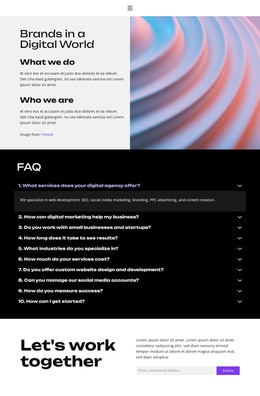
The service section gives the design a useful foundation for page-oriented agency content. Its six categories—digital marketing strategy, social media management, content creation, web design and development, search engine optimization, and paid advertising campaigns—are already separated into recognizable content units. In a WordPress project, those areas can guide permanent service information while retaining the dark section, repeated row treatment, and compact explanatory hierarchy visible in the design. The template provides the subject matter and visual organization without establishing WordPress content structures by itself.
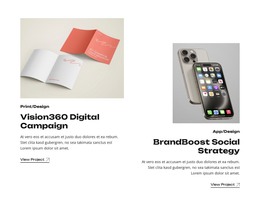
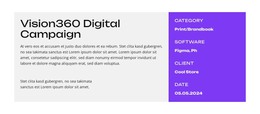
The four portfolio projects create a different reusable content relationship. Vision360 Digital Campaign, BrandBoost Social Strategy, NextWave Content Platform, and EngagePro E-Commerce Solutions appear as image-led cards with descriptions and view actions. Their repeated presentation can support an expanding project or case-study direction, while the light grid sections preserve a consistent frame for changing work. The three-person team section and testimonial add people and client perspective alongside the project-focused content.
The hero, Contact action, and final “Let’s work together” block provide clear endpoints for the page. They frame the agency story without changing its black, white, and purple identity. Bold display typography, the saturated team band, and compact footer help keep different content areas recognizable as one theme. This interpretation focuses on organizing agency pages and repeated project information within a WordPress-oriented environment, not on claiming that posts, categories, or a blog already exist in the supplied template.
Customize with Nicepage
Open this ready-made template in the WordPress Website Builder and customize it visually in the Nicepage editor. Replace demo content, edit page sections, and adapt the design to your project without rebuilding the template from scratch.
Manage and Edit This Theme in WordPress
Customize and Install the WordPress Theme
Start with this ready-made theme instead of building the WordPress design from scratch. Customize its layout, content, typography, images, sections, and other design elements visually in Nicepage editor, then export and install the WordPress Theme, Plugin, and Pages on your WordPress site. The Nicepage WordPress Plugin lets you continue working with the site after installation.
Edit the Theme Directly in WordPress
After installation, you can edit the WordPress Theme directly in WordPress with the Nicepage WordPress Plugin. Use Site Style to customize site Colors, Fonts, Header, Footer, Blog, and Post Page Templates while working within your WordPress website.
Edit WordPress Pages Visually
Use the Nicepage WordPress Plugin to edit page content directly from the WordPress admin area. Open a WordPress Page with Nicepage and visually change its text, images, sections, and other page elements while continuing to manage the Page through WordPress.
WordPress Content and Theme Integration
Use the customized theme with WordPress Pages, Posts, Blog and Post Templates, menus, widgets, and other CMS-managed content. Shared theme elements such as Colors, Fonts, Header, Footer, Blog, and Post Page Templates can be managed as part of the overall site design, while WordPress provides the CMS environment for managing site content.
This workflow combines a ready-made WordPress Theme with visual customization, direct theme editing in WordPress, and continued content management through the Nicepage WordPress Plugin.