It started with honesty, passion and innovation WordPress Theme


Edit Template Offline
2. Create new page and search for id 5196772
Edit Template Online
Create Awesome Websites


Free Nicepage Builder
Keywords
Permanent contact information fits alongside WordPress-managed content
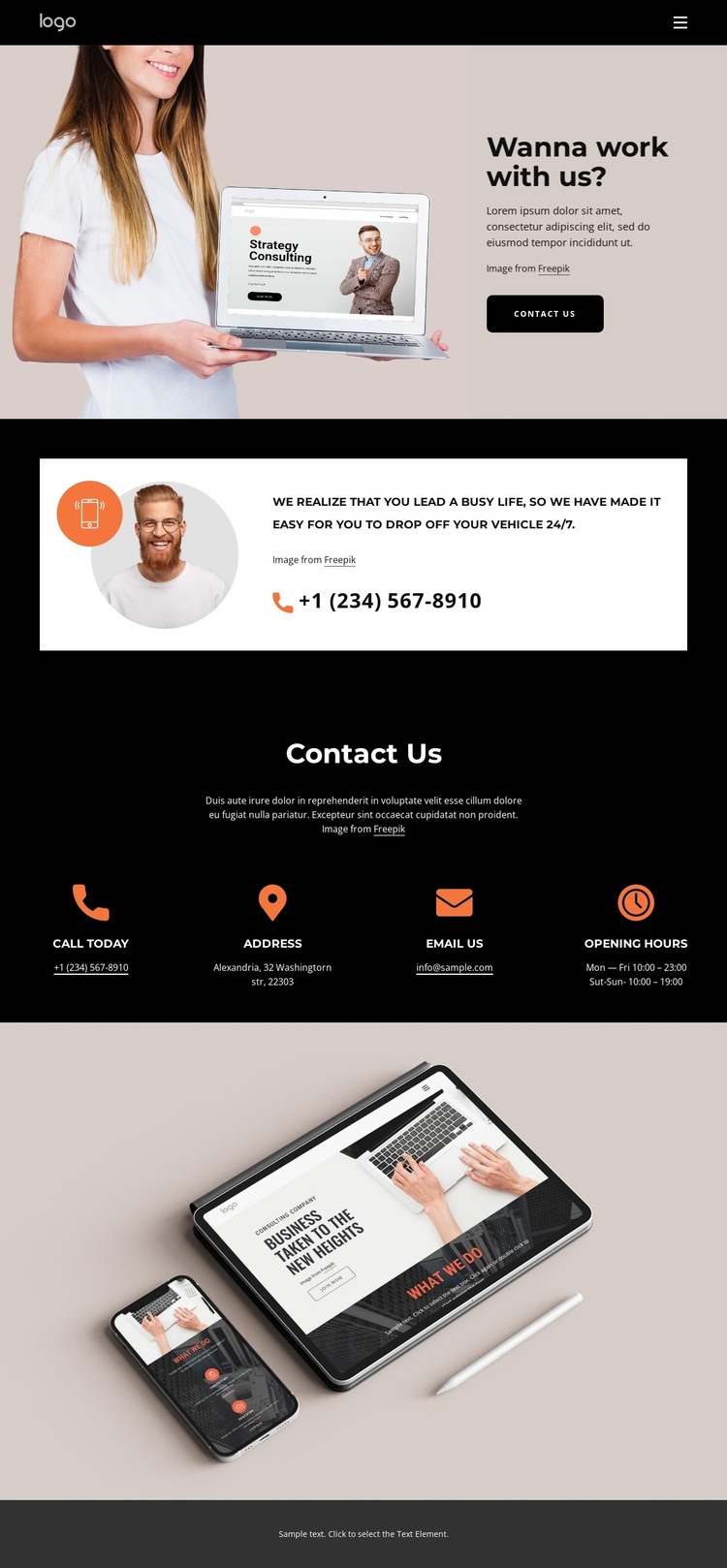
The page’s contact areas divide naturally into permanent informational content. The opening Contact Us section introduces the reason for communication and provides a visible button, while the phone callout gives telephone contact a separate emphasis. The four cards then organize the durable details a site visitor may need: calling, visiting an address, sending an email, and checking opening hours. These relationships are more useful for a WordPress interpretation than simply attaching a CMS name to the visual design.
The sample Alexandria location, sample email, phone number, and hours demonstrate the structure of those content fields and should be replaced with verified project information. The underlying design can keep the same hierarchy while the site’s maintained content changes. The navigation, repeated cards, image-led introduction, and muted footer also provide shared visual regions around which additional page-oriented content could be developed, although no blog, posts, or category structure is confirmed in this template analysis.
A WordPress project could therefore use this design as a contact-focused theme direction: permanent page content remains organized in the four-card section, while future site content can follow the same visual character. Nicepage documents the WordPress Plugin for editing page content in WordPress, but the template-specific value comes from its clearly separated inquiry information and visual system.
Customize with Nicepage
Open this ready-made template in the WordPress Website Builder and customize it visually in the Nicepage editor. Replace demo content, edit page sections, and adapt the design to your project without rebuilding the template from scratch.
Manage and Edit This Theme in WordPress
Customize and Install the WordPress Theme
Start with this ready-made theme instead of building the WordPress design from scratch. Customize its layout, content, typography, images, sections, and other design elements visually in Nicepage editor, then export and install the WordPress Theme, Plugin, and Pages on your WordPress site. The Nicepage WordPress Plugin lets you continue working with the site after installation.
Edit the Theme Directly in WordPress
After installation, you can edit the WordPress Theme directly in WordPress with the Nicepage WordPress Plugin. Use Site Style to customize site Colors, Fonts, Header, Footer, Blog, and Post Page Templates while working within your WordPress website.
Edit WordPress Pages Visually
Use the Nicepage WordPress Plugin to edit page content directly from the WordPress admin area. Open a WordPress Page with Nicepage and visually change its text, images, sections, and other page elements while continuing to manage the Page through WordPress.
WordPress Content and Theme Integration
Use the customized theme with WordPress Pages, Posts, Blog and Post Templates, menus, widgets, and other CMS-managed content. Shared theme elements such as Colors, Fonts, Header, Footer, Blog, and Post Page Templates can be managed as part of the overall site design, while WordPress provides the CMS environment for managing site content.
This workflow combines a ready-made WordPress Theme with visual customization, direct theme editing in WordPress, and continued content management through the Nicepage WordPress Plugin.