Schedule WordPress Theme


Stable Schedule Content With Reusable Page Actions
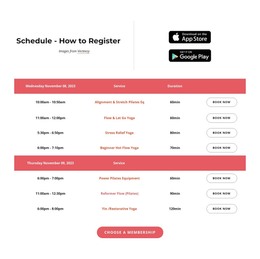
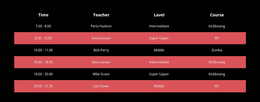
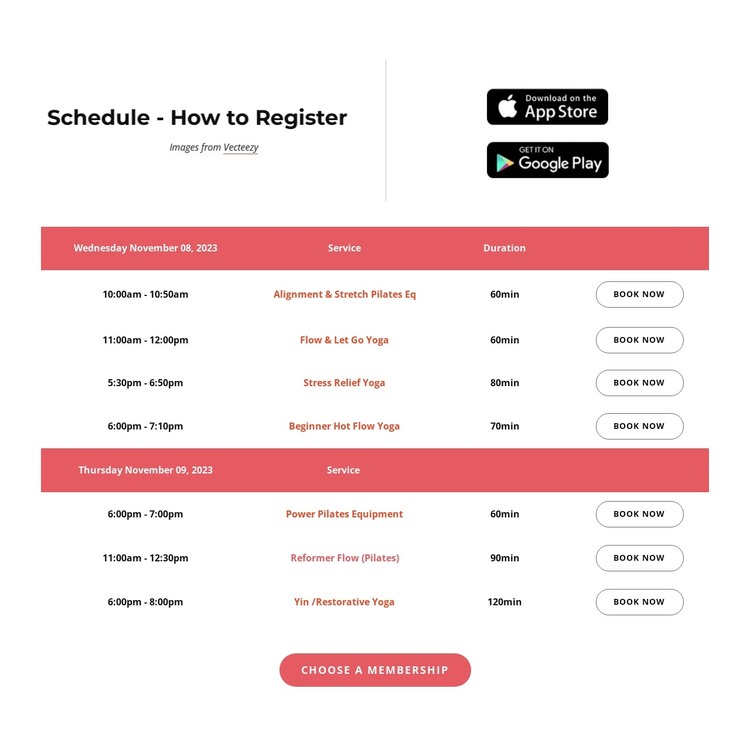
The timetable is organized as durable service information rather than a single promotional statement. Two date groups contain seven class entries, and each entry keeps its time, service name, duration, and Book Now action together. That repeated structure suits a WordPress-managed page area where class information can be maintained as a recognizable schedule section while the wider site handles other content around it.
The upper and lower actions give the content more than one level of participation. The heading and attribution line introduce the registration purpose, while the two app-store badges form a separate access-oriented group. At the end, Choose a membership provides a broader selection path after visitors review individual classes. These elements can remain part of the section’s page presentation without changing its core role as a class-registration area.
In a WordPress Theme context, this block can contribute stable services-page content inside a broader managed site. The coral date headers and muted service labels help distinguish schedule information, while the rounded outlined booking controls keep individual actions visible. The membership button can remain a separate closing action rather than being confused with a class row. Other WordPress-managed pages or content areas may surround this section, but this reusable block supplies its own focused timetable and registration logic.
Customize with Nicepage
Open this ready-made template in the WordPress Website Builder and customize it visually in the Nicepage editor. Replace demo content, edit page sections, and adapt the design to your project without rebuilding the template from scratch.
Edit Template Offline
2. Create a new page or select existing
3. Click Add new block, search for id 6037536 and click enter
Edit Template Online
Create Awesome Websites


Free Nicepage Builder
Keywords
Manage and Edit This Theme in WordPress
Customize and Install the WordPress Theme
Start with this ready-made theme instead of building the WordPress design from scratch. Customize its layout, content, typography, images, sections, and other design elements visually in Nicepage editor, then export and install the WordPress Theme, Plugin, and Pages on your WordPress site. The Nicepage WordPress Plugin lets you continue working with the site after installation.
Edit the Theme Directly in WordPress
After installation, you can edit the WordPress Theme directly in WordPress with the Nicepage WordPress Plugin. Use Site Style to customize site Colors, Fonts, Header, Footer, Blog, and Post Page Templates while working within your WordPress website.
Edit WordPress Pages Visually
Use the Nicepage WordPress Plugin to edit page content directly from the WordPress admin area. Open a WordPress Page with Nicepage and visually change its text, images, sections, and other page elements while continuing to manage the Page through WordPress.
WordPress Content and Theme Integration
Use the customized theme with WordPress Pages, Posts, Blog and Post Templates, menus, widgets, and other CMS-managed content. Shared theme elements such as Colors, Fonts, Header, Footer, Blog, and Post Page Templates can be managed as part of the overall site design, while WordPress provides the CMS environment for managing site content.
This workflow combines a ready-made WordPress Theme with visual customization, direct theme editing in WordPress, and continued content management through the Nicepage WordPress Plugin.