Perfect running technique WordPress Theme



A Stable Running Message for WordPress-Managed Page Content
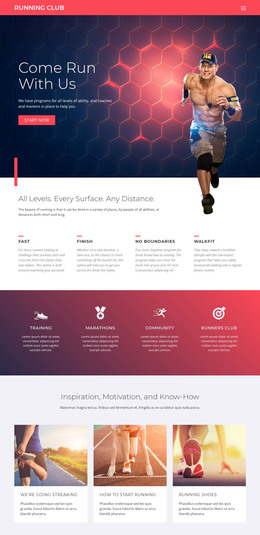
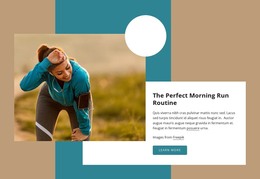
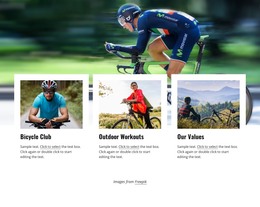
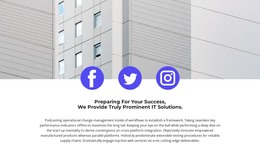
The heading “Come Run With Us” reads as enduring page content rather than a time-sensitive update, and the runner photograph gives it a clear visual setting. The full-width background keeps the section focused on one invitation, while the lower-left placement makes the message the primary reading point. Three white social icons—Facebook, Twitter, and Instagram—form a separate group on the lower right, providing related access without changing the block’s central purpose.
In a WordPress-managed project, this arrangement can serve as one reusable section on a running, sports, or fitness page while the wider site manages other content around it. The block does not need to carry blog posts, categories, or the site’s broader theme architecture to be useful as page content. Its stable role is narrower: introduce the running direction, present the visual subject, and expose the social destinations already included in the section.
That distinction also helps preserve the design during content work. The image, heading, and social group should remain coordinated so that editing page content does not turn the image-led invitation into an unrelated information panel. Nicepage supports WordPress page and theme workflows, including editing a theme directly in WordPress, but those capabilities belong to the surrounding project. This block remains one focused content region within that environment.
Customize with Nicepage
Open this ready-made template in the WordPress Website Builder and customize it visually in the Nicepage editor. Replace demo content, edit page sections, and adapt the design to your project without rebuilding the template from scratch.
Edit Template Offline
2. Create a new page or select existing
3. Click Add new block, search for id 68450 and click enter
Edit Template Online
Create Awesome Websites


Free Nicepage Builder
Keywords
Manage and Edit This Theme in WordPress
Customize and Install the WordPress Theme
Start with this ready-made theme instead of building the WordPress design from scratch. Customize its layout, content, typography, images, sections, and other design elements visually in Nicepage editor, then export and install the WordPress Theme, Plugin, and Pages on your WordPress site. The Nicepage WordPress Plugin lets you continue working with the site after installation.
Edit the Theme Directly in WordPress
After installation, you can edit the WordPress Theme directly in WordPress with the Nicepage WordPress Plugin. Use Site Style to customize site Colors, Fonts, Header, Footer, Blog, and Post Page Templates while working within your WordPress website.
Edit WordPress Pages Visually
Use the Nicepage WordPress Plugin to edit page content directly from the WordPress admin area. Open a WordPress Page with Nicepage and visually change its text, images, sections, and other page elements while continuing to manage the Page through WordPress.
WordPress Content and Theme Integration
Use the customized theme with WordPress Pages, Posts, Blog and Post Templates, menus, widgets, and other CMS-managed content. Shared theme elements such as Colors, Fonts, Header, Footer, Blog, and Post Page Templates can be managed as part of the overall site design, while WordPress provides the CMS environment for managing site content.
This workflow combines a ready-made WordPress Theme with visual customization, direct theme editing in WordPress, and continued content management through the Nicepage WordPress Plugin.