Responsive Table WordPress Theme


Stable Page Content With a Structured Data Pattern
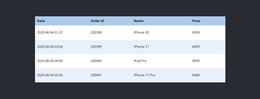
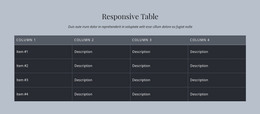
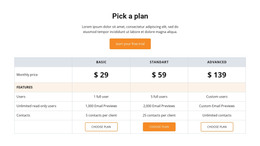
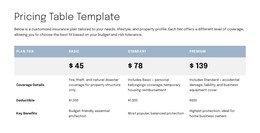
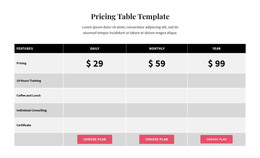
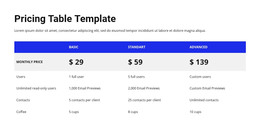
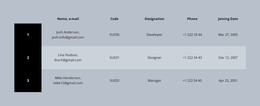
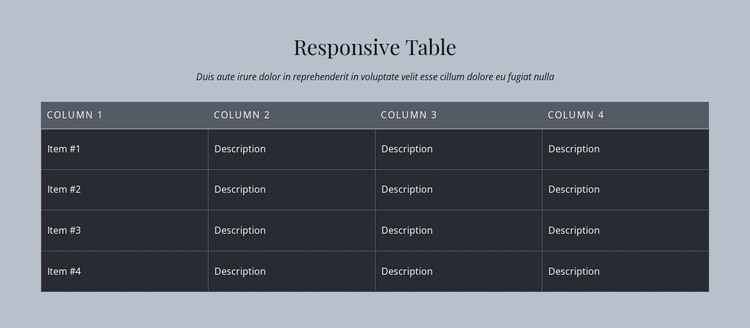
The heading and supporting paragraph make the section read as deliberate page content rather than a transient message. They introduce the subject before the four-column table presents the details in a fixed relationship. A distinct header row labels the columns, and four repeated body rows extend that structure across sixteen cells. In a WordPress-managed page, this makes the block suitable for stable information that belongs with the page’s main subject and should remain easy to scan.
The visual arrangement supports that content role. The light gray background frames the section, while the centered serif heading and italic supporting text create a measured opening. The dark table area then supplies a stronger visual anchor, with thin borders maintaining separation between headers, rows, and individual cells. Because the interaction is static, the information is directly available to visitors without depending on posts, categories, or other changing content structures.
The placeholder labels and descriptions can be replaced with page-specific values while retaining the established hierarchy. Other WordPress-managed content can surround the section, but the table remains a focused content region with its own purpose and layout. If the project uses Nicepage for WordPress page design, the section can be edited as part of the wider page composition; the relevant benefit here is the reliable presentation of organized data, not an assumption about how the surrounding site publishes its content.
Customize with Nicepage
Open this ready-made template in the WordPress Website Builder and customize it visually in the Nicepage editor. Replace demo content, edit page sections, and adapt the design to your project without rebuilding the template from scratch.
Edit Template Offline
2. Create a new page or select existing
3. Click Add new block, search for id 83783 and click enter
Edit Template Online
Create Awesome Websites


Free Nicepage Builder
Keywords
Manage and Edit This Theme in WordPress
Customize and Install the WordPress Theme
Start with this ready-made theme instead of building the WordPress design from scratch. Customize its layout, content, typography, images, sections, and other design elements visually in Nicepage editor, then export and install the WordPress Theme, Plugin, and Pages on your WordPress site. The Nicepage WordPress Plugin lets you continue working with the site after installation.
Edit the Theme Directly in WordPress
After installation, you can edit the WordPress Theme directly in WordPress with the Nicepage WordPress Plugin. Use Site Style to customize site Colors, Fonts, Header, Footer, Blog, and Post Page Templates while working within your WordPress website.
Edit WordPress Pages Visually
Use the Nicepage WordPress Plugin to edit page content directly from the WordPress admin area. Open a WordPress Page with Nicepage and visually change its text, images, sections, and other page elements while continuing to manage the Page through WordPress.
WordPress Content and Theme Integration
Use the customized theme with WordPress Pages, Posts, Blog and Post Templates, menus, widgets, and other CMS-managed content. Shared theme elements such as Colors, Fonts, Header, Footer, Blog, and Post Page Templates can be managed as part of the overall site design, while WordPress provides the CMS environment for managing site content.
This workflow combines a ready-made WordPress Theme with visual customization, direct theme editing in WordPress, and continued content management through the Nicepage WordPress Plugin.