Shared hosting plans WordPress Theme


Stable plan information fits a WordPress-managed pricing section
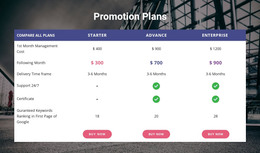
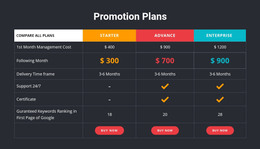
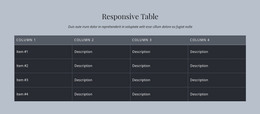
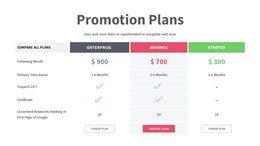
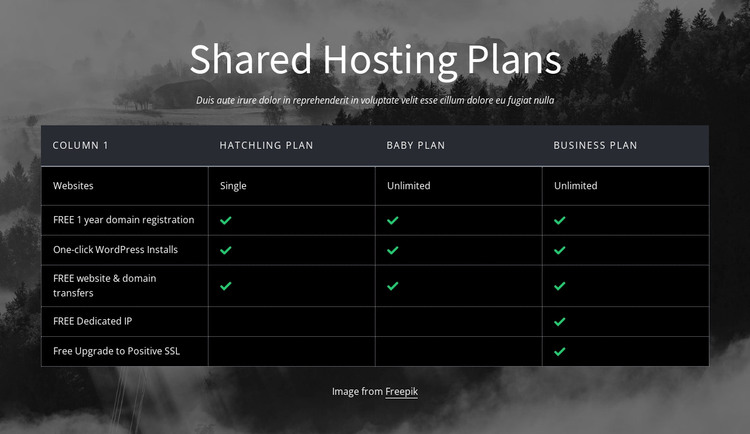
The heading and comparison table form durable page content rather than a time-based editorial stream. In a WordPress-managed project, this block can serve as a reusable pricing or hosting section while the wider site handles other pages and publishing needs. Its internal organization remains clear: a centered introduction leads into one feature column and three named plan columns for Hatchling, Baby, and Business.
The five feature rows provide structured information that can be maintained as part of the page content. One-year domain registration, one-click WordPress installs, and website and domain transfers are marked for every plan. Dedicated IP and Positive SSL are marked only for Business Plan, so the table preserves a direct relationship between the offer details and the plan tier. The green indicators make those relationships visible without relying on long explanatory copy.
The visual presentation helps the section remain recognizable when placed among other WordPress-managed content. The grayscale nature image stays behind the section, the dark table carries the information, and white type, muted headers, thin borders, and evenly divided columns keep the comparison orderly. The centered image credit remains below the table. A Nicepage WordPress project can place such a section within broader page content, but the block itself remains one stable content area, not a complete WordPress Theme or site.
Customize with Nicepage
Open this ready-made template in the WordPress Website Builder and customize it visually in the Nicepage editor. Replace demo content, edit page sections, and adapt the design to your project without rebuilding the template from scratch.
Edit Template Offline
2. Create a new page or select existing
3. Click Add new block, search for id 434182 and click enter
Edit Template Online
Create Awesome Websites


Free Nicepage Builder
Keywords
Manage and Edit This Theme in WordPress
Customize and Install the WordPress Theme
Start with this ready-made theme instead of building the WordPress design from scratch. Customize its layout, content, typography, images, sections, and other design elements visually in Nicepage editor, then export and install the WordPress Theme, Plugin, and Pages on your WordPress site. The Nicepage WordPress Plugin lets you continue working with the site after installation.
Edit the Theme Directly in WordPress
After installation, you can edit the WordPress Theme directly in WordPress with the Nicepage WordPress Plugin. Use Site Style to customize site Colors, Fonts, Header, Footer, Blog, and Post Page Templates while working within your WordPress website.
Edit WordPress Pages Visually
Use the Nicepage WordPress Plugin to edit page content directly from the WordPress admin area. Open a WordPress Page with Nicepage and visually change its text, images, sections, and other page elements while continuing to manage the Page through WordPress.
WordPress Content and Theme Integration
Use the customized theme with WordPress Pages, Posts, Blog and Post Templates, menus, widgets, and other CMS-managed content. Shared theme elements such as Colors, Fonts, Header, Footer, Blog, and Post Page Templates can be managed as part of the overall site design, while WordPress provides the CMS environment for managing site content.
This workflow combines a ready-made WordPress Theme with visual customization, direct theme editing in WordPress, and continued content management through the Nicepage WordPress Plugin.