Run with a club WordPress Theme


Edit Template Offline
2. Create new page and search for id 6333520
Edit Template Online
Create Awesome Websites


Free Nicepage Builder
Keywords
The Event Listing Gives WordPress Content a Clear Page Role
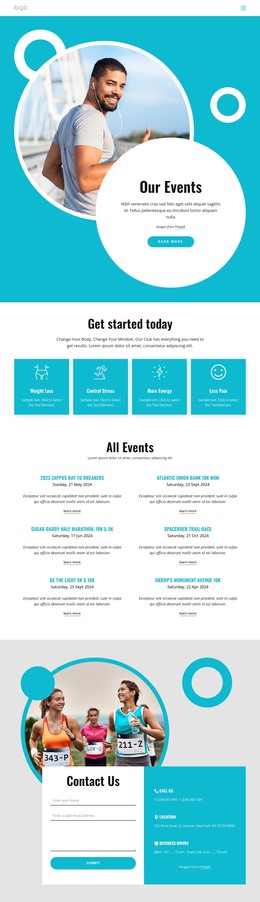
The “All Events” section gives this design a useful content center for a WordPress-managed site. Six repeated entries are arranged in two columns, and each one combines an event name, date information, descriptive text, and a Learn more link. That pattern separates individual activities while keeping them within one recognizable presentation. The event area can therefore serve as page-oriented content that visitors browse, rather than as a single static announcement with no internal distinction.
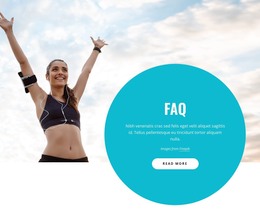
The four fitness benefit cards add a different layer of permanent page information. Weight Loss, Control Stress, More Energy, and Less Pain frame the events through outcomes without being confused with the event entries themselves. Together with the turquoise “Our Events” hero, circular imagery, and compact navigation, they establish the visual and informational context that can remain consistent as related fitness content is added or revised.
The contact region supports the practical side of the page. Name, email, and message fields provide an inquiry point, while phone, location, and business-hours details offer supporting contact information beside the form. A dark footer closes the page and gives shared site content a defined endpoint. In a WordPress project, these distinct areas can be interpreted as coordinated page content within a theme, with the repeated event pattern kept visually consistent as the surrounding fitness information develops.
Customize with Nicepage
Open this ready-made template in the WordPress Website Builder and customize it visually in the Nicepage editor. Replace demo content, edit page sections, and adapt the design to your project without rebuilding the template from scratch.
Manage and Edit This Theme in WordPress
Customize and Install the WordPress Theme
Start with this ready-made theme instead of building the WordPress design from scratch. Customize its layout, content, typography, images, sections, and other design elements visually in Nicepage editor, then export and install the WordPress Theme, Plugin, and Pages on your WordPress site. The Nicepage WordPress Plugin lets you continue working with the site after installation.
Edit the Theme Directly in WordPress
After installation, you can edit the WordPress Theme directly in WordPress with the Nicepage WordPress Plugin. Use Site Style to customize site Colors, Fonts, Header, Footer, Blog, and Post Page Templates while working within your WordPress website.
Edit WordPress Pages Visually
Use the Nicepage WordPress Plugin to edit page content directly from the WordPress admin area. Open a WordPress Page with Nicepage and visually change its text, images, sections, and other page elements while continuing to manage the Page through WordPress.
WordPress Content and Theme Integration
Use the customized theme with WordPress Pages, Posts, Blog and Post Templates, menus, widgets, and other CMS-managed content. Shared theme elements such as Colors, Fonts, Header, Footer, Blog, and Post Page Templates can be managed as part of the overall site design, while WordPress provides the CMS environment for managing site content.
This workflow combines a ready-made WordPress Theme with visual customization, direct theme editing in WordPress, and continued content management through the Nicepage WordPress Plugin.