Outdoor, on-site or via live class WordPress Theme


A Visual Club Story for Stable WordPress Page Content
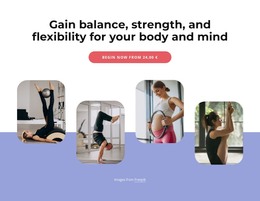
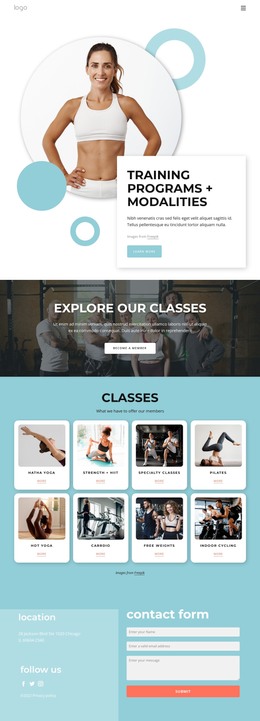
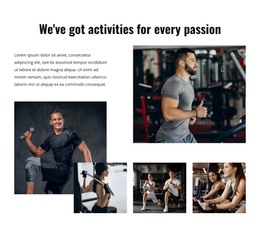
The large image and three supporting panels give this section a visual way to introduce the club before the written message is read. The collage is intentionally varied: one portrait carries primary scale, one wide image broadens the scene, and two smaller images complete the sports and fitness context. Beneath that group, the centered white card keeps the “about us” label and “The biggest multifunctional sport club” heading together as one stable content area.
For a WordPress-oriented project, the block can fit naturally into permanent page content such as an About or club-information section. Its structure is concise enough to remain a dependable visual pattern while the surrounding site adds separate content for classes, activities, schedules, or contact information. The sample “Image from Freepik” line functions as attribution within the presentation, not as evidence of a particular organization or commercial claim.
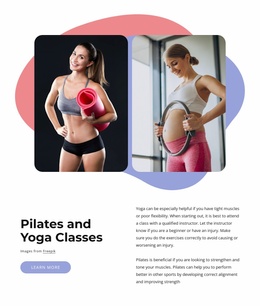
The rounded card and soft shadow distinguish the text from the image collage without requiring a separate page-level layout. Blue and coral organic shapes remain behind the images, creating a visual accent while the white card and black typography preserve contrast. This balance allows the section to participate in a WordPress-managed page as a recognizable about area whose content and visual role remain clear alongside other page sections.
Customize with Nicepage
Open this ready-made template in the WordPress Website Builder and customize it visually in the Nicepage editor. Replace demo content, edit page sections, and adapt the design to your project without rebuilding the template from scratch.
Edit Template Offline
2. Create a new page or select existing
3. Click Add new block, search for id 1775074 and click enter
Edit Template Online
Create Awesome Websites


Free Nicepage Builder
Keywords
Manage and Edit This Theme in WordPress
Customize and Install the WordPress Theme
Start with this ready-made theme instead of building the WordPress design from scratch. Customize its layout, content, typography, images, sections, and other design elements visually in Nicepage editor, then export and install the WordPress Theme, Plugin, and Pages on your WordPress site. The Nicepage WordPress Plugin lets you continue working with the site after installation.
Edit the Theme Directly in WordPress
After installation, you can edit the WordPress Theme directly in WordPress with the Nicepage WordPress Plugin. Use Site Style to customize site Colors, Fonts, Header, Footer, Blog, and Post Page Templates while working within your WordPress website.
Edit WordPress Pages Visually
Use the Nicepage WordPress Plugin to edit page content directly from the WordPress admin area. Open a WordPress Page with Nicepage and visually change its text, images, sections, and other page elements while continuing to manage the Page through WordPress.
WordPress Content and Theme Integration
Use the customized theme with WordPress Pages, Posts, Blog and Post Templates, menus, widgets, and other CMS-managed content. Shared theme elements such as Colors, Fonts, Header, Footer, Blog, and Post Page Templates can be managed as part of the overall site design, while WordPress provides the CMS environment for managing site content.
This workflow combines a ready-made WordPress Theme with visual customization, direct theme editing in WordPress, and continued content management through the Nicepage WordPress Plugin.