Running and sports WordPress Theme


Edit Template Offline
2. Create new page and search for id 20587
Edit Template Online
Create Awesome Websites


Free Nicepage Builder
Keywords
Program Content and Running Articles Fit a Publishable Site Structure
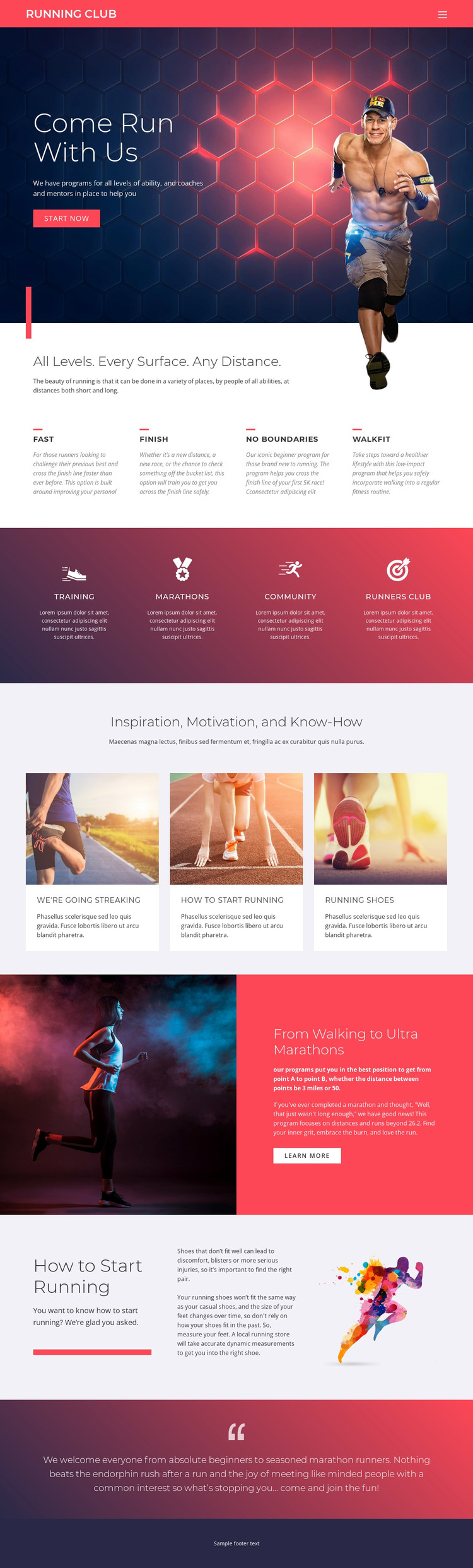
The four program options provide page-oriented content that can be expanded around different running experiences. FAST, FINISH, NO BOUNDARIES, and WALKFIT are already presented as separate labeled choices, so a WordPress project could develop their descriptions, schedules, or supporting resources while keeping the same visual direction. The design does not require those future content types to be treated as existing WordPress Posts; they are verified content areas that can be interpreted and extended within a managed site.
The three cards under “Inspiration, Motivation, and Know-How” offer a different relationship. Their article-like presentation suits regularly refreshed running advice, including “How To Start Running” and content about running shoes. The activity strip, by contrast, groups the more permanent club themes of Training, MARATHONS, Community, and Runners Club. This distinction helps separate ongoing editorial material from the core areas that explain participation.
The hero and closing welcome message connect those content groups to the club’s broader purpose: encouraging beginners and experienced marathon runners to start or join. A WordPress theme interpretation can therefore keep permanent page content, recurring guidance, and navigation within one visual system. The theme’s bold colors and athletic imagery support recognition across those areas, while the existing section relationships provide a clearer starting structure than an undifferentiated sports homepage.
Customize with Nicepage
Open this ready-made template in the WordPress Website Builder and customize it visually in the Nicepage editor. Replace demo content, edit page sections, and adapt the design to your project without rebuilding the template from scratch.
Manage and Edit This Theme in WordPress
Customize and Install the WordPress Theme
Start with this ready-made theme instead of building the WordPress design from scratch. Customize its layout, content, typography, images, sections, and other design elements visually in Nicepage editor, then export and install the WordPress Theme, Plugin, and Pages on your WordPress site. The Nicepage WordPress Plugin lets you continue working with the site after installation.
Edit the Theme Directly in WordPress
After installation, you can edit the WordPress Theme directly in WordPress with the Nicepage WordPress Plugin. Use Site Style to customize site Colors, Fonts, Header, Footer, Blog, and Post Page Templates while working within your WordPress website.
Edit WordPress Pages Visually
Use the Nicepage WordPress Plugin to edit page content directly from the WordPress admin area. Open a WordPress Page with Nicepage and visually change its text, images, sections, and other page elements while continuing to manage the Page through WordPress.
WordPress Content and Theme Integration
Use the customized theme with WordPress Pages, Posts, Blog and Post Templates, menus, widgets, and other CMS-managed content. Shared theme elements such as Colors, Fonts, Header, Footer, Blog, and Post Page Templates can be managed as part of the overall site design, while WordPress provides the CMS environment for managing site content.
This workflow combines a ready-made WordPress Theme with visual customization, direct theme editing in WordPress, and continued content management through the Nicepage WordPress Plugin.