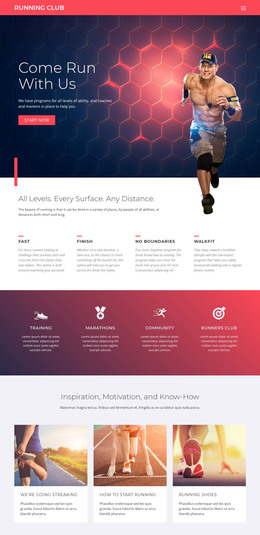
Running club for sports WordPress Theme


Edit Template Offline
2. Create new page and search for id 88779
Edit Template Online
Create Awesome Websites


Free Nicepage Builder
Keywords
Club pages, event information, and recurring advice fit a WordPress content model
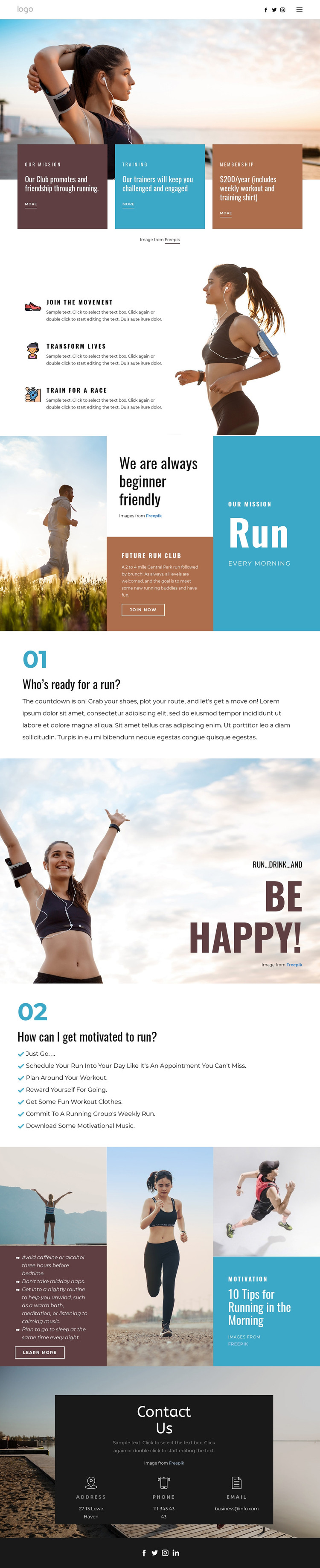
The page’s content areas divide naturally into permanent club information and material that may be updated over time. The mission, training, and membership cards can represent core page content, while the benefit items clarify the different reasons to participate. The beginner-friendly section then adds an event-oriented context through a 2 to 4 mile Central Park run followed by brunch and the statement that all running levels are welcome.
The motivation and morning-running sections provide a different kind of content relationship. Seven suggestions and ten morning tips are practical editorial material that could grow as the club publishes additional guidance, announcements, or training resources. That interpretation does not claim that posts, categories, or blog structures already exist in the template; it explains how the repeated advice-oriented areas could support a WordPress-managed content environment while retaining the same visual direction.
Navigation, social access, and the contact panel give the theme shared site elements around those content areas. The contact region presents address, phone, and email together, while the footer carries four social links. A WordPress project could therefore keep stable membership and training information alongside more changeable event or advice content, using the template’s bold condensed type, running imagery, and cyan-coral-charcoal contrast as the connecting theme. The design’s value lies in this separation between core club pages, publishable guidance, activity context, and communication channels.
Customize with Nicepage
Open this ready-made template in the WordPress Website Builder and customize it visually in the Nicepage editor. Replace demo content, edit page sections, and adapt the design to your project without rebuilding the template from scratch.
Manage and Edit This Theme in WordPress
Customize and Install the WordPress Theme
Start with this ready-made theme instead of building the WordPress design from scratch. Customize its layout, content, typography, images, sections, and other design elements visually in Nicepage editor, then export and install the WordPress Theme, Plugin, and Pages on your WordPress site. The Nicepage WordPress Plugin lets you continue working with the site after installation.
Edit the Theme Directly in WordPress
After installation, you can edit the WordPress Theme directly in WordPress with the Nicepage WordPress Plugin. Use Site Style to customize site Colors, Fonts, Header, Footer, Blog, and Post Page Templates while working within your WordPress website.
Edit WordPress Pages Visually
Use the Nicepage WordPress Plugin to edit page content directly from the WordPress admin area. Open a WordPress Page with Nicepage and visually change its text, images, sections, and other page elements while continuing to manage the Page through WordPress.
WordPress Content and Theme Integration
Use the customized theme with WordPress Pages, Posts, Blog and Post Templates, menus, widgets, and other CMS-managed content. Shared theme elements such as Colors, Fonts, Header, Footer, Blog, and Post Page Templates can be managed as part of the overall site design, while WordPress provides the CMS environment for managing site content.
This workflow combines a ready-made WordPress Theme with visual customization, direct theme editing in WordPress, and continued content management through the Nicepage WordPress Plugin.