Achieve your fitness goals with us WordPress Theme


Stable Activity Categories for WordPress-Managed Page Content
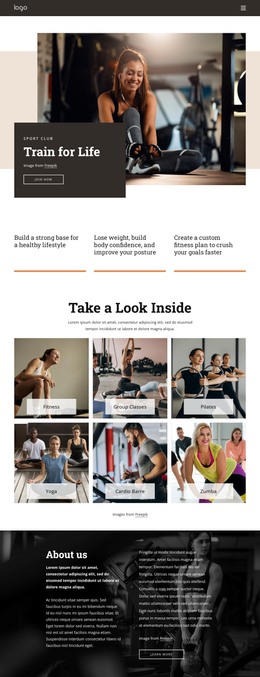
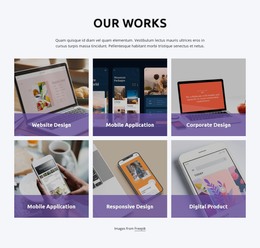
The six labeled image tiles turn the block into a compact, publishable content area for fitness activities. The heading “Take a Look Inside” and its supporting paragraph introduce the subject, while the repeated labels—Fitness, Group Classes, Pilates, Yoga, Cardio Barre, and Zumba—separate the visual content into recognizable page categories. This organization suits stable services or program information that can remain part of a broader page while surrounding content develops independently.
The three-column, two-row grid keeps the six categories together and makes their relationship immediately visible. Each photograph uses the same rectangular treatment, rounded corners, and translucent light panel near the lower edge, so the page content has a consistent visual pattern even though the category images differ. The block is static, meaning its role depends on clear grouping and scanning rather than a changing slideshow or interactive filter.
In a WordPress-oriented project, this section can occupy a services or programs area on a managed page while other content handles detailed descriptions, schedules, instructor information, or inquiries. Its page-oriented value comes from the way it preserves a complete category group: the heading establishes context, the paragraph provides an introduction, and the six repeated tiles give visitors a quick visual overview. The block can therefore remain a dependable content section within a wider theme and page structure without being treated as the whole theme itself.
Customize with Nicepage
Open this ready-made template in the WordPress Website Builder and customize it visually in the Nicepage editor. Replace demo content, edit page sections, and adapt the design to your project without rebuilding the template from scratch.
Edit Template Offline
2. Create a new page or select existing
3. Click Add new block, search for id 6210006 and click enter
Edit Template Online
Create Awesome Websites


Free Nicepage Builder
Keywords
Manage and Edit This Theme in WordPress
Customize and Install the WordPress Theme
Start with this ready-made theme instead of building the WordPress design from scratch. Customize its layout, content, typography, images, sections, and other design elements visually in Nicepage editor, then export and install the WordPress Theme, Plugin, and Pages on your WordPress site. The Nicepage WordPress Plugin lets you continue working with the site after installation.
Edit the Theme Directly in WordPress
After installation, you can edit the WordPress Theme directly in WordPress with the Nicepage WordPress Plugin. Use Site Style to customize site Colors, Fonts, Header, Footer, Blog, and Post Page Templates while working within your WordPress website.
Edit WordPress Pages Visually
Use the Nicepage WordPress Plugin to edit page content directly from the WordPress admin area. Open a WordPress Page with Nicepage and visually change its text, images, sections, and other page elements while continuing to manage the Page through WordPress.
WordPress Content and Theme Integration
Use the customized theme with WordPress Pages, Posts, Blog and Post Templates, menus, widgets, and other CMS-managed content. Shared theme elements such as Colors, Fonts, Header, Footer, Blog, and Post Page Templates can be managed as part of the overall site design, while WordPress provides the CMS environment for managing site content.
This workflow combines a ready-made WordPress Theme with visual customization, direct theme editing in WordPress, and continued content management through the Nicepage WordPress Plugin.