World Cup 2018 WordPress Theme


Edit Template Offline
2. Create new page and search for id 25118
Edit Template Online
Create Awesome Websites


Free Nicepage Builder
Keywords
Player guides and recurring features give the theme clear content roles
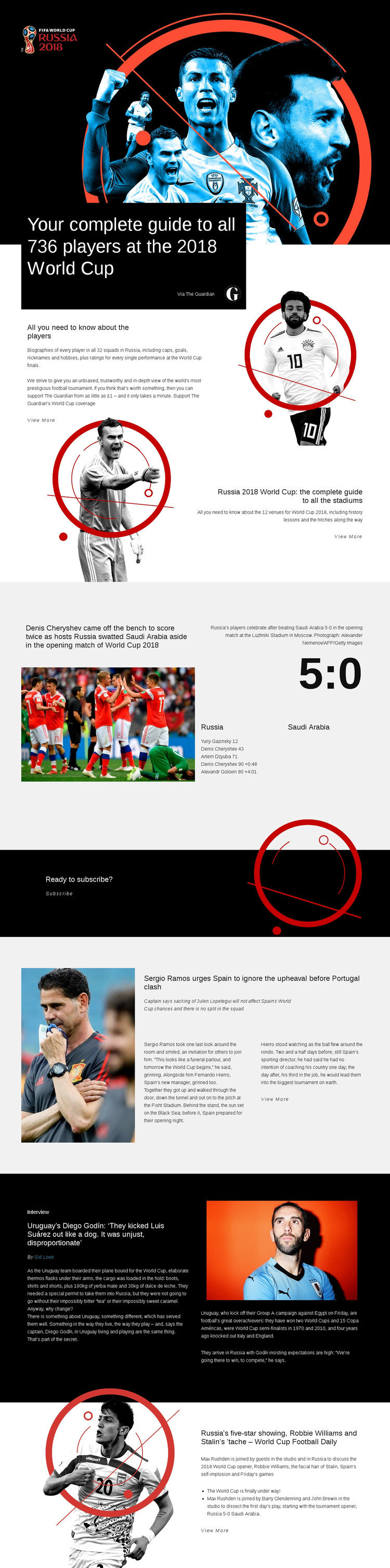
The permanent page content is especially clear in the player and stadium sections. The opening guide introduces 736 players across 32 squads, while the next block groups biographies, caps, goals, nicknames, hobbies, performance ratings, and a View More path around that subject. The stadium guide supplies a second page-oriented content area with coverage of 12 venues and their history. These sections can be understood as structured editorial subjects rather than isolated design samples.
The later blocks show how changing sports content could remain within the same visual system. The Russia–Saudi Arabia report combines a match photograph with a 5:0 score, goal details, and a Luzhniki Stadium caption. Spain team news provides a separate feature format, and the Diego Godín section adds interview labeling, a byline, supporting facts, and a pull quote. The World Cup Football Daily block offers another recurring discussion format with named contributors. These relationships make the design suitable for a site where permanent guides coexist with regularly updated coverage, without claiming that WordPress Posts or categories are already present in the template.
The subscription band gives the page a distinct audience relationship, while repeated View More links separate summaries from deeper editorial destinations. In a WordPress project, that combination can support page-oriented reference content and publishable sports features while preserving the template's monochrome, image-led identity. The CMS interpretation follows the content structure rather than merely adding WordPress terminology.
Customize with Nicepage
Open this ready-made template in the WordPress Website Builder and customize it visually in the Nicepage editor. Replace demo content, edit page sections, and adapt the design to your project without rebuilding the template from scratch.
Manage and Edit This Theme in WordPress
Customize and Install the WordPress Theme
Start with this ready-made theme instead of building the WordPress design from scratch. Customize its layout, content, typography, images, sections, and other design elements visually in Nicepage editor, then export and install the WordPress Theme, Plugin, and Pages on your WordPress site. The Nicepage WordPress Plugin lets you continue working with the site after installation.
Edit the Theme Directly in WordPress
After installation, you can edit the WordPress Theme directly in WordPress with the Nicepage WordPress Plugin. Use Site Style to customize site Colors, Fonts, Header, Footer, Blog, and Post Page Templates while working within your WordPress website.
Edit WordPress Pages Visually
Use the Nicepage WordPress Plugin to edit page content directly from the WordPress admin area. Open a WordPress Page with Nicepage and visually change its text, images, sections, and other page elements while continuing to manage the Page through WordPress.
WordPress Content and Theme Integration
Use the customized theme with WordPress Pages, Posts, Blog and Post Templates, menus, widgets, and other CMS-managed content. Shared theme elements such as Colors, Fonts, Header, Footer, Blog, and Post Page Templates can be managed as part of the overall site design, while WordPress provides the CMS environment for managing site content.
This workflow combines a ready-made WordPress Theme with visual customization, direct theme editing in WordPress, and continued content management through the Nicepage WordPress Plugin.