Canoeing and kayaking WordPress Theme



Edit Template Offline
2. Create new page and search for id 966338
Edit Template Online
Create Awesome Websites


Free Nicepage Builder
Keywords
Activity Cards and Resort Pages Can Share One WordPress Visual System
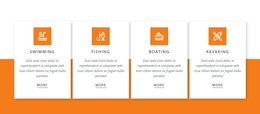
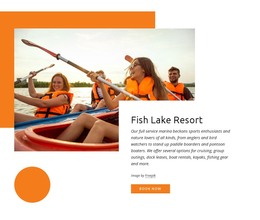
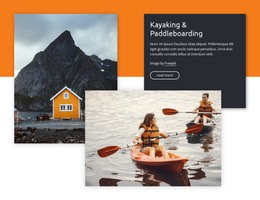
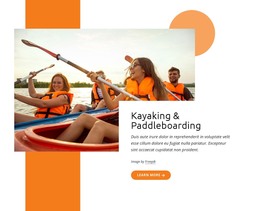
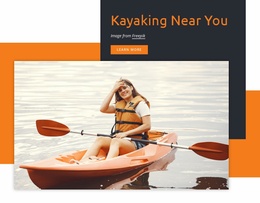
The four activity cards create a useful page-oriented content base for a WordPress-managed resort site. Swimming, Fishing, Boating, and Kayaking are presented as related but distinct subjects, each with an icon, description, and link. That structure can support permanent informational pages or sections while preserving the shared card treatment. The page also separates more specific offerings, including paddleboarding, lake cruises, boat rentals, and guided fishing excursions, giving future content a clear relationship to the main activity categories.
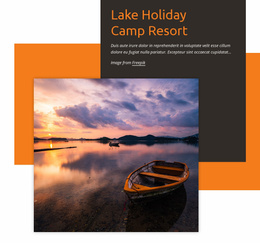
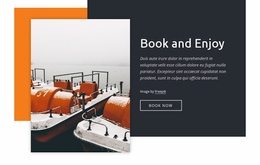
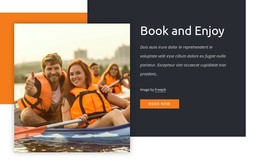
The visual system is reinforced by recurring patterns rather than by one isolated block. Dark text panels appear beside or over large outdoor photographs, orange accents mark important areas, and Book now actions recur near reservation-focused content. The About Resort block provides a separate place for descriptive site information and repeated metrics, while the final contact region groups location, social links, privacy text, and a message form. These distinctions can help organize permanent resort content alongside additional pages or regularly updated material if the project later requires it, without claiming that posts or blog structures already exist.
The theme’s value is therefore in mapping the verified page areas to a coherent content environment: activity information can remain recognizable, resort context can retain its place, and contact content can remain connected to the same visual language. The displayed metrics and sample address should be replaced or verified before publication.
Customize with Nicepage
Open this ready-made template in the WordPress Website Builder and customize it visually in the Nicepage editor. Replace demo content, edit page sections, and adapt the design to your project without rebuilding the template from scratch.
Manage and Edit This Theme in WordPress
Customize and Install the WordPress Theme
Start with this ready-made theme instead of building the WordPress design from scratch. Customize its layout, content, typography, images, sections, and other design elements visually in Nicepage editor, then export and install the WordPress Theme, Plugin, and Pages on your WordPress site. The Nicepage WordPress Plugin lets you continue working with the site after installation.
Edit the Theme Directly in WordPress
After installation, you can edit the WordPress Theme directly in WordPress with the Nicepage WordPress Plugin. Use Site Style to customize site Colors, Fonts, Header, Footer, Blog, and Post Page Templates while working within your WordPress website.
Edit WordPress Pages Visually
Use the Nicepage WordPress Plugin to edit page content directly from the WordPress admin area. Open a WordPress Page with Nicepage and visually change its text, images, sections, and other page elements while continuing to manage the Page through WordPress.
WordPress Content and Theme Integration
Use the customized theme with WordPress Pages, Posts, Blog and Post Templates, menus, widgets, and other CMS-managed content. Shared theme elements such as Colors, Fonts, Header, Footer, Blog, and Post Page Templates can be managed as part of the overall site design, while WordPress provides the CMS environment for managing site content.
This workflow combines a ready-made WordPress Theme with visual customization, direct theme editing in WordPress, and continued content management through the Nicepage WordPress Plugin.