Camp for summer sports WordPress Theme


Edit Template Offline
2. Create new page and search for id 61573
Edit Template Online
Create Awesome Websites


Free Nicepage Builder
Keywords
Page-Oriented Surf Content Fits a Managed Theme Structure
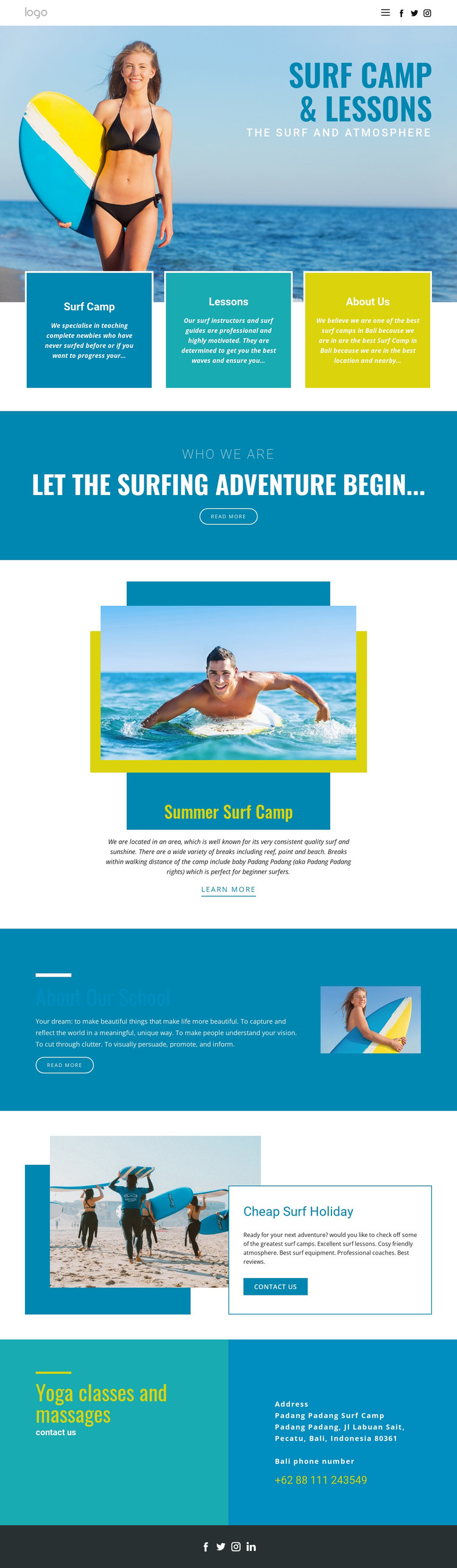
The design divides its subject into clear page-oriented content areas. Surf Camp, Lessons, and About Us appear as three peer cards, allowing a WordPress project to distinguish core service information from organizational content without changing the visual direction. The hero can introduce the overall offer, while the later sections provide more focused material about the camp, school, and holiday experience.
The Summer Surf Camp and Cheap Surf Holiday sections have different editorial roles even though both use surf imagery. The first explains the central camp offer through an image-and-text pairing, while the second combines promotion with a contact action. That distinction can help organize permanent page content around separate visitor questions: what the camp provides, who the school is, and how the holiday offer can be explored. Yoga classes and massages then add a related wellness category rather than a duplicate surf service.
The final contact area, telephone information, header navigation, mobile navigation, and social footer provide shared site context around those content areas. If the project later adds regularly updated articles or announcements, they should remain an extension of this existing visual system rather than being treated as verified elements already present in the template. The theme’s value lies in giving WordPress-managed content a defined coastal presentation with distinct areas for services, background, promotion, and contact.
Customize with Nicepage
Open this ready-made template in the WordPress Website Builder and customize it visually in the Nicepage editor. Replace demo content, edit page sections, and adapt the design to your project without rebuilding the template from scratch.
Manage and Edit This Theme in WordPress
Customize and Install the WordPress Theme
Start with this ready-made theme instead of building the WordPress design from scratch. Customize its layout, content, typography, images, sections, and other design elements visually in Nicepage editor, then export and install the WordPress Theme, Plugin, and Pages on your WordPress site. The Nicepage WordPress Plugin lets you continue working with the site after installation.
Edit the Theme Directly in WordPress
After installation, you can edit the WordPress Theme directly in WordPress with the Nicepage WordPress Plugin. Use Site Style to customize site Colors, Fonts, Header, Footer, Blog, and Post Page Templates while working within your WordPress website.
Edit WordPress Pages Visually
Use the Nicepage WordPress Plugin to edit page content directly from the WordPress admin area. Open a WordPress Page with Nicepage and visually change its text, images, sections, and other page elements while continuing to manage the Page through WordPress.
WordPress Content and Theme Integration
Use the customized theme with WordPress Pages, Posts, Blog and Post Templates, menus, widgets, and other CMS-managed content. Shared theme elements such as Colors, Fonts, Header, Footer, Blog, and Post Page Templates can be managed as part of the overall site design, while WordPress provides the CMS environment for managing site content.
This workflow combines a ready-made WordPress Theme with visual customization, direct theme editing in WordPress, and continued content management through the Nicepage WordPress Plugin.