Join our community of fitness enthusiasts WordPress Theme



Edit Template Offline
2. Create new page and search for id 6211060
Edit Template Online
Create Awesome Websites


Free Nicepage Builder
Keywords
Workout formats and service cards organize the site content
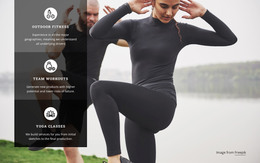
The six-item Formats gallery gives the design a strong page-content core. Strength & Pilates, Cycling Revolution, Punch, Kick & Fly!, Strength & Cardio, Total Body, and Personal Training are presented as distinct visual choices, allowing a fitness project to separate program information instead of placing every offering in one text block. The preceding activity tiles add a broader layer with Personal, Exclusive, Zumba, Yoga, Sauna, and Open 24/7.
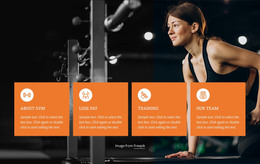
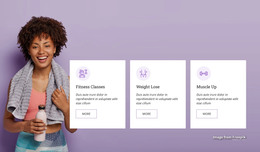
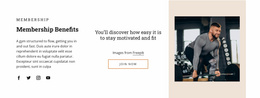
Repeated content continues in the membership section, where Unlimited Fitness, Personal Training, Massage Therapy, and Quick Workouts appear as four service cards beneath the $10/month offer. This relationship between program choices, activity categories, and membership services gives the page several clear content areas that can remain visually coordinated as a WordPress-managed site develops. The six testimonial entries provide a separate member-experience area, while the hero and navigation establish the main entry point.
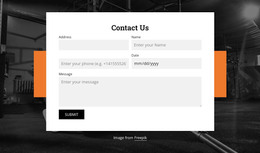
The final Contact Us block adds labeled fields for Name, Address, Phone, Date, and Message, creating a defined communication section rather than leaving inquiries mixed into the promotional copy. In a WordPress project, these permanent page areas can form the basis for organized fitness content, while additional editorial or regularly updated material can be added only if the project requires it. The theme’s value comes from keeping training, services, proof, and contact content within one recognizable visual system.
Customize with Nicepage
Open this ready-made template in the WordPress Website Builder and customize it visually in the Nicepage editor. Replace demo content, edit page sections, and adapt the design to your project without rebuilding the template from scratch.
Manage and Edit This Theme in WordPress
Customize and Install the WordPress Theme
Start with this ready-made theme instead of building the WordPress design from scratch. Customize its layout, content, typography, images, sections, and other design elements visually in Nicepage editor, then export and install the WordPress Theme, Plugin, and Pages on your WordPress site. The Nicepage WordPress Plugin lets you continue working with the site after installation.
Edit the Theme Directly in WordPress
After installation, you can edit the WordPress Theme directly in WordPress with the Nicepage WordPress Plugin. Use Site Style to customize site Colors, Fonts, Header, Footer, Blog, and Post Page Templates while working within your WordPress website.
Edit WordPress Pages Visually
Use the Nicepage WordPress Plugin to edit page content directly from the WordPress admin area. Open a WordPress Page with Nicepage and visually change its text, images, sections, and other page elements while continuing to manage the Page through WordPress.
WordPress Content and Theme Integration
Use the customized theme with WordPress Pages, Posts, Blog and Post Templates, menus, widgets, and other CMS-managed content. Shared theme elements such as Colors, Fonts, Header, Footer, Blog, and Post Page Templates can be managed as part of the overall site design, while WordPress provides the CMS environment for managing site content.
This workflow combines a ready-made WordPress Theme with visual customization, direct theme editing in WordPress, and continued content management through the Nicepage WordPress Plugin.