Our burger menu WordPress Theme


Stable Burger Offerings Fit a Publishable WordPress Page Section
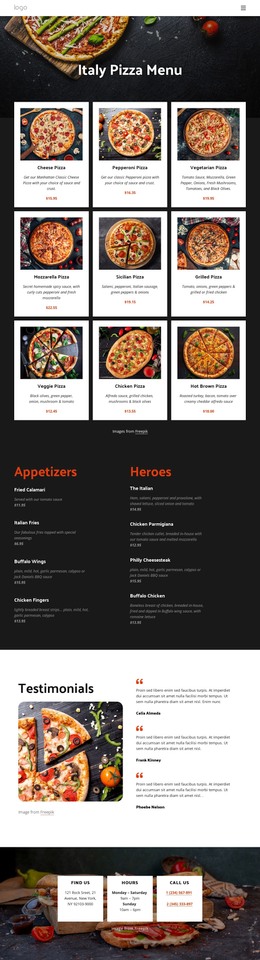
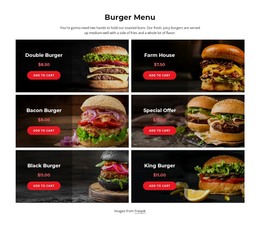
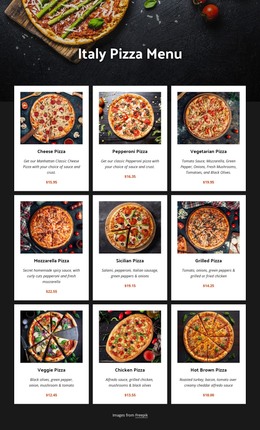
The section reads as durable page content rather than a stream of time-sensitive updates. “Burger Menu” introduces a defined offering, and the six repeated cards provide a stable set of product information through images, names, displayed prices, and Add to cart actions. Double Burger, Farm House, Bacon Burger, Special Offer, Black Burger, and King Burger each occupy the same visual pattern, making the content easy to recognize as one menu area.
In a WordPress-oriented project, this block can sit within a managed restaurant page while the surrounding site handles broader publishing needs. Its two-column grid and three-row sequence preserve the relationship between related offerings, while the dark overlays keep each item’s text attached to its photograph. Red prices and actions help distinguish the information a visitor reads from the point where the visitor can select a product.
The block’s CMS interpretation is therefore based on stable, reusable page content. It does not need to become a standalone theme to contribute value; it can remain one designed content region within a wider WordPress-managed site. Other sections may provide the restaurant introduction, location, story, or additional contact details, while this block consistently performs the narrower job of presenting burger choices and their item-level actions.
Customize with Nicepage
Open this ready-made template in the WordPress Website Builder and customize it visually in the Nicepage editor. Replace demo content, edit page sections, and adapt the design to your project without rebuilding the template from scratch.
Edit Template Offline
2. Create a new page or select existing
3. Click Add new block, search for id 91396 and click enter
Edit Template Online
Create Awesome Websites


Free Nicepage Builder
Keywords
Manage and Edit This Theme in WordPress
Customize and Install the WordPress Theme
Start with this ready-made theme instead of building the WordPress design from scratch. Customize its layout, content, typography, images, sections, and other design elements visually in Nicepage editor, then export and install the WordPress Theme, Plugin, and Pages on your WordPress site. The Nicepage WordPress Plugin lets you continue working with the site after installation.
Edit the Theme Directly in WordPress
After installation, you can edit the WordPress Theme directly in WordPress with the Nicepage WordPress Plugin. Use Site Style to customize site Colors, Fonts, Header, Footer, Blog, and Post Page Templates while working within your WordPress website.
Edit WordPress Pages Visually
Use the Nicepage WordPress Plugin to edit page content directly from the WordPress admin area. Open a WordPress Page with Nicepage and visually change its text, images, sections, and other page elements while continuing to manage the Page through WordPress.
WordPress Content and Theme Integration
Use the customized theme with WordPress Pages, Posts, Blog and Post Templates, menus, widgets, and other CMS-managed content. Shared theme elements such as Colors, Fonts, Header, Footer, Blog, and Post Page Templates can be managed as part of the overall site design, while WordPress provides the CMS environment for managing site content.
This workflow combines a ready-made WordPress Theme with visual customization, direct theme editing in WordPress, and continued content management through the Nicepage WordPress Plugin.