Transform your health today WordPress Theme


Edit Template Offline
2. Create new page and search for id 6556596
Edit Template Online
Create Awesome Websites


Free Nicepage Builder
Keywords
Treatment and Workshop Content Fits a Managed Wellness Theme
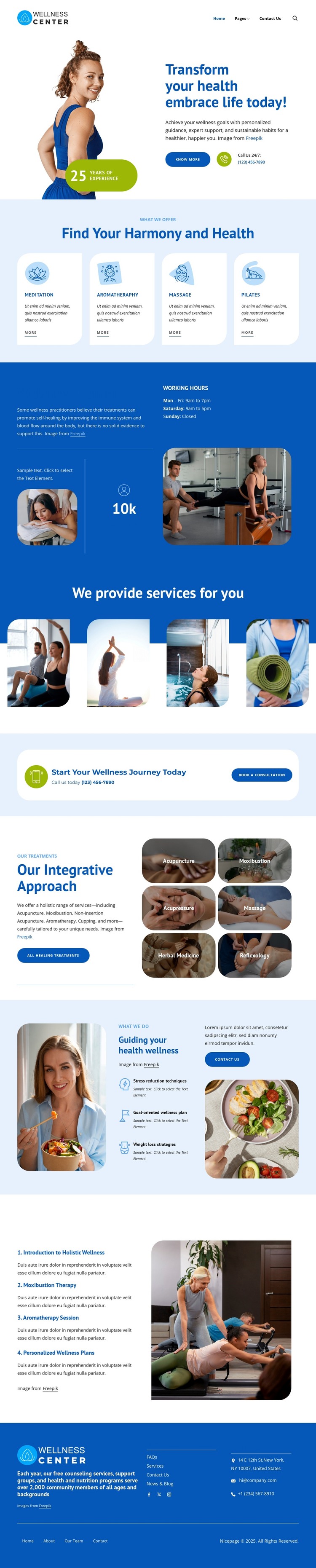
The service and information areas are clearly divided for a wellness site that may need ongoing content management. Four opening cards establish the primary offering categories—meditation, aromatherapy, massage, and Pilates—while the Wellness Center section supplies descriptive copy and working hours as more permanent page information. The four-image service gallery adds visual presentation without replacing the explanatory areas, allowing the theme to balance editorial content with imagery.
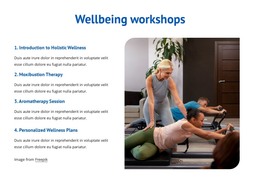
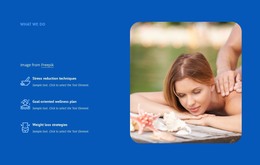
The deeper treatment section provides a different content relationship. Acupuncture, moxibustion, acupressure, massage, herbal medicine, and reflexology appear as six labeled image tiles beside treatment-focused copy. The three guidance features then shift toward stress reduction, goal-oriented planning, and weight loss strategies, while the four workshop topics create a program-oriented group with its own numbered sequence. These distinctions can help a WordPress project organize permanent wellness pages and later updated material without claiming that Posts, categories, or blog structures already exist in the template. The consultation callout and footer supply practical site-wide context through booking, phone, address, email, social links, and navigation. The design’s WordPress theme value comes from keeping these varied content areas inside one visual system, so service information, treatment descriptions, workshops, and contact details can grow without losing the calm blue-and-white presentation established by the original page.
Customize with Nicepage
Open this ready-made template in the WordPress Website Builder and customize it visually in the Nicepage editor. Replace demo content, edit page sections, and adapt the design to your project without rebuilding the template from scratch.
Manage and Edit This Theme in WordPress
Customize and Install the WordPress Theme
Start with this ready-made theme instead of building the WordPress design from scratch. Customize its layout, content, typography, images, sections, and other design elements visually in Nicepage editor, then export and install the WordPress Theme, Plugin, and Pages on your WordPress site. The Nicepage WordPress Plugin lets you continue working with the site after installation.
Edit the Theme Directly in WordPress
After installation, you can edit the WordPress Theme directly in WordPress with the Nicepage WordPress Plugin. Use Site Style to customize site Colors, Fonts, Header, Footer, Blog, and Post Page Templates while working within your WordPress website.
Edit WordPress Pages Visually
Use the Nicepage WordPress Plugin to edit page content directly from the WordPress admin area. Open a WordPress Page with Nicepage and visually change its text, images, sections, and other page elements while continuing to manage the Page through WordPress.
WordPress Content and Theme Integration
Use the customized theme with WordPress Pages, Posts, Blog and Post Templates, menus, widgets, and other CMS-managed content. Shared theme elements such as Colors, Fonts, Header, Footer, Blog, and Post Page Templates can be managed as part of the overall site design, while WordPress provides the CMS environment for managing site content.
This workflow combines a ready-made WordPress Theme with visual customization, direct theme editing in WordPress, and continued content management through the Nicepage WordPress Plugin.