Luxury Yachts for Sale WordPress Theme


Stable Yacht Listings Fit a WordPress Page Content Region
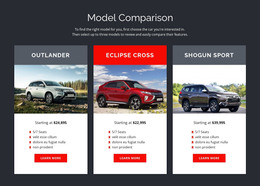
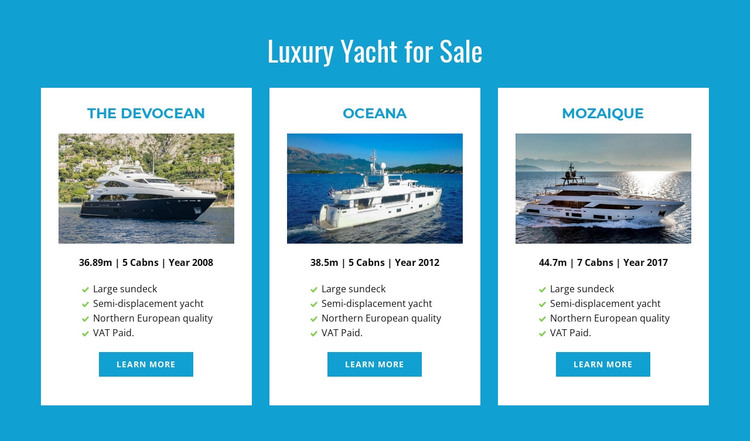
The heading and three repeated cards form a durable product-information region that can participate in a WordPress-managed page. The Devocean, Oceana, and Mozaique are presented with the same content pattern: a yacht name, image, specification line, four feature labels, and a Learn more button. That structure suits content that needs to remain visually consistent while the broader site provides other pages, editorial areas, or supporting information. The displayed dimensions, cabin counts, and years function as the listing details shown in the cards, not as a general claim about an inventory beyond this section.
The block's stable role is especially clear because its content is organized for comparison rather than for a changing article stream. The three-column arrangement groups related offerings, while the bright blue field and white cards separate the product region from neighboring page content. In a WordPress-oriented project, this section can remain part of a services or product page while other CMS-managed material develops around it. A Nicepage WordPress workflow can support editing page content in the broader project, but the block itself remains one reusable visual section rather than a complete theme. Its main contribution is a consistent, publishable yacht-listings presentation with clear onward actions.
Customize with Nicepage
Open this ready-made template in the WordPress Website Builder and customize it visually in the Nicepage editor. Replace demo content, edit page sections, and adapt the design to your project without rebuilding the template from scratch.
Edit Template Offline
2. Create a new page or select existing
3. Click Add new block, search for id 88852 and click enter
Edit Template Online
Create Awesome Websites


Free Nicepage Builder
Keywords
Manage and Edit This Theme in WordPress
Customize and Install the WordPress Theme
Start with this ready-made theme instead of building the WordPress design from scratch. Customize its layout, content, typography, images, sections, and other design elements visually in Nicepage editor, then export and install the WordPress Theme, Plugin, and Pages on your WordPress site. The Nicepage WordPress Plugin lets you continue working with the site after installation.
Edit the Theme Directly in WordPress
After installation, you can edit the WordPress Theme directly in WordPress with the Nicepage WordPress Plugin. Use Site Style to customize site Colors, Fonts, Header, Footer, Blog, and Post Page Templates while working within your WordPress website.
Edit WordPress Pages Visually
Use the Nicepage WordPress Plugin to edit page content directly from the WordPress admin area. Open a WordPress Page with Nicepage and visually change its text, images, sections, and other page elements while continuing to manage the Page through WordPress.
WordPress Content and Theme Integration
Use the customized theme with WordPress Pages, Posts, Blog and Post Templates, menus, widgets, and other CMS-managed content. Shared theme elements such as Colors, Fonts, Header, Footer, Blog, and Post Page Templates can be managed as part of the overall site design, while WordPress provides the CMS environment for managing site content.
This workflow combines a ready-made WordPress Theme with visual customization, direct theme editing in WordPress, and continued content management through the Nicepage WordPress Plugin.