Your gateway to health WordPress Theme



The Joining Card Creates Stable WordPress Page Content
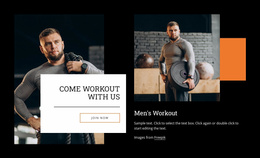
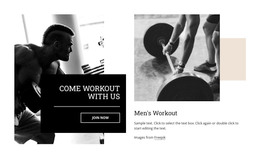
The six-person photograph gives this section a clear visual subject, while the overlapping white card turns the image into a focused invitation. The raised-thumb pose suggests participation and shared activity without requiring the block to carry a longer explanation. Because the card crosses the lower edge of the photograph, the visual message and the written action remain connected as one section rather than reading like unrelated media and text.
The heading, “Get started now to improve your experience today,” supplies a stable page message, and the thin outlined “Join now” button creates the block’s direct response point. Its large bold serif styling gives the heading priority, while centered alignment and generous spacing keep the action area easy to scan. The Freepik attribution remains part of the content arrangement and can stay with the image-led section when the surrounding page content changes.
Within a WordPress-managed page, this block can function as permanent joining or signup-oriented content in a fitness and wellness context. It can follow explanatory page content, introduce a membership destination, or close a sequence before a separate registration process. The wider WordPress project can manage other pages and content around it, while this reusable section preserves the same group image, overlapping card relationship, and single-action hierarchy.
Customize with Nicepage
Open this ready-made template in the WordPress Website Builder and customize it visually in the Nicepage editor. Replace demo content, edit page sections, and adapt the design to your project without rebuilding the template from scratch.
Edit Template Offline
2. Create a new page or select existing
3. Click Add new block, search for id 6211076 and click enter
Edit Template Online
Create Awesome Websites


Free Nicepage Builder
Keywords
Manage and Edit This Theme in WordPress
Customize and Install the WordPress Theme
Start with this ready-made theme instead of building the WordPress design from scratch. Customize its layout, content, typography, images, sections, and other design elements visually in Nicepage editor, then export and install the WordPress Theme, Plugin, and Pages on your WordPress site. The Nicepage WordPress Plugin lets you continue working with the site after installation.
Edit the Theme Directly in WordPress
After installation, you can edit the WordPress Theme directly in WordPress with the Nicepage WordPress Plugin. Use Site Style to customize site Colors, Fonts, Header, Footer, Blog, and Post Page Templates while working within your WordPress website.
Edit WordPress Pages Visually
Use the Nicepage WordPress Plugin to edit page content directly from the WordPress admin area. Open a WordPress Page with Nicepage and visually change its text, images, sections, and other page elements while continuing to manage the Page through WordPress.
WordPress Content and Theme Integration
Use the customized theme with WordPress Pages, Posts, Blog and Post Templates, menus, widgets, and other CMS-managed content. Shared theme elements such as Colors, Fonts, Header, Footer, Blog, and Post Page Templates can be managed as part of the overall site design, while WordPress provides the CMS environment for managing site content.
This workflow combines a ready-made WordPress Theme with visual customization, direct theme editing in WordPress, and continued content management through the Nicepage WordPress Plugin.