Travel vacations WordPress Theme


A Visual Travel Prompt for Permanent Page Content
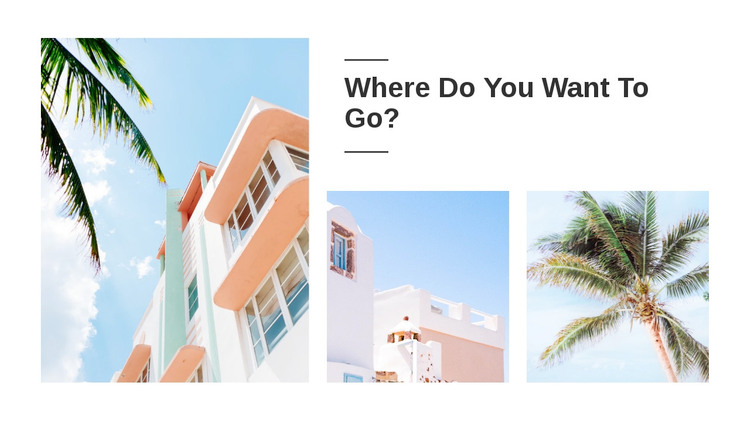
The tall left-hand photograph establishes the main visual focus of the section, while the two smaller images on the right support the heading “Where Do You Want To Go?” as a compact destination introduction. Their different proportions create an asymmetrical composition that can hold attention without relying on motion or a rotating gallery. The divider lines surrounding the heading give the prompt a defined place in the block and make the transition between text and imagery easy to scan.
For a WordPress-oriented project, this section can function as stable page content on a travel, destination, or hospitality page. Its content is primarily visual and introductory, so it can remain consistent while the wider site adds additional pages, posts, booking information, or destination details around it. The block does not need to behave like editorial post content; it can simply provide a recognizable visual area that supports the page’s subject.
The white background and generous spacing also make the block suitable for coordination with other page sections managed through the broader WordPress design. The three images remain distinct because the layout uses one tall column beside a smaller two-image group. With static presentation and clean rectangular edges, the section communicates a travel theme through image scale, placement, and the framed question rather than through interactive features.
Customize with Nicepage
Open this ready-made template in the WordPress Website Builder and customize it visually in the Nicepage editor. Replace demo content, edit page sections, and adapt the design to your project without rebuilding the template from scratch.
Edit Template Offline
2. Create a new page or select existing
3. Click Add new block, search for id 41543 and click enter
Edit Template Online
Create Awesome Websites


Free Nicepage Builder
Keywords
Manage and Edit This Theme in WordPress
Customize and Install the WordPress Theme
Start with this ready-made theme instead of building the WordPress design from scratch. Customize its layout, content, typography, images, sections, and other design elements visually in Nicepage editor, then export and install the WordPress Theme, Plugin, and Pages on your WordPress site. The Nicepage WordPress Plugin lets you continue working with the site after installation.
Edit the Theme Directly in WordPress
After installation, you can edit the WordPress Theme directly in WordPress with the Nicepage WordPress Plugin. Use Site Style to customize site Colors, Fonts, Header, Footer, Blog, and Post Page Templates while working within your WordPress website.
Edit WordPress Pages Visually
Use the Nicepage WordPress Plugin to edit page content directly from the WordPress admin area. Open a WordPress Page with Nicepage and visually change its text, images, sections, and other page elements while continuing to manage the Page through WordPress.
WordPress Content and Theme Integration
Use the customized theme with WordPress Pages, Posts, Blog and Post Templates, menus, widgets, and other CMS-managed content. Shared theme elements such as Colors, Fonts, Header, Footer, Blog, and Post Page Templates can be managed as part of the overall site design, while WordPress provides the CMS environment for managing site content.
This workflow combines a ready-made WordPress Theme with visual customization, direct theme editing in WordPress, and continued content management through the Nicepage WordPress Plugin.