Value proposition WordPress Theme


Stable Mountain Content for a WordPress-Managed Page
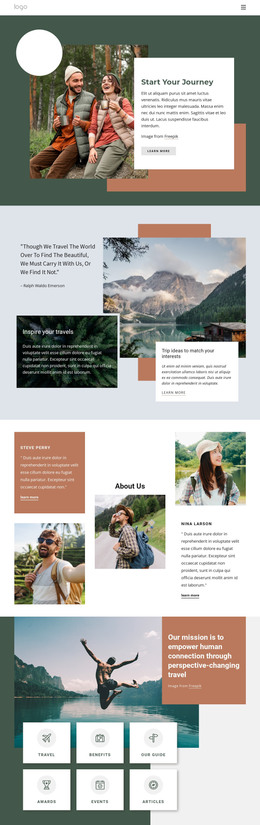
The heading, descriptive copy, image credit, and “learn more” action form a stable content area rather than time-sensitive editorial material. The coral-orange rounded panel gives that page content a strong visual container, while the two right-side rows add related mountain imagery and supporting text. Each row has its own image-text relationship, sample label, paragraph, and “more” link, so the section can present one topic through a main statement and smaller related items.
In a WordPress-oriented project, this block can participate as reusable page content within a broader theme and site structure. The block remains a section; WordPress provides the surrounding environment in which pages and other content can be managed. The available layout is especially suited to a stable destination, feature, or travel-related information area where the main topic should remain visually distinct from adjacent content.
The visual treatment also gives the page area a repeatable style direction. Coral can emphasize the primary message, pale cards can separate supporting descriptions, and rounded image surfaces can connect photography with the surrounding text. These relationships can be maintained while editors replace the sample labels or descriptive wording with project-specific content. The Freepik credit remains an important content detail tied to the supplied imagery. This makes the section useful as a controlled, recognizable content region without implying that it is a complete WordPress Theme or an entire site.
Customize with Nicepage
Open this ready-made template in the WordPress Website Builder and customize it visually in the Nicepage editor. Replace demo content, edit page sections, and adapt the design to your project without rebuilding the template from scratch.
Edit Template Offline
2. Create a new page or select existing
3. Click Add new block, search for id 2018787 and click enter
Edit Template Online
Create Awesome Websites


Free Nicepage Builder
Keywords
Manage and Edit This Theme in WordPress
Customize and Install the WordPress Theme
Start with this ready-made theme instead of building the WordPress design from scratch. Customize its layout, content, typography, images, sections, and other design elements visually in Nicepage editor, then export and install the WordPress Theme, Plugin, and Pages on your WordPress site. The Nicepage WordPress Plugin lets you continue working with the site after installation.
Edit the Theme Directly in WordPress
After installation, you can edit the WordPress Theme directly in WordPress with the Nicepage WordPress Plugin. Use Site Style to customize site Colors, Fonts, Header, Footer, Blog, and Post Page Templates while working within your WordPress website.
Edit WordPress Pages Visually
Use the Nicepage WordPress Plugin to edit page content directly from the WordPress admin area. Open a WordPress Page with Nicepage and visually change its text, images, sections, and other page elements while continuing to manage the Page through WordPress.
WordPress Content and Theme Integration
Use the customized theme with WordPress Pages, Posts, Blog and Post Templates, menus, widgets, and other CMS-managed content. Shared theme elements such as Colors, Fonts, Header, Footer, Blog, and Post Page Templates can be managed as part of the overall site design, while WordPress provides the CMS environment for managing site content.
This workflow combines a ready-made WordPress Theme with visual customization, direct theme editing in WordPress, and continued content management through the Nicepage WordPress Plugin.